
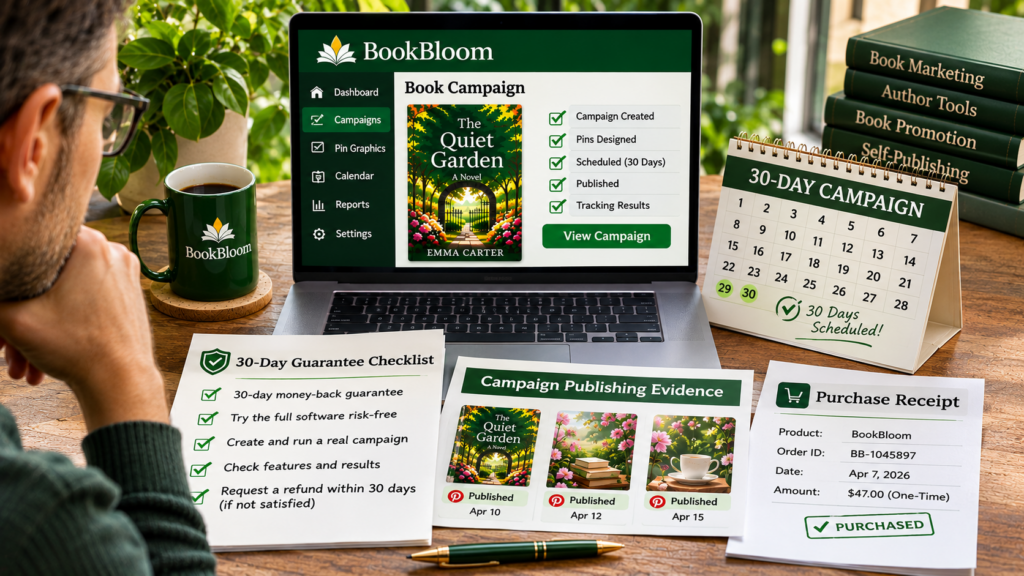
To qualify for a BookBloom refund under its advertised 30-day guarantee, you should contact the seller or the payment platform within the 30-day guarantee period and follow the refund instructions attached to your purchase. However, the exact eligibility conditions, required steps, and refund procedure should be confirmed in the current guarantee terms rather than assumed. If you are considering BookBloom, check the current offer and purchase details here before placing your order.
What Does the BookBloom 30-Day Money-Back Guarantee Mean?
A 30-day money-back guarantee is intended to give buyers a limited period after purchasing to evaluate a product and decide whether it meets their expectations. For an author considering BookBloom, that evaluation period can be useful for exploring the platform’s book-promotion workflow and deciding whether its tools fit their marketing routine.
But the phrase “30-day guarantee” does not, by itself, explain every refund condition. It does not tell you whether the period begins at checkout or account activation, whether particular actions are required, or which support channel handles the request. Those details matter. Always read the guarantee wording shown during checkout and retain a copy of the purchase confirmation.
What Should You Do to Protect Your Refund Eligibility?
Even when a guarantee is advertised, keeping clear records and acting promptly can make the refund process easier. Use this practical checklist after purchasing BookBloom:
- Save your purchase confirmation. Keep the receipt, transaction ID, purchase date, and the email address used at checkout. These details can help the seller or payment provider locate your order.
- Record the guarantee deadline. Note the purchase date and calculate the 30-day period. Do not wait until the final day to decide whether to request a refund.
- Review the product promptly. Sign in, examine the features included in your purchased plan, and decide whether they match the offer presented to you.
- Check the refund conditions. Read the exact terms associated with your order. Look for any required support contact, usage conditions, exclusions, or documentation.
- Contact the correct support channel. Use the refund instructions supplied with your purchase. If the transaction was processed through a marketplace, check whether the request must be submitted through that payment platform.
- Keep a record of your request. Save the message, submission confirmation, date, and any response you receive. This gives you a clear record if you need to follow up.
Does BookBloom Require You to Use the Software Before Asking for a Refund?
This is an important question, but it should not be answered by guesswork. The available BookBloom information does not establish whether buyers must complete particular activities, generate a minimum amount of content, or demonstrate that they have used every feature before requesting a refund.
Do not assume that extensive usage is required, and do not assume that usage has no bearing on eligibility. Check the current guarantee wording or ask BookBloom support for written clarification. If the terms specify a usage requirement, follow it carefully and keep any relevant records.
How Do You Request a BookBloom Refund?
The safest approach is to follow the refund route stated in your order confirmation or the guarantee terms. A typical request should include:
- Your name and purchase email address.
- Your order or transaction reference.
- The date you purchased BookBloom.
- A clear statement that you are requesting a refund under the advertised guarantee.
- Any additional information specifically requested by the seller or payment provider.
Keep the message straightforward and polite. Avoid sending sensitive payment information such as full card numbers or passwords. If you do not receive an acknowledgement, follow up through the official channel identified in your purchase details, while keeping the original request and its date available.
What Mistakes Could Complicate a Refund Request?
Several avoidable mistakes can make a refund request more difficult:
- Waiting too long: Leaving the decision until after the stated guarantee period may create an eligibility problem.
- Using the wrong contact route: A general enquiry may not reach the team or payment provider responsible for refunds.
- Deleting purchase records: Losing the transaction email can make it harder to identify the order.
- Ignoring the actual terms: A headline guarantee may be accompanied by conditions that are explained elsewhere in the checkout information.
- Assuming a request means approval: Keep the confirmation and wait for the refund provider to communicate the outcome.
Is the BookBloom 30-Day Guarantee Enough to Make It Risk-Free?
A refund guarantee can reduce the financial risk of trying a product, but it should not be treated as an unconditional promise. Eligibility depends on the applicable terms, and the time required for a refund to appear can depend on the payment provider and payment method.
Before buying, compare the advertised features with your actual needs as an author. Consider whether BookBloom’s promotional workflow suits your publishing schedule, whether the included plan has the capabilities you expect, and whether you are comfortable with the purchase terms. Our complete BookBloom review provides a broader overview to help you assess the platform before making a decision.
Frequently Asked Questions
How long is the BookBloom money-back guarantee?
The offer is described as having a 30-day guarantee. Confirm the exact start date and deadline in the terms attached to your purchase.
Do I need a reason to request a BookBloom refund?
The precise conditions for requesting a refund should be checked in the current guarantee terms. Do not assume that the policy is unconditional or that a particular explanation is mandatory.
Can I request a refund on the 30th day?
Do not leave the request until the last moment. Submit it through the specified channel well before the deadline so there is time to address any submission or account-identification issues.
How long does a BookBloom refund take?
A confirmed processing timeframe has not been established here. Ask the seller or payment provider for an estimate after your request has been acknowledged.
Final Verdict
The BookBloom 30-day guarantee gives prospective buyers a stated period in which to evaluate their purchase, but qualifying for a refund means following the actual terms—not relying on the headline alone. Save your receipt, check the deadline, review the conditions, contact the correct support channel promptly, and retain proof of your request. Most importantly, verify any specific usage requirements or exclusions before assuming you qualify. That is the most responsible way to approach the BookBloom refund policy and make an informed buying decision.
For more details about the software and its suitability for authors, read the full BookBloom review.