
If you have published a book on Amazon KDP but struggle to get consistent visibility, BookBloom is worth a serious look. It turns one book link and your book material into a structured month of Pinterest promotion, including pin artwork, promotional copy, a publishing calendar and a landing page for readers.
In this BookBloom Review 2026, we will look at what the software does, how the campaign workflow works, the features included, the available upgrades, the pricing and who should buy it. The key point is simple: BookBloom gives authors a practical way to organise and produce book promotion instead of repeatedly starting from a blank page.
What Is BookBloom?
BookBloom is an AI-assisted book promotion platform designed to help authors create and organise a 30-day Pinterest marketing campaign for a book. Rather than producing only a few generic social captions, it combines book-content analysis, promotional angles, pin artwork, copywriting, scheduling preparation, a landing page and click tracking in one workflow.
You can provide an Amazon book link and upload a PDF or paste opening chapters. BookBloom uses the information from your book to identify promotional material and build a campaign around different angles readers may respond to.
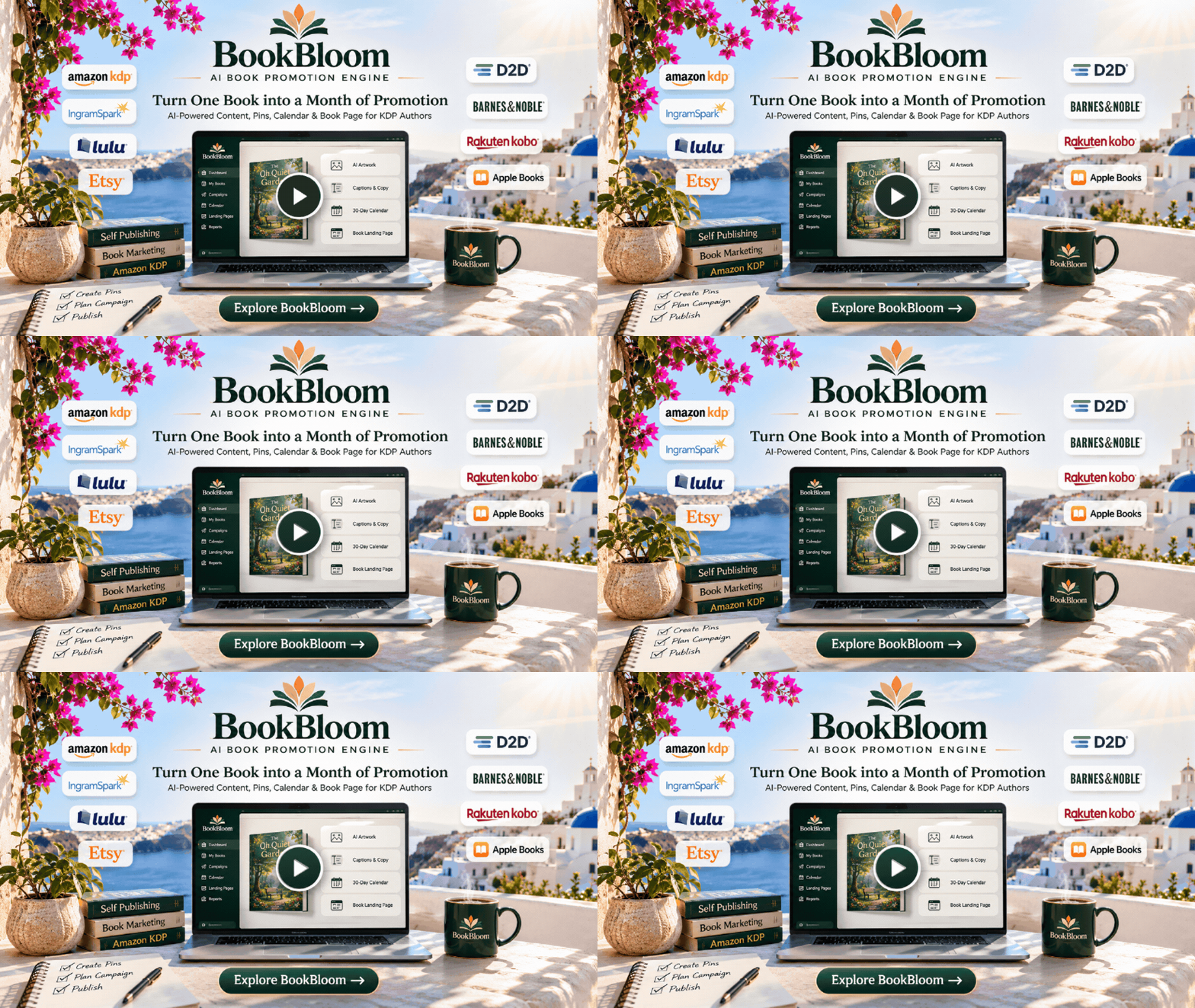
The central idea is straightforward: one finished book should give you enough useful material to create multiple pieces of promotion. BookBloom helps turn that material into a campaign instead of leaving you to invent a new post every day.
Its workflow is especially relevant to authors who have published a book but have not built a consistent way to promote it. It can also help authors with a backlist give older titles another organised promotional run.
BookBloom Review 2026: What Does It Actually Do?
BookBloom brings several book-marketing tasks together. Here is what the main platform is designed to help you accomplish.
1. Book Content Engine
BookBloom can work from a PDF or the opening chapters of your book. It analyses the material to identify useful promotional elements such as the book’s sample, central challenge, reader benefit, bonus material and relevant occasions.
This matters because effective book promotion needs more than repeatedly displaying the cover. Different readers respond to different reasons to explore a book. A cookbook, for example, might be promoted through a recipe idea, a practical cooking problem, a seasonal occasion or a specific reader interest.
2. AI Promotion Strategist
The promotion strategist turns one book into multiple campaign angles. The aim is to create variety across the month rather than publishing essentially the same pin with a slightly different caption.
That gives authors a more organised way to communicate the value of a book to different reader interests.
3. Artwork Studio
BookBloom helps create Pinterest pin artwork using visual styles selected from previews built around your own book cover. You can choose between three and five styles and generate the artwork set in one pass.
Your actual cover is placed into the design, while the generated background provides the visual treatment. Finished artwork can be downloaded for use in your campaign.
4. AI Copywriter
The copywriter produces promotional hooks, headlines, captions, calls to action and keyword phrases. You can edit the generated lines, and your edited copy is saved as your own campaign content.
This is useful when you know your book deserves more promotion but struggle to write fresh descriptions and captions for every post.
5. Thirty-Day Publishing Calendar
BookBloom organises campaign pieces into a 30-day calendar. Each entry has a date and caption, and the campaign can be exported in a format that a platform scheduler can accept for bulk importing.
You can mark pieces as you publish them and move campaign items between days. This gives you a clear view of what needs to go out and when.
6. Landing Page for Your Book
Each campaign can have a hosted book page with your headline, promotional copy and links to the stores where your book is available. The page also provides a place for readers to join your email list.
The page is editable and downloadable, so you have more flexibility than a temporary social post. The Pro upgrade adds one-click publishing to your own Netlify account.
7. Click Tracking
BookBloom provides page-view and click-through information for individual campaign pieces. Its tracking is designed to report views and clicks without cookies or visitor profiles.
That distinction is important: a click is a click, not proof of a book sale. The tracking helps you see which promotional pieces attract attention so you can make better decisions about future campaigns.
8. Promotion Finder
The Promotion Finder identifies free promotional channels that may fit your book. It records channel requirements and eligibility information, including formats, links, AI policies and review-copy rules.
It also prepares submission materials and keeps a history of what you sent. This can save time when researching promotional opportunities, especially if you manage more than one title.
9. Free Channel Catalog
The channel catalog gives you a place to explore free book-promotion opportunities and their stated requirements. Entries are marked verified only after the relevant channel information has been checked.
10. KDP Research
The KDP Research feature helps you examine listings in your genre from a reader’s perspective. It can surface comparable titles, formats and common listing characteristics, then help develop title and keyword options based on your own book.
11. Website for Your Books
BookBloom can expand an individual book page into a website for your books, with separate pages, genre styling, an author spotlight and a footer. The downloadable files can be hosted where you choose.
12. Optional Video Pieces
Video Studio is included with BookBloom Pro. It creates storyboards for campaign angles and can produce vertical clips. The system uses the words you provide for on-screen text rather than asking the image model to draw text into the visuals.
BookBloom Demo: How Does the Workflow Work?
The easiest way to understand BookBloom is to see a campaign being created. The official walkthrough shows the software interface and the process of turning a book into promotional material.
A typical BookBloom campaign workflow
- Start with your book: provide the book link and upload a PDF or paste the relevant opening chapters.
- Review the campaign angles: let BookBloom identify different promotional approaches based on the book’s content.
- Choose artwork styles: select the visual directions you want to use for the campaign.
- Generate the promotional assets: create pin artwork, hooks, headlines, captions and calls to action.
- Review the calendar: check the campaign dates and adjust the schedule where needed.
- Publish and track: use the export and publishing workflow to get the campaign onto Pinterest, then review the clicks and page activity.
The important advantage is that the work is organised around one book and one campaign. You are not juggling unrelated design, copywriting and planning tools just to prepare a month’s worth of promotion.
Who Should Use BookBloom?
BookBloom is particularly useful for people who already have books to promote and need a repeatable way to get those books in front of potential readers.
- Amazon KDP authors: authors who want a consistent Pinterest promotion plan for their published books.
- Self-published writers: writers who need promotional artwork and copy but do not want to design every asset from scratch.
- Authors with a backlist: publishers who want to give older titles a fresh campaign rather than leaving them inactive.
- Small publishers: businesses managing several books and looking for a more organised campaign process.
- Non-fiction authors: creators who can promote practical ideas, tips, solutions and reader outcomes from their books.
- Authors building an email list: people who want a book landing page with a reader opt-in opportunity.
BookBloom Pricing 2026: Front-End Deal and OTOs
BookBloom starts with a $17 one-time front-end purchase. The checkout funnel also presents optional upgrades for buyers who need more capacity or additional marketing and business tools.
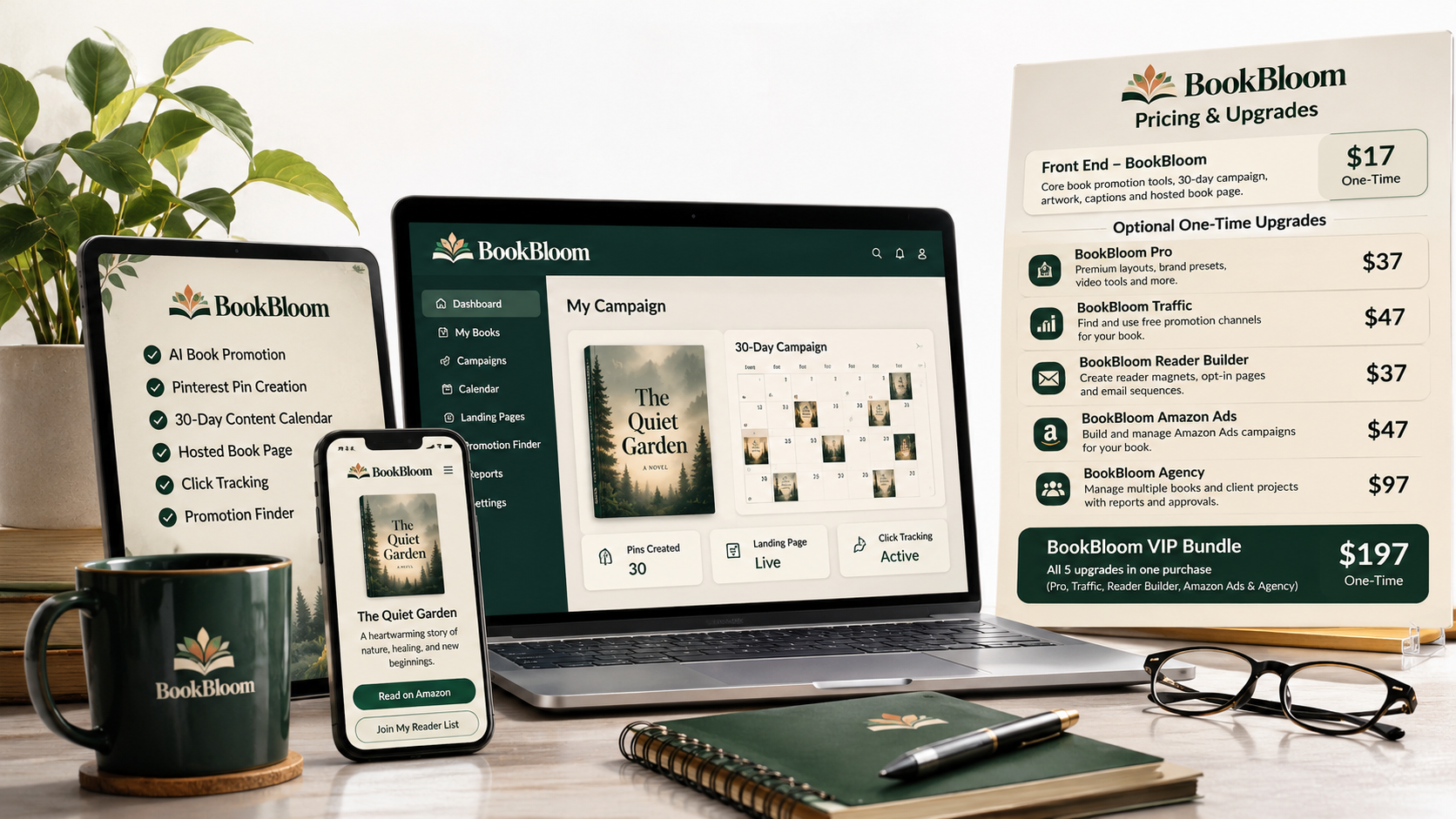
Here is the offer structure and what each option is designed to add.
| Offer | Price | What It Adds |
|---|---|---|
| BookBloom Front End | $17 | Core Pinterest campaign workflow, hosted book page, artwork downloads, exports, basic click tracking and Promotion Finder. |
| BookBloom Pro | $37 | More active books, batch workflows, premium editable layouts, brand presets, next-month campaigns, Video Studio and unlimited storyboards. |
| BookBloom Traffic | $47 | Promotion channel planning, a seven-day promotion plan, reusable promotional assets, ad images, carousels, outreach plans and platform copy. |
| BookBloom Reader Builder | $37 | Companion-bonus creation, opt-in pages, bonus delivery workflow, email sequences and subscriber export/integration. |
| BookBloom Amazon Ads | $47 | Amazon Ads campaign structure, keyword and product targets, starting bids, negative keywords, break-even calculations and bulk-file preparation. |
| BookBloom Agency | $97 | Client records, retainers, onboarding, approval links, proposals, deliverables, monthly reports, client workspaces and service packages. |
| BookBloom VIP Bundle | $197 | Combines Pro, Traffic, Reader Builder, Amazon Ads and Agency in one purchase. Includes Agency capacity for up to 30 books at once. |
Important: the upgrades are optional. You can start with the $17 front end and decide whether you need additional capabilities. The $197 VIP bundle is the all-upgrades option; it does not replace the separate $17 front-end purchase.
Is the $17 BookBloom front end enough?
For an author who wants to create a campaign for a book, generate pin artwork and copy, prepare a publishing calendar, use a hosted book page and monitor basic clicks, the front end provides the core workflow.
If you manage several titles, want batch workflows and video creation, Pro is the logical next step. If your priority is a broader promotion plan, Traffic adds more channel and outreach tools. Reader Builder is relevant when growing an email list is a priority.
Which BookBloom upgrade should you choose?
- Choose Pro if you want more book capacity, batch workflows, brand presets and video assets.
- Choose Traffic if you want more promotional channel ideas and a structured seven-day action plan.
- Choose Reader Builder if you want to create reader bonuses and build an email subscriber workflow.
- Choose Amazon Ads if you intend to plan and organise Amazon advertising campaigns.
- Choose Agency if you provide book marketing services to clients or want to build a service business around the workflow.
- Choose VIP if you want all five upgrades together rather than selecting them individually.
What Do You Need to Use BookBloom?
BookBloom is designed to make the campaign workflow accessible, but there are a couple of practical requirements to understand before purchasing.
- Your own AI API key: AI generation runs through your own provider key. You pay the AI provider directly for usage rather than buying those generation credits from BookBloom.
- A Pinterest business account: you need a free Pinterest business account for the publishing workflow.
- Your book information: have your Amazon book link and, where relevant, a PDF or opening chapters ready.
- Time to review and publish: check the generated copy and artwork, then follow the calendar and publishing steps.
The in-app guide walks users through connecting an AI key. This is worth knowing upfront because the $17 purchase is not the same as unlimited AI generation included in the price.
BookBloom Pros and Cons
Pros
- Combines several book-promotion tasks in one campaign workflow.
- Builds a 30-day Pinterest content plan around an individual book.
- Creates multiple promotional angles instead of relying on repetitive posts.
- Generates pin artwork using the author’s real book cover.
- Includes promotional copy, captions, hooks and keyword phrases.
- Provides a hosted book page and campaign exports.
- Includes basic click tracking for individual campaign pieces.
- Promotion Finder helps identify relevant free promotional channels.
- One-time front-end pricing with no recurring BookBloom subscription.
- Optional upgrades let users expand only when their needs justify it.
Cons
- You need to provide your own AI API key and pay the provider for usage.
- You need a Pinterest business account to use the Pinterest publishing workflow.
- You still need to review the generated content and carry out the publishing steps.
- BookBloom organises promotion; it cannot guarantee traffic, rankings, clicks or book sales.
- Some advanced capabilities, including Video Studio and expanded workflows, are part of the paid upgrades.
For the intended audience, these are manageable considerations. The main value is having a complete promotional workflow ready to work from, rather than piecing together every task manually.
Is BookBloom Legit? What About the Creator?
BookBloom is presented by Demetris Papadopoulos, an author and creator whose publishing experience is closely connected to the problem the software addresses: getting books noticed after they have been written and published.
The product’s positioning comes from a familiar self-publishing frustration. Authors invest time in writing, editing and publishing, but promotion often becomes an inconsistent afterthought. BookBloom is built around making that promotional work more structured.

The product page also presents examples from the creator’s publishing activity, including KDP royalty-report screenshots. Those examples are useful as background on the creator’s own publishing journey, but they should not be interpreted as typical or guaranteed results for every BookBloom customer.
What makes the product worth considering is the actual workflow it provides: campaign planning, artwork, copy, a landing page, exports and tracking. Those are concrete tasks authors can use to organise their promotion.
BookBloom Testimonials and User Feedback
One of the beta-user testimonials presented for BookBloom comes from Karen Holm, who writes as K. M. Holm and is identified as the author of From Excluded to Essential.
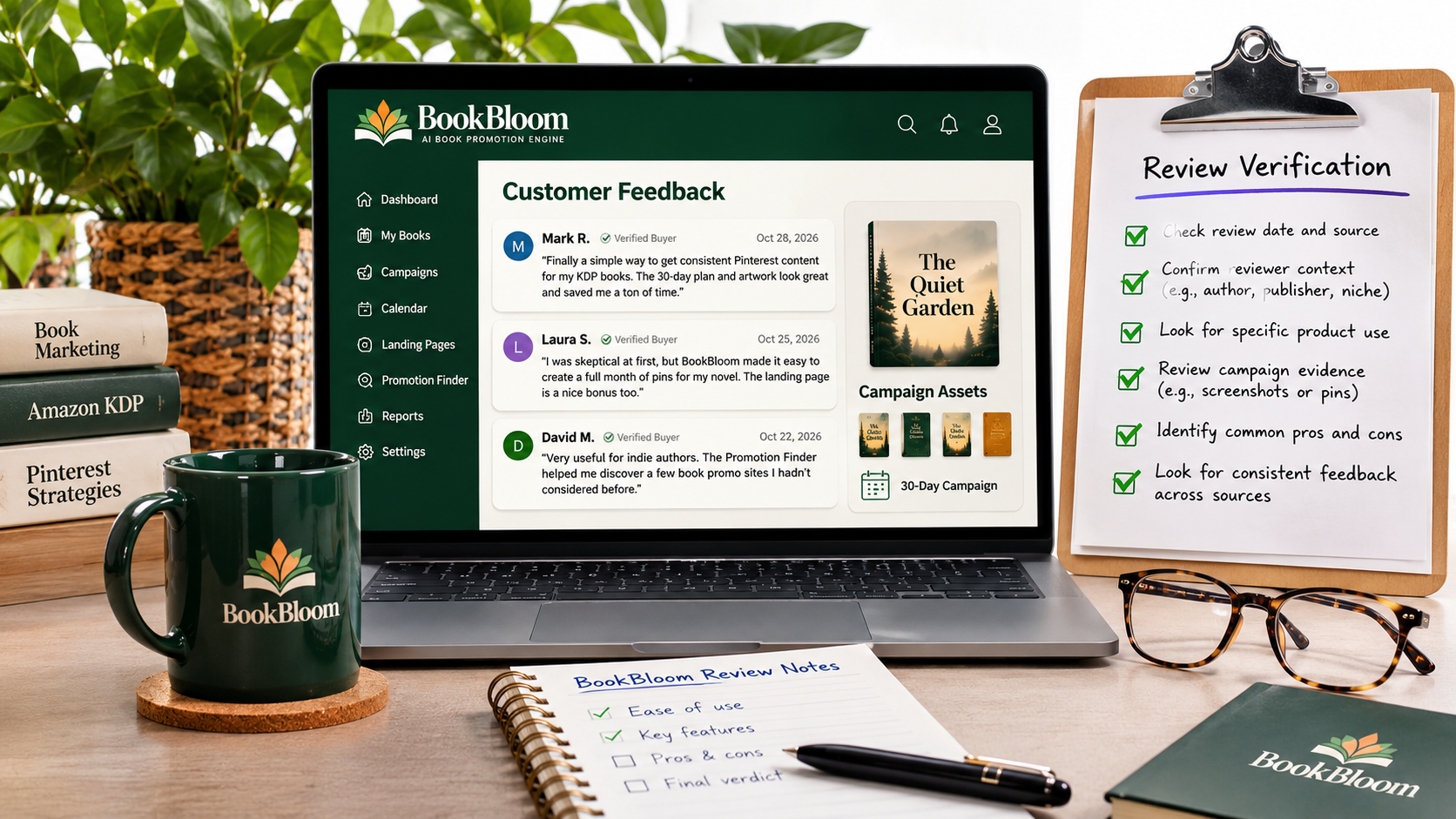
“BookBloom makes promoting a new book feel surprisingly straightforward. Setup was simple and the instructions were clear, so I was up and running quickly.”
Her feedback focuses on the practical workflow: creating and preparing Pinterest pins, organising promotion and building a clean book landing page with links to the places where the book is sold.
The product page also shows campaign screens, scheduled pins and a book page. These are examples of work produced inside the workflow. They demonstrate campaign preparation and activity, not proof that every user will achieve a particular sales result.
BookBloom 30-Day First-Campaign Guarantee
BookBloom includes a 30-day first-campaign guarantee. It is designed around actually using the product rather than simply purchasing it and leaving it untouched.
The stated process is:
- Enter your book and let the campaign month build.
- Publish the first week’s pieces from your calendar.
- Monitor the clicks coming back from individual pieces.
- Run the promotion you have prepared.
If the campaign does not deliver after you have completed those steps, the guarantee says to show that you gave it a genuine attempt and request your money back.
This gives you a defined period to put the workflow into practice and evaluate whether it fits your book-promotion process. Review the purchase terms at checkout so you understand the exact process for making a guarantee request.
BookBloom vs. Doing Your Book Promotion Manually
You can certainly promote a book without BookBloom. You can write captions in a document, design pins in a graphics tool, maintain a spreadsheet calendar, research free promotion channels and create a landing page separately.
The challenge is keeping all those activities connected and consistent. BookBloom’s advantage is bringing the main pieces into one campaign workflow.
| Task | Manual Approach | With BookBloom |
|---|---|---|
| Campaign ideas | Brainstorm angles separately for each post. | Generate multiple angles from the book material. |
| Pin artwork | Create designs individually. | Choose styles and generate a set of pin artwork. |
| Promotional copy | Write hooks, captions and calls to action yourself. | Generate editable promotional copy for campaign pieces. |
| Campaign planning | Maintain your own calendar or spreadsheet. | Use a dated 30-day publishing calendar and export. |
| Book destination | Set up and maintain a separate landing page. | Use a hosted book page with store links and an email opt-in area. |
| Performance checks | Collect available click information from different places. | Review page views and click-throughs per campaign piece. |
BookBloom is not a replacement for writing a good book or understanding your readers. It is a way to make the promotion process more manageable once your book is ready to be marketed.
Frequently Asked Questions About BookBloom
1. What is BookBloom used for?
BookBloom is used to prepare and organise book-promotion campaigns, particularly Pinterest campaigns. It helps create promotional angles, pin artwork, captions, a 30-day calendar, a hosted book page and basic click tracking.
2. How much does BookBloom cost?
The BookBloom front-end offer is $17 as a one-time payment. Optional upgrades are available at additional one-time prices, and the VIP bundle combines the five upgrades for $197.
3. Is BookBloom a monthly subscription?
The front-end offer is presented as a one-time payment with lifetime access and no recurring BookBloom subscription. AI generation uses your own API key, so provider usage charges are separate.
4. Do I need an AI API key to use BookBloom?
Yes. AI generation runs through your own AI provider key. You keep your provider account and pay that provider directly for usage. The in-app guide explains how to connect the key.
5. Does BookBloom automatically publish pins to Pinterest?
BookBloom prepares the artwork, copy and publishing calendar and provides export and guided publishing steps. You review the content and complete the publishing process using your Pinterest account or supported scheduler workflow.
6. Can BookBloom promote more than one book?
The core campaign is built around a book. BookBloom Pro adds more active-book capacity and batch workflows, while the VIP bundle includes Agency capacity for up to 30 books at once.
7. Does BookBloom write books for you?
No. BookBloom is a book-promotion platform, not a book-writing tool. It uses your existing book material to help create promotional content and campaign assets.
8. Can I use BookBloom for books that are not sold on Amazon?
The book page can include links to the stores where your book is sold. The platform also provides book-promotion and landing-page workflows, although some research and advertising features are specifically oriented toward Amazon KDP.
9. What is included in BookBloom Pro?
BookBloom Pro adds premium editable layouts, batch workflows, brand presets, next-month campaigns, Video Studio with unlimited storyboards and one-click publishing to your own Netlify account.
10. Is BookBloom worth buying?
If you already have a book and want a more organised way to prepare Pinterest promotion, artwork, copy and a publishing calendar, BookBloom is a compelling low-cost option to consider. The $17 front end gives you the core workflow without requiring you to purchase the upgrades.
A Surprise: Claim 5 Free Bonuses
Get five additional free resources to support your book-promotion journey.
These bonuses are available to claim at no extra cost and with no strings attached.
Complete the form above to claim your five free bonuses.
BookBloom Final Verdict 2026: Should You Buy It?
Yes — BookBloom is a strong buy for self-published authors who need a practical, repeatable way to promote their books.
The biggest reason is the combination of tasks it brings together. Instead of separately planning a month of Pinterest content, creating artwork, writing captions, preparing a landing page and keeping track of campaign activity, you can work through those jobs from one connected platform.
The $17 front end is the sensible starting point. It gives you the core campaign workflow, hosted book page, downloads, calendar export, basic click tracking and Promotion Finder. You can begin with that package and decide later whether Pro, Traffic, Reader Builder, Amazon Ads or Agency would genuinely help your publishing plans.
BookBloom is especially appealing if you have already done the hard work of writing and publishing a book but have not built a consistent promotion routine. It gives that book a structured campaign instead of leaving it dependent on occasional social posts.
It is not a promise of automatic sales or guaranteed Pinterest traffic. You still need a worthwhile book, relevant messaging and consistent publishing. But it gives you the tools and workflow to do that work with much less preparation.
One-time front-end payment · Lifetime access · No recurring BookBloom subscription