
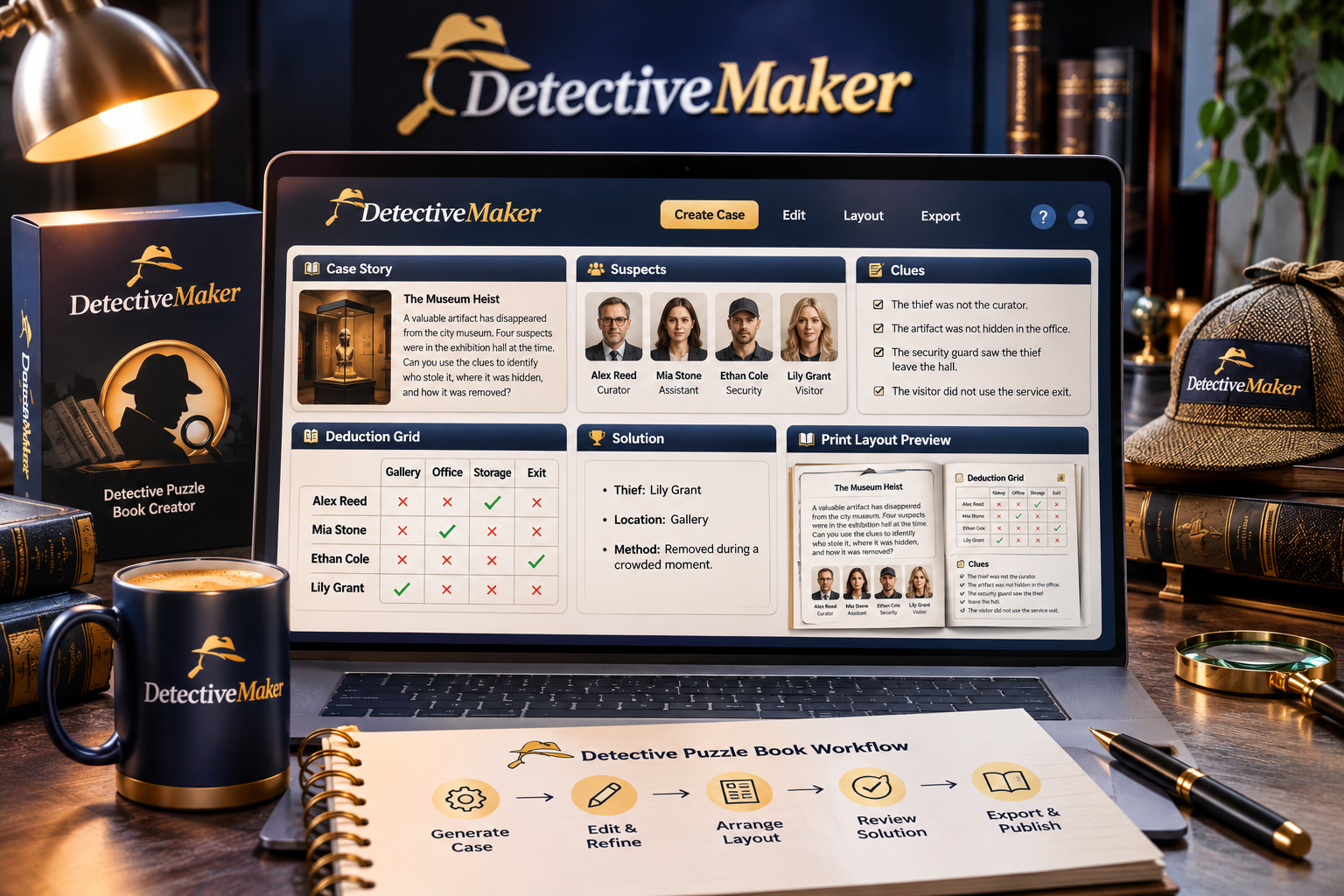
Detective Maker’s main features are AI-generated detective case stories, suspects, weapons, locations, clues, evidence, deduction grids, solutions and customizable puzzle layouts. These tools work together to help you create structured mystery and logic puzzles without having to write and format every element manually. You can edit the generated content, arrange puzzle components and customize the pages before publishing. To explore the software and its available options, see the Detective Maker product offer.
What Does Detective Maker Do?
Detective Maker is an AI-assisted detective puzzle creation tool. It is designed to help users develop mystery cases and turn them into deduction puzzles containing the information readers need to investigate and solve a case.
Instead of creating every component separately, you can use the software to generate several connected elements, including the story, suspects, possible weapons, locations, clues, evidence, a deduction grid and the solution. You can then review and edit the material to make sure the mystery is logical and understandable.
Key takeaway: Detective Maker combines AI case generation with a visual editing environment, allowing creators to work on both the puzzle content and its page presentation.
AI Case Stories and Mystery Generation
The case story establishes the mystery that readers must solve. Detective Maker uses AI to help generate this narrative and the supporting details that make it work as a deduction activity.
Its case-generation features cover several important components:
- Detective stories: Create the narrative that introduces the mystery and gives readers the context for their investigation.
- Suspects: Generate the people connected to the case and include them as possible answers within the puzzle.
- Weapons: Add possible weapons or objects relevant to the mystery.
- Locations: Establish the places associated with the case.
- Clues: Provide information that readers can use to eliminate possibilities and identify the answer.
- Evidence: Add supporting details that help readers evaluate the different possibilities.
- Solutions: Include the intended answer so readers can check their deductions.
These elements provide a foundation for creating a complete detective puzzle. However, AI-generated content should always be checked. Review character details, story consistency and the relationship between clues and the final solution before treating a case as ready to publish.
How Do Detective Maker Logic Grids Work?
Detective Maker includes deduction grids to help turn a mystery story into a logic-based puzzle. A deduction grid gives readers a structured way to compare information and eliminate combinations that do not match the clues.
For example, imagine a fictional case involving several suspects, locations and possible weapons. Readers examine the clues, compare the available details and use the grid to work out which suspect is associated with which location and weapon.
The grid makes the reasoning process more organized. Rather than relying only on memory, readers can use the puzzle structure to record possibilities and narrow down the answer.
For creators, the important quality check is whether the clues lead to the intended solution. A good deduction puzzle should provide enough information to solve the mystery without introducing contradictions or unintended answers.
Visual Puzzle Layouts and Editing Features
Detective Maker also provides a visual editor for refining generated puzzles and organizing their presentation. This matters because even a well-written mystery can be difficult to enjoy if the pages are confusing or poorly arranged.
The available editing and layout controls include:
- Drag-and-drop blocks: Work with page components and adjust their arrangement.
- Content editing: Modify AI-generated material rather than having to accept the original output.
- Book dimensions: Adjust book size and margins.
- Page numbering: Manage page numbers within the project.
- Solution display: Control how puzzle solutions are presented.
- Additional pages: Add pages when the project requires more space.
- Unlimited puzzle pages: Build projects without a stated puzzle-page limit in the product information.
These features give creators flexibility when preparing individual puzzles or organizing multiple cases into a larger collection.
What Additional Design Controls Are Available?
Detective Maker’s upgrade levels provide further options for batch creation and layout customization. The Plus version supports up to four puzzles per AI batch. It also adds styling controls for titles, introductions, suspects, locations, weapons, clues, evidence and deduction grids. Users can synchronize design choices across pages and save or load projects.
The Premium version provides more control over the structure of the puzzle pages. Its listed capabilities include adding, removing and rearranging puzzle and solution blocks, using reusable layout presets, fine-tuning components, customizing solution pages and adding personal text, logos or images.
If you want to compare these feature levels and understand how they fit into the complete offer, you can read the detailed Detective Maker review and feature breakdown.
Does Detective Maker Support Multiple Languages?
Yes. The product information lists support for ten languages:
- English
- French
- German
- Italian
- Spanish
- Portuguese
- Japanese
- Simplified Chinese
- Korean
- Vietnamese
This language support may be useful for creators planning detective puzzle content for readers in different language markets. As with any AI-generated translation or content, review the wording carefully for clarity, natural phrasing and consistency.
Who Can Benefit From These Features?
Detective Maker may be useful for puzzle creators, activity-book publishers and entrepreneurs interested in producing mystery-themed content. The AI generation features can help develop case material, while the logic grids and visual editor provide tools for structuring and presenting the finished puzzles.
It is not a replacement for editorial review. Creators should test each mystery, check that the clues support the solution, correct awkward wording and inspect the final page layouts before publishing. The software assists with production, but the quality of the finished puzzle still depends on the creator’s review.
Frequently Asked Questions
Can Detective Maker generate complete detective puzzles?
It can generate key puzzle components, including a case story, suspects, weapons, locations, clues, evidence, a deduction grid and a solution. You should review these elements to confirm that they work together logically.
Can I edit AI-generated detective stories?
Yes. Detective Maker includes a visual editor that allows users to modify generated content and arrange page elements using drag-and-drop blocks.
Can I customize the puzzle book layout?
Yes. The listed controls include book size, margins, page numbering, solution display and adding pages. Higher upgrade levels provide additional block arrangement and design customization options.
Final Thoughts
Detective Maker brings together AI case stories, mystery details, deduction grids and customizable puzzle layouts in one creation workflow. Its strongest appeal is the combination of content generation and page editing, which can help creators develop detective puzzles without assembling every component from scratch. Careful checking of clues, solutions and presentation remains essential before publishing. For the broader product overview, including pricing, upgrades and overall value, visit the complete Detective Maker review and buying guide.