
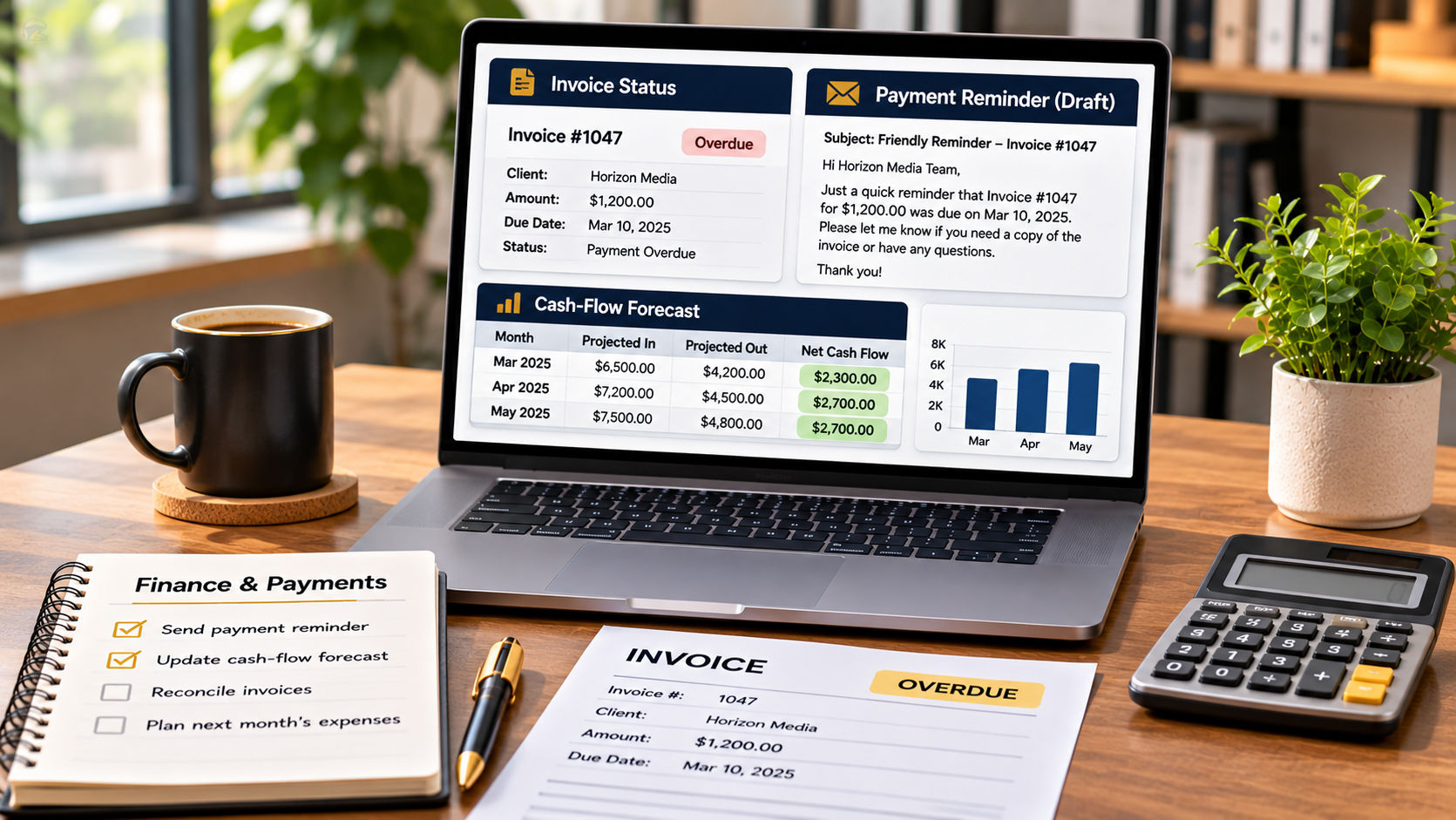
You can use Claude AI to prepare professional, polite, and structured follow-up messages for unpaid invoices by providing the invoice details, payment terms, due date, and client communication history. Claude Business Brain includes a dedicated Invoice Chaser Project designed to help service providers organise this recurring payment follow-up task. Instead of struggling to write payment reminders from scratch, you can use a prepared workflow to create clearer messages and maintain a more consistent approach to collecting outstanding payments. Explore Claude Business Brain and its Invoice Chaser Project here.
Why Are Unpaid Invoice Follow-Ups Important?
Late payments can create cash-flow problems for freelancers, consultants, agencies, and small service businesses. Even when you have completed the agreed work, an unpaid invoice means the money has not yet reached your business account.
Following up is part of managing your business finances. However, many service providers delay sending reminders because they do not want to sound demanding or damage an otherwise good client relationship.
A structured follow-up process makes this easier. It helps you communicate professionally, refer to the correct invoice details, and establish a consistent approach to outstanding payments.
What Is Claude Business Brain’s Invoice Chaser Project?
Invoice Chaser is one of the six Projects in the Get Paid stage of Claude Business Brain. This stage focuses on financial administration and activities that help service providers manage the business side of client work.
Invoice Chaser provides a prepared specialist setup for Claude’s Projects feature. Rather than repeatedly writing generic prompts, you can use its dedicated instructions and workflow as a starting point for preparing payment reminders.
The wider Get Paid stage also includes Cash-Flow Forecaster, Expense Sorter, and Price Rise Planner. Together, these Projects address different financial tasks that freelancers and service businesses regularly handle.
What Information Should You Prepare Before Following Up?
Before asking Claude to prepare an invoice reminder, gather the relevant information. Accurate details help ensure that the message is specific and does not contain incorrect payment information.
Prepare the following:
- Client details: The client’s name and the appropriate business contact.
- Invoice number: The reference number shown on the outstanding invoice.
- Invoice amount: The exact amount that remains unpaid.
- Invoice date: When the invoice was originally issued.
- Payment due date: The agreed payment deadline.
- Payment terms: The terms agreed with the client.
- Previous communication: Any earlier reminders or explanations from the client.
Check your accounting records before sending a reminder. An invoice may already have been paid, partially settled, or disputed, and your message should reflect the current position.
How to Use Claude AI to Follow Up on Unpaid Invoices
You can use the Invoice Chaser Project to establish a repeatable process for preparing payment follow-ups.
Step 1: Open the Invoice Chaser Project
Find the Invoice Chaser guide in your Claude Business Brain materials. Each Project has a dedicated guide explaining when to use it, which files to add, how to configure it, the suggested first message, and an example output.
Follow the supplied copy-and-paste setup instructions in Claude’s Projects feature. Review the recommended files-to-add guidance and prepare any relevant business information.
Step 2: Provide the Outstanding Invoice Details
Give Claude the relevant invoice information, including the amount, invoice number, due date, payment terms, and client details. Include previous communication if the client has already received a reminder or explained why payment is delayed.
Providing this context helps the Project prepare a more relevant message instead of producing a vague payment request.
Step 3: Generate a Professional Payment Reminder
Use the Project’s suggested first message and workflow to prepare your follow-up. The objective is to create a message that identifies the outstanding invoice, states the amount due, refers to the payment deadline, and clearly explains what action is required.
For example, an initial reminder might politely mention that the invoice appears to remain outstanding and ask the client to confirm when payment is expected. The tone can be adjusted to suit your existing relationship with the client.
Step 4: Review the Message Before Sending
Never send an AI-generated payment reminder without checking it. Confirm the invoice number, amount, due date, payment terms, and client details. Remove anything that is inaccurate or unnecessarily confrontational.
You should also check whether the client has already contacted you about a payment delay. A reminder to someone who has explained a genuine processing issue may need a different tone from a follow-up to a client who has not responded.
Step 5: Keep a Consistent Follow-Up Process
Use a consistent approach when managing outstanding invoices. Record when reminders are sent, note any client responses, and update your payment records when money arrives.
Claude can help prepare the messages, but you remain responsible for checking payment status, deciding when to follow up, and sending the communication through your chosen business channel.
How Can You Make Invoice Follow-Ups More Effective?
Keep payment reminders short, clear, and professional. Avoid emotional language or accusations. State the relevant invoice information, explain that payment is outstanding, and ask for a clear update.
If a payment remains overdue after an initial reminder, review the communication history before preparing another message. You may need to request a specific payment date or discuss an agreed resolution with the client.
The key is to be consistent without damaging valuable business relationships.
What Other Financial Tasks Can Claude Business Brain Help With?
Invoice Chaser is part of a wider collection of 47 Projects organised into six stages of the client journey. The Get Paid stage also includes Cash-Flow Forecaster, which is designed to produce a 13-week cash-flow forecast using business balances, expected client payments, and bills. Other named Projects include Expense Sorter and Price Rise Planner.
The complete package also includes 12 Client Recipes, 33 Power-Ups, a Business Profile, a Client Card, and additional training resources. You can explore the full collection, pricing, and included features in the Claude Business Brain review and package breakdown.
Final Thoughts: Make Unpaid Invoice Follow-Ups Easier
Following up on unpaid invoices does not have to involve writing awkward payment reminders from scratch. Claude Business Brain’s Invoice Chaser Project provides a structured starting point for preparing professional payment communications using the relevant invoice and client information.
Prepare accurate details, generate a suitable reminder, review it carefully, and maintain a consistent record of your follow-ups. This approach can help freelancers, consultants, and agencies manage an important part of their financial administration more efficiently.
To discover all 47 Projects and see how Invoice Chaser fits into the complete business workflow system, visit the complete Claude Business Brain review here.