
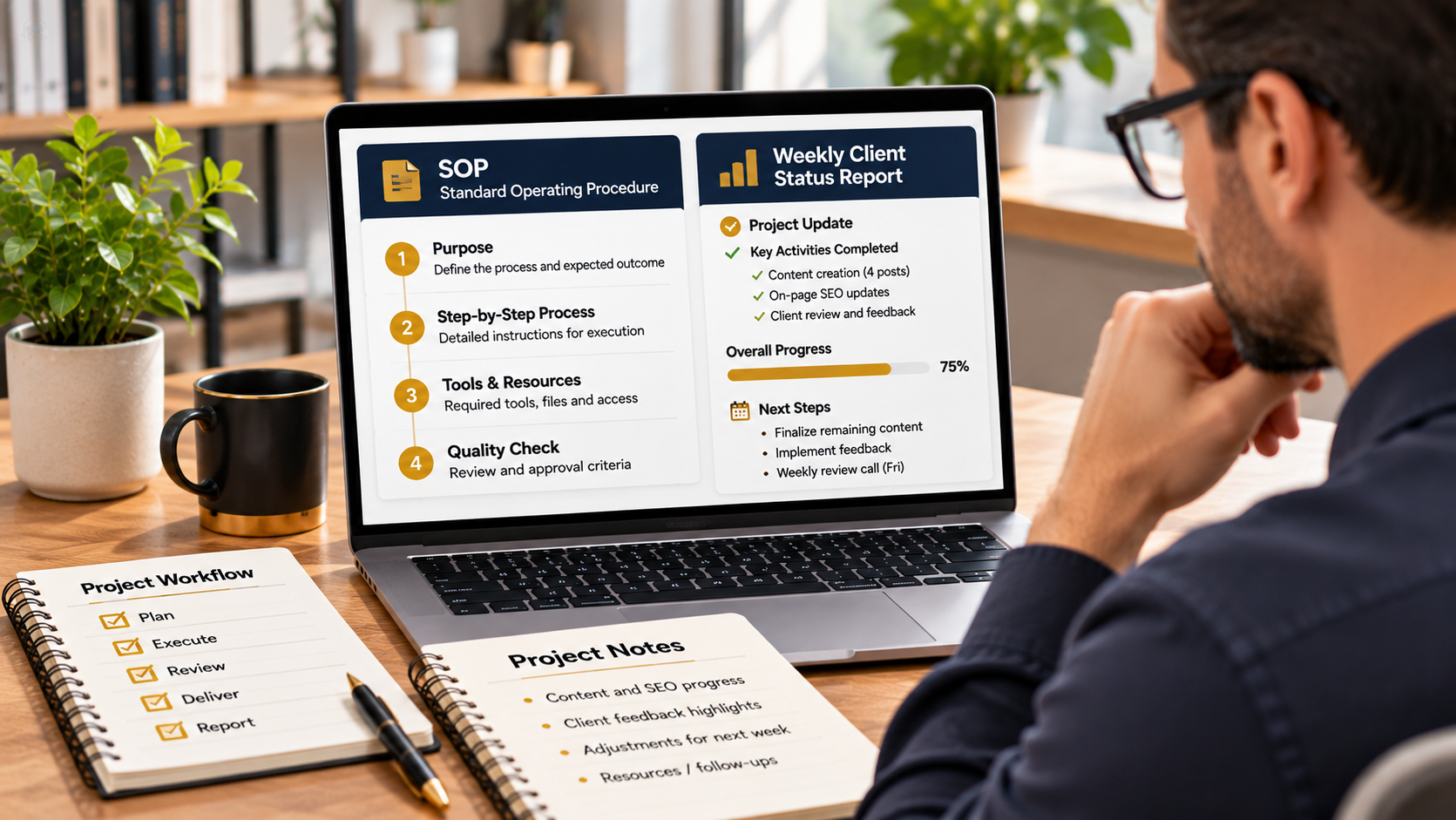
Yes, you can use Claude to create standard operating procedures (SOPs) and prepare client status reports faster by turning your working notes, business processes, and project updates into structured documents. Claude Business Brain includes two relevant Projects in its Deliver the Work stage: SOP Writer and Weekly Status Report. These specialist workflows provide a prepared starting point for documenting repeatable tasks and communicating project progress, helping freelancers, consultants, and agencies organise recurring client work more consistently. Explore Claude Business Brain and its SOP and reporting workflows here.
Why Create SOPs and Client Reports With Claude?
Running a service business involves more than completing the work clients pay for. You also need to document internal processes, explain how tasks should be performed, track progress, and keep clients informed.
Creating these documents manually can take considerable time, particularly when you repeat similar tasks across multiple clients or projects. You may have information scattered across notes, conversations, checklists, and working documents.
Claude can help organise that information into a clearer structure. With dedicated Projects, you can establish a repeatable approach to preparing SOPs and client reports rather than starting with a blank chat every time.
What Is an SOP, and Why Does Your Business Need One?
A standard operating procedure is a documented set of instructions explaining how to complete a particular task or process. It gives you and your team a consistent reference for carrying out recurring activities.
For example, a digital marketing agency might need SOPs for preparing social media calendars, reviewing content, onboarding new clients, or producing monthly performance reports.
A useful SOP typically explains:
- Purpose: What the process is intended to achieve.
- Scope: When the procedure applies and which activities it covers.
- Responsibilities: Who performs or approves each task.
- Required inputs: The information, tools, or resources needed.
- Step-by-step instructions: How to complete the process.
- Quality checks: How to confirm that the work has been completed correctly.
Documenting these details helps reduce dependence on memory and makes it easier to repeat a process consistently.
How Claude Business Brain’s SOP Writer Project Helps
SOP Writer is one of the named Projects in Claude Business Brain’s 12-Project Deliver the Work stage. It is designed to support the creation of standard operating procedures for business tasks.
Instead of asking Claude to write a generic procedure, you can use the dedicated Project setup as a starting point for documenting a specific workflow. Provide the relevant process information, explain the intended outcome, and review the resulting instructions.
For example, suppose you manage a content agency and want to document how blog articles move from client brief to final delivery. You can provide your existing process notes and use the SOP Writer workflow to help organise the steps into a more consistent procedure.
Review the draft to make sure it reflects the process your business actually follows. Add missing steps, clarify responsibilities, and remove instructions that do not apply.
Use Weekly Status Report to Prepare Client Updates
Weekly Status Report is another named Project in the Deliver the Work stage. It supports the recurring task of communicating project progress to clients.
Rather than writing every update from scratch, you can provide the relevant project information and use the workflow to help organise a status report.
A useful client update may cover:
- Completed work: Tasks and deliverables finished during the reporting period.
- Current progress: Work that is underway.
- Upcoming activities: The next planned tasks and milestones.
- Issues or blockers: Problems that may affect delivery.
- Client input required: Decisions, feedback, or materials needed from the client.
For example, a consultant managing a website project could provide completed milestones, outstanding tasks, and pending client approvals. Claude can help arrange those updates into a clearer report that is easier for the client to understand.
How to Create SOPs and Client Reports With Claude Projects
You can establish a repeatable document-production process by following these steps:
- Choose the right Project: Use SOP Writer for documenting procedures or Weekly Status Report for communicating project progress.
- Open its dedicated guide: Claude Business Brain provides instructions explaining when to use each Project, recommended files, setup steps, a suggested first message, and an example output.
- Prepare your information: Gather process notes, project updates, relevant business details, and any supporting materials needed for the task.
- Follow the setup instructions: Configure the selected Project in Claude’s Projects feature using its supplied copy-and-paste instructions.
- Generate the document: Provide the relevant information and use the suggested workflow to prepare the first draft.
- Review and approve: Check accuracy, responsibilities, dates, instructions, and any client-specific details before using or sharing the document.
The included Business Profile and Client Card can also provide reusable context about your business and individual clients. This can help you maintain more consistent information across different workflows.
Can Claude Fully Automate SOPs and Client Reporting?
Claude Projects can help prepare and organise documents, but they should not be confused with a complete business automation platform. You still need to supply accurate information, verify the generated content, and manage approvals and distribution.
For example, Weekly Status Report can help structure an update from the information you provide, but you should not assume it automatically retrieves project-management data or sends reports to clients. Similarly, an SOP draft needs to be checked against your actual business procedures before your team follows it.
Who Can Benefit From These Workflows?
SOP Writer and Weekly Status Report may be useful for freelancers, consultants, virtual assistants, agency owners, project managers, and service businesses. They are particularly relevant when you repeat the same internal processes or regularly need to communicate progress to clients.
Both Projects belong to a wider collection of 47 specialist workflows covering client acquisition, sales, onboarding, service delivery, payments, and client retention. You can explore the complete package, included resources, and pricing in the full Claude Business Brain review.
Final Thoughts: Spend Less Time Documenting, More Time Delivering
Creating SOPs and client reports is an important part of running an organised service business, but it does not need to involve starting from scratch every time. Claude Business Brain’s SOP Writer and Weekly Status Report Projects provide structured starting points for documenting repeatable processes and preparing client updates.
Start with one process or reporting task, provide accurate information, and review the generated document before putting it into use. Over time, these workflows can help you build a more consistent approach to business documentation and client communication.
To explore all 47 Projects, the additional training resources, and everything included in the package, read the complete Claude Business Brain review here.