
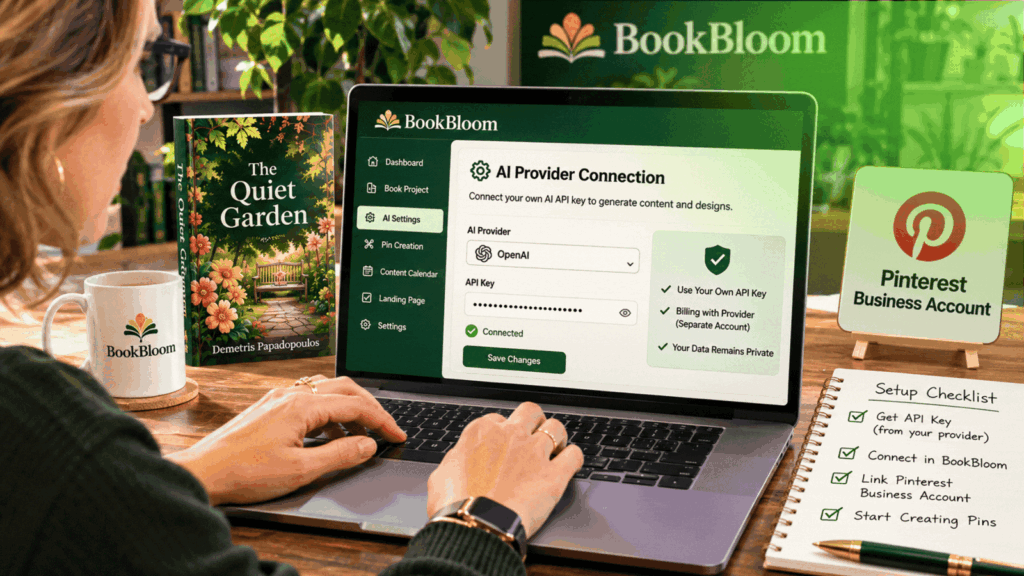
Yes. BookBloom requires your own AI provider API key for its AI-powered generation features, and any usage charges from that provider are separate from the BookBloom purchase. This is an important requirement to understand before buying: the software price does not automatically include unlimited AI generation. If you want to explore the platform, check out the BookBloom offer here and review the requirements before getting started.
Why Does BookBloom Need an AI API Key?
BookBloom is designed to help authors prepare promotional material for their books. Its AI-assisted workflow can generate promotional angles, hooks, headlines, captions, calls to action and keyword phrases based on the book information you provide.
These generation features rely on an external AI provider. An API key allows BookBloom to connect to that provider so it can request AI-generated content as you use the relevant tools.
In simple terms, BookBloom provides the book-marketing workflow and interface, while your chosen AI provider supplies the AI processing. That is why you need to bring your own API key rather than assuming AI usage is included in the software’s purchase price.
Does BookBloom Include Free AI Credits?
You should not assume that buying BookBloom gives you an unlimited supply of AI credits or covers every AI provider charge.
The important distinction is between the price of the BookBloom software and the cost of using an external AI service. Even if you purchase the front-end offer or an upgrade, AI provider usage charges remain separate.
How Much Does the AI API Key Cost?
There is no single fixed API cost that applies to every BookBloom user. The amount depends on the AI provider you connect to, its current pricing, the models and services you use, and how much content you generate.
For example, an author who creates a small number of promotional drafts may use less AI processing than someone generating large batches of campaign ideas, captions and other assets for multiple books.
Your actual usage cost can therefore vary. It is best to check the pricing information in your chosen provider’s account rather than relying on a fixed monthly estimate.
Before using the AI features regularly, consider these factors:
- Provider pricing: different AI services and models can have different rates.
- Generation volume: producing more content can increase usage.
- Model selection: the model or service used may affect the cost of each request.
- Account limits: available spending controls and usage limits depend on your provider.
- Monitoring: check your provider’s usage dashboard so you can understand your actual costs.
How to Prepare Your AI API Key for BookBloom
The general setup involves creating or using an account with a supported AI provider, obtaining an API key and connecting it to the relevant BookBloom configuration. The exact screens and provider-specific instructions may depend on the service and the current software interface.
Step 1: Choose an AI Provider
Start by identifying the AI provider you intend to use. Review its pricing, available models, account requirements and API access options. Make sure you understand how the provider bills for usage.
Step 2: Set Up API Access
Follow the provider’s official instructions to enable API access and generate a key. Some providers may require account verification or billing setup before API requests can be made.
Step 3: Keep Your API Key Secure
Treat your API key like a password. Do not publish it in articles, screenshots, public documents or social media posts. Avoid sharing it with people who do not need access, and follow your provider’s guidance for storing and protecting credentials.
Step 4: Connect the Key in BookBloom
Use the relevant API configuration area in BookBloom to enter your provider credentials, following the platform’s current setup instructions. Check the provider selection and any required settings carefully.
Step 5: Test the Connection and Monitor Usage
Once configured, test an AI-powered feature to confirm that the connection works. If a request fails, check the key, provider account status, available balance or billing configuration, and any usage restrictions.
Keep an eye on your provider’s usage dashboard as you create more content.
What Else Do You Need to Use BookBloom?
The API key is not the only practical consideration. You should also prepare the material and accounts needed for your book-promotion workflow.
- Your book information: an Amazon book URL and/or suitable source material, such as a PDF or opening chapters.
- A Pinterest business account: needed for the Pinterest publishing workflow.
- Promotional assets: your book cover and accurate information about the book help you review generated artwork and copy.
- A publishing destination: decide where readers should go when they click your promotional content, such as your Amazon listing or a book landing page.
- Time for review: check generated images, descriptions, keywords and links before using them.
Does BookBloom Automatically Publish Your Pinterest Pins?
It is important to distinguish between preparing a campaign and publishing it.
BookBloom can help create Pinterest artwork, generate promotional copy, organise content into a 30-day calendar and export campaign material as CSV for a Pinterest workflow. You should not assume that this means every Pin is automatically published to your Pinterest account.
You remain responsible for reviewing the content and completing the appropriate publishing or import process. This gives you an opportunity to check that every graphic, caption and destination link is correct before it goes live.
Is the API Requirement a Deal Breaker?
That depends on what you expect from the software.
If you are comfortable creating an account with an AI provider, setting up API access and monitoring usage, the requirement may be a manageable part of your workflow. It also means you should consider the software price and external AI usage as separate costs when deciding whether BookBloom fits your budget.
If you expect a completely self-contained subscription with AI processing included in the purchase price, this requirement may be less convenient. Make sure you understand it before checking out.
For a wider look at the front-end offer, optional upgrades, features and pricing, read the complete BookBloom Review 2026.
Frequently Asked Questions
1. Do I need my own API key to use BookBloom?
Yes. BookBloom requires your own AI provider API key for its AI generation features. The key connects the software to the external AI service.
2. Are AI usage costs included in the BookBloom price?
No. AI provider usage charges are separate from the BookBloom purchase. Your costs depend on the provider, services and amount of content you generate.
3. Can I use BookBloom without an API key?
The AI-powered generation features require an API key. Do not assume the full AI workflow will operate without configuring one. Check the current product instructions for which functions, if any, are available without AI generation.
4. Is an API key the same as an AI subscription?
Not necessarily. An AI provider’s consumer subscription and its API access may be separate products with different billing arrangements. Check the provider’s current terms to understand what your account includes.
5. Do I need a Pinterest business account too?
A Pinterest business account is needed for the Pinterest publishing workflow. It is separate from the AI provider account and API key.
Final Verdict: Understand the API Costs Before You Start
BookBloom can help authors prepare promotional artwork, copy, campaign calendars and book landing pages, but its AI generation features require an external provider connection through your own API key.
The most important thing is to budget for both parts of the process: the BookBloom software purchase and any AI usage charges from your provider. Choose a provider whose pricing and setup requirements you understand, protect your API key and monitor usage as you work.
For the full product overview, feature breakdown and reported pricing of the front end and optional upgrades, visit the complete BookBloom Review and pricing guide.