
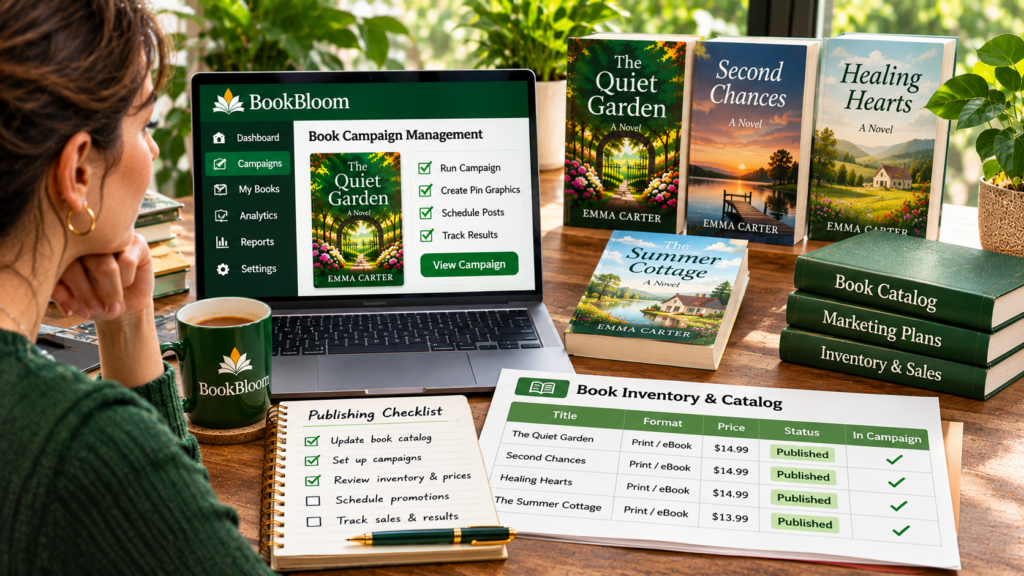
BookBloom’s exact book or project limit cannot be confirmed from the available product information, so it would be misleading to promise that you can manage an unlimited number of books or give a specific account cap. The number of books you can manage may depend on the package you purchase and any account or usage restrictions attached to it. Before choosing a plan, check the current offer details and confirm the limit directly. You can review the BookBloom offer here before deciding which option fits your publishing needs.
Does BookBloom Have a Limit on the Number of Books?
Authors considering BookBloom should distinguish between a platform’s ability to support book promotion and the number of separate books an account is permitted to manage. These are not necessarily the same thing.
A platform may provide tools for creating promotional artwork, writing marketing copy, planning content, and preparing book-focused pages. However, the number of titles, projects, or campaigns a user can create may be controlled by separate account limits.
Without a confirmed limit in the current package terms, the safest answer is to avoid assuming that one BookBloom account supports unlimited books. Check the feature and usage details for the specific version you intend to buy.
Why Book Limits Matter to Self-Published Authors
Account limits can make a meaningful difference depending on how many titles you publish. An author promoting one book has different requirements from an author managing a backlist of twenty titles or several connected series.
Each book may need its own promotional graphics, descriptions, audience angles, content schedule, and destination page. If you publish across multiple genres, you may also need to keep different branding and reader expectations separate.
That is why it is worth understanding BookBloom’s account structure before investing time in setting up your promotional workflow. A limit that is unimportant to a first-time author could become restrictive for someone managing a larger catalogue.
What Should You Check in Your BookBloom Account?
Before uploading or setting up multiple titles, look for the following details in the current offer description or account dashboard:
- Book or project allowance: Does the package specify how many books, projects, or promotional campaigns you can create?
- Separate book pages: Can each title have its own promotional page, or is there a restriction?
- Artwork and content allowances: Are there limits on the number of AI-generated graphics or copywriting tasks?
- Storage and saved projects: Are there restrictions on saved assets, drafts, or active projects?
- Upgrade requirements: Does a higher package increase any limits or unlock additional account capacity?
Do not treat a general claim about creating book promotions as proof of unlimited account capacity. Look for a specific number or written statement that explains what your purchase permits.
Can You Use BookBloom for Multiple Books?
BookBloom is positioned as a book-promotion platform, so managing promotional work for multiple titles is a relevant use case. Its advertised feature areas include AI-assisted artwork, copywriting support, a content calendar, and book-focused promotional resources.
These tools can be useful when you need to create different promotional messages for different books. For example, a mystery author may need suspense-focused graphics and copy for one title, while a romance release may require a completely different visual style and reader appeal.
However, the ability to create different types of content does not establish how many books can be stored or managed in one account. Confirm the applicable limit before planning a large catalogue workflow.
What If You Have a Large Book Catalogue?
If you have a substantial backlist, think about how you want to organize your marketing before choosing a package. You may want to group titles by genre, series, release date, or reader segment.
It is also useful to decide which books need active promotion. Not every title needs the same level of attention at the same time. You might prioritize a new release, promote the first book in a series to attract new readers, and use occasional campaigns to bring attention back to older titles.
Once you know how many books you intend to promote actively, compare that requirement with the account allowance stated in the offer. If the package does not clearly explain its limits, ask for clarification before purchasing rather than assuming an upgrade will solve the issue.
Does a Higher BookBloom Package Give You More Book Capacity?
A higher package may offer additional features or expanded access, but you should not assume that it increases the number of books you can manage unless the package description explicitly says so.
When comparing the front-end offer with VIP or other upgrades, look for a direct explanation of any changes to book limits, project allowances, storage, or generation credits. A package can include useful extra tools without changing the account’s book capacity.
For that reason, compare the exact inclusions rather than choosing a higher-priced option simply because it sounds more comprehensive.
How to Decide Whether BookBloom Fits Your Publishing Needs
Start by counting the titles you want to manage now, then consider how many you expect to add over the next year. Separate your active promotional titles from books that only need occasional attention.
Next, identify the tasks you want BookBloom to help with. If your main goal is creating promotional artwork and copy or organizing book marketing, its advertised workflow may be relevant. If your decision depends heavily on managing a large catalogue, account capacity should be one of the first details you verify.
Final Verdict: How Many Books Can You Manage With BookBloom?
There is no verified number available here for BookBloom’s maximum book limit. The correct answer is to check the current account and package terms before assuming that the platform supports a particular number of titles or unlimited books. This is especially important for authors with multiple series, large backlists, or several active publishing projects.
For a broader look at BookBloom’s advertised features and intended book-marketing workflow, read the complete BookBloom review before making a purchase decision.
Ultimately, choose a package based on the number of books you genuinely need to manage and the tools you expect to use. Confirm the book allowance, project limits, and upgrade terms in writing. That simple check can help you avoid paying for a package that does not fit your catalogue. You can revisit the BookBloom review and feature breakdown as part of your evaluation.