
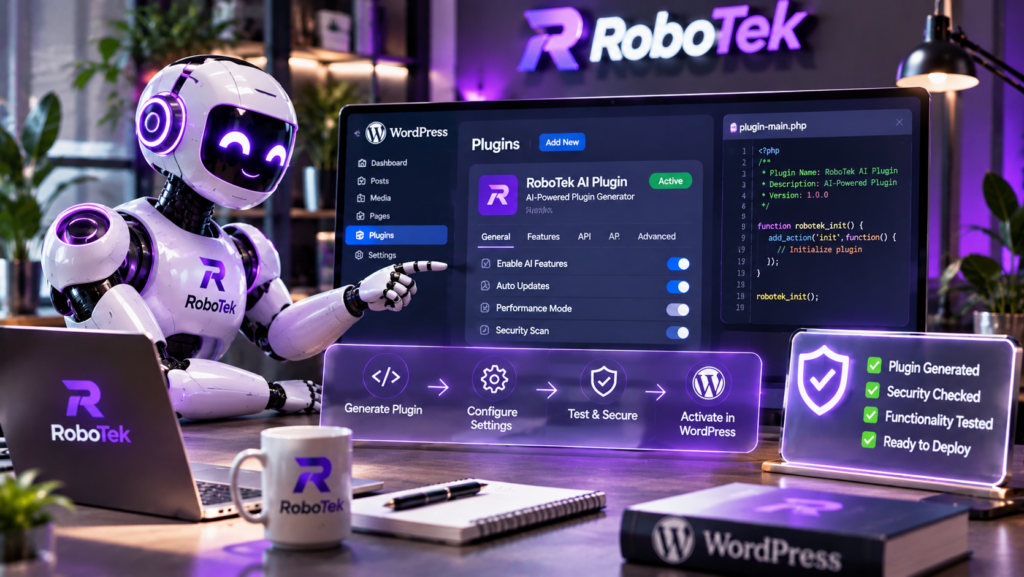
Yes, RoboTek is advertised as a platform that can help you create WordPress plugins using AI, even if you do not have traditional coding experience. Its cloud-based development environment combines multiple coding-specific AI assistants with prompt-based app creation, allowing you to describe the plugin you want and use AI to help generate the underlying software. If you want to explore building your own WordPress tools or offering plugin development services, take a look at RoboTek here.
Can You Create WordPress Plugins With RoboTek?
WordPress plugins extend the functionality of a WordPress website. They can add contact forms, booking systems, payment features, SEO tools, membership functions, custom dashboards, and many other capabilities.
RoboTek advertises WordPress plugin creation as one of its supported software development use cases. Its AI-assisted workflow is designed to help you turn a written description into a software project without having to manually code everything from scratch.
For example, you could describe a plugin that adds a custom booking form to a WordPress website, explain the fields and functionality you need, and use RoboTek’s AI tools to help generate the project.
That does not mean every generated plugin will be immediately ready for a live website. WordPress compatibility, security, testing, and packaging still need to be checked before installation or distribution.
What Types of WordPress Plugins Could You Build?
The possibilities depend on the complexity of your idea and the quality of the generated code. Here are several practical plugin concepts you could explore with an AI-assisted development platform.
1. Contact Form Plugins
Create a plugin concept that adds custom contact forms to WordPress pages. You might include fields for names, email addresses, messages, and customer enquiries.
2. Booking and Appointment Plugins
Develop a booking tool for consultants, salons, coaches, or local service providers. Possible features include appointment requests, availability displays, and booking notifications.
3. Lead Generation Plugins
Explore building tools that help website owners collect enquiries, display calls to action, and organize customer information.
4. Website Productivity Plugins
Create simple tools that automate repetitive website tasks, display useful information, or improve the way visitors interact with a website.
5. Custom Business Plugins
Consider specialized plugins for particular industries, such as property listings, service directories, event management, or customer portals.
These are potential project ideas, not a guarantee that RoboTek generates every feature automatically. Each plugin needs to be tested against its actual requirements.
How to Create a WordPress Plugin With RoboTek
Step 1: Decide What Your Plugin Should Do
Start with one clear problem. Avoid trying to create a complicated all-in-one plugin as your first project.
For example, you could create a simple enquiry plugin that allows visitors to submit their name, email address, and service request.
Write down the required features, how visitors will use them, and what the website administrator should be able to manage.
Step 2: Describe the Plugin to RoboTek
Use RoboTek’s prompt-based development workflow to explain your idea.
A useful starting prompt might be:
Create a WordPress plugin that adds a responsive customer enquiry form using a shortcode. Include fields for name, email address, and message. Validate submitted information, provide a confirmation message, and make submissions manageable from the WordPress administration area. Follow WordPress development and security best practices.
The more clearly you describe the intended functionality, the easier it is to evaluate whether the generated result matches your requirements.
Step 3: Generate and Review the Code
Use RoboTek’s integrated AI coding assistants to help generate the plugin project. The platform advertises support for more than 20 programming languages and provides live editing and preview capabilities.
Review the generated files and make sure the plugin has the structure needed for WordPress. Do not assume that a successful preview automatically confirms WordPress compatibility.
Step 4: Test It on a WordPress Staging Website
Before installing a new plugin on a live website, test it in a separate WordPress environment.
Check that it:
- Activates without errors.
- Works with your WordPress version.
- Does not break your theme or other plugins.
- Handles user input safely.
- Uses appropriate permissions and data validation.
- Works on mobile and desktop screens.
- Can be deactivated and removed cleanly.
Step 5: Prepare the Plugin for Installation or Distribution
Once testing is complete, check that the plugin is packaged correctly and includes the necessary files, documentation, and installation instructions.
If you plan to distribute it publicly, review the relevant WordPress plugin guidelines and licensing requirements. If you intend to sell it commercially, make sure you understand the applicable software licensing obligations.
Practical Checks Before Using a RoboTek-Generated Plugin
This is the most important part of the process. AI can accelerate development, but a WordPress plugin must be reliable and secure before you trust it with a real website.
- Security: Check input validation, sanitization, output escaping, and protection against common vulnerabilities.
- Compatibility: Test against the WordPress and PHP versions you intend to support.
- Database handling: Check how the plugin stores, retrieves, and deletes information.
- Performance: Make sure it does not add unnecessary loading time or resource usage.
- Permissions: Confirm that administrative actions are restricted to authorized users.
- Privacy: Review what personal information is collected and how it is handled.
- Maintenance: Plan how bugs, compatibility issues, and future updates will be handled.
For complex or business-critical plugins, an experienced WordPress developer should review the code before deployment.
Can You Make Money Selling WordPress Plugins Created With RoboTek?
Potentially, yes. A useful plugin can become a digital product, a client service, or part of a larger website development business.
Here are three approaches worth exploring:
Sell Niche Plugins
Develop a focused plugin that solves a specific problem for a particular audience. You could explore a one-time purchase or recurring pricing model, depending on the product and support you provide.
Build Custom Plugins for Clients
Businesses sometimes need website functionality that is not available in standard plugins. You could offer custom plugin development as a service, with appropriate testing and maintenance included.
Offer Plugin Installation and Customization
Help website owners configure, customize, and maintain WordPress functionality. This can complement other website development and support services.
RoboTek advertises a commercial license with its front-end offer, but review the actual license terms to understand what rights and restrictions apply to your intended use.
Why Consider RoboTek for WordPress Plugin Development?
RoboTek brings several advertised features together in one cloud-based environment:
- More than 10 integrated coding-specific AI assistants.
- Support for 20+ programming languages.
- Prompt-based software creation.
- Live editing for text and images.
- Application preview and publishing features.
- Training to help users understand the platform.
- An advertised commercial license with the front-end offer, subject to its terms.
These features make it worth exploring if you want to experiment with WordPress plugin ideas without starting from a blank code editor.
Final Verdict: Is RoboTek Worth Trying for WordPress Plugins?
RoboTek is worth considering if you want to use AI to explore WordPress plugin development, create custom website tools, or develop ideas for potential digital products.
Its prompt-based workflow and integrated coding assistants could help reduce the initial effort involved in turning an idea into a working software project.
However, generating code is only one part of plugin development. You still need to verify WordPress compatibility, test functionality, check security, and prepare the plugin properly before using it on a live website or selling it to customers.
Start with a small, useful plugin idea and test the results carefully. That is the sensible way to discover what RoboTek can do.
For a closer look at the platform’s complete feature set, pricing, upgrades, and bonuses, read our complete RoboTek Review 2026.
If you are ready to explore its AI-powered software creation tools, check out RoboTek here.
For the full product breakdown and buying considerations, visit our RoboTek Review: Features, Pricing, OTOs, Bonuses & Verdict.