
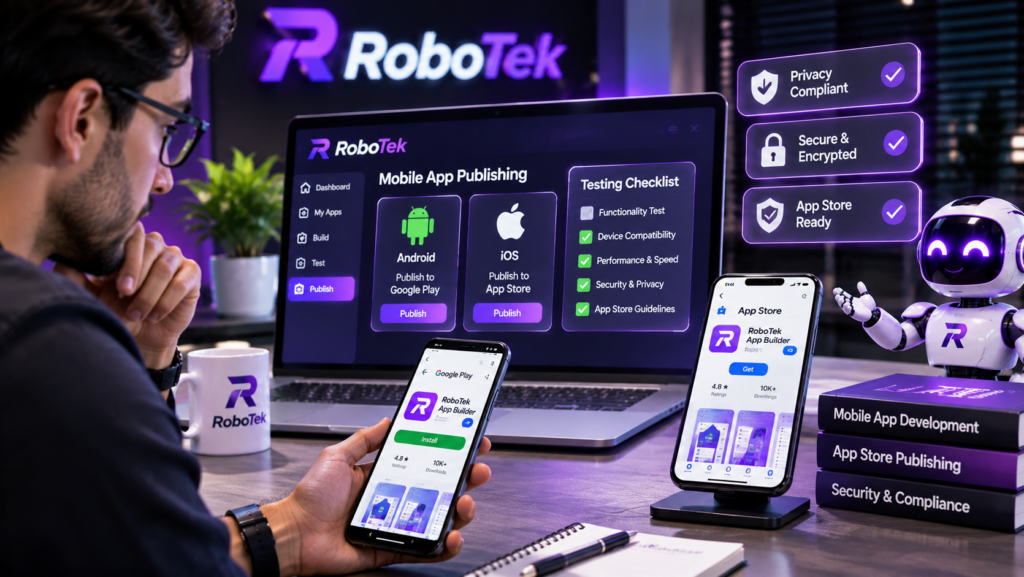
Yes, RoboTek advertises the ability to create mobile applications for Android and iOS, with publishing options involving Google Play and the Apple App Store. Its AI-powered development environment is designed to help you generate applications without manually writing all the code, preview your work, and prepare your app for publishing. If you want to explore creating mobile apps without hiring a traditional development team, RoboTek gives you an AI-assisted starting point for your mobile app development journey.
Can RoboTek Publish Apps to Google Play and the Apple App Store?
RoboTek advertises mobile application creation and publishing capabilities for Android and iOS. This means you can explore developing mobile app projects within its AI-assisted software creation environment and prepare them for distribution through the relevant app marketplaces.
However, there is an important distinction between generating an application and getting it approved for public distribution.
RoboTek helps with the app creation workflow. Google Play and Apple’s App Store have their own submission, testing, privacy, security, and approval requirements. Your finished application must meet those requirements before it can become publicly available.
The practical takeaway is that RoboTek can help you get started with mobile app development, while the final publishing process depends on the app’s configuration and the relevant store requirements.
How Does RoboTek Help You Create Mobile Apps?
RoboTek brings multiple coding-specific AI assistants together in one cloud-based dashboard. Rather than manually writing every line of code, you can describe your application requirements and use the integrated AI tools to generate the software.
Its advertised capabilities include:
- More than 10 integrated coding-specific AI assistants.
- Support for more than 20 programming languages.
- AI-assisted mobile application creation.
- Live editing and application customization.
- One-click preview functionality.
- Advertised publishing capabilities.
- Step-by-step training for beginners.
This approach is particularly useful if you have a mobile app idea but do not have traditional programming experience.
How to Create a Mobile App With RoboTek
Step 1: Define Your Mobile App Idea
Start by deciding what your application should accomplish and who will use it.
For example, you could explore creating:
- A fitness tracking application.
- An appointment booking app.
- A customer management application.
- A productivity tool.
- A local business service application.
- A specialized educational app.
Write down the essential functions, screens, and user interactions you want your application to include.
Step 2: Describe Your Requirements to the AI
Access RoboTek and use its AI-assisted development workflow to describe your mobile application.
For example, an appointment booking app might require:
- User registration and login.
- A home screen displaying available services.
- Appointment scheduling.
- Customer profiles.
- Booking confirmation screens.
- An administrative dashboard.
Clear instructions help communicate the application structure and functionality you want to generate.
Step 3: Generate and Customize the Application
Use RoboTek’s integrated AI coding assistants to help generate your application.
Once the initial version is ready, review its interface, navigation, functionality, and appearance. RoboTek advertises live editing and preview features that help you inspect and customize your work.
Pay particular attention to how the application behaves on different mobile screen sizes.
Step 4: Test Your Application
Before submitting your app to a marketplace, thoroughly test its important features.
Your testing checklist should include:
- Registration and login functionality.
- Navigation between screens.
- Forms and user inputs.
- Data storage and retrieval.
- Payment functionality, if applicable.
- Performance on different devices.
- Security and privacy requirements.
- App permissions and error handling.
A generated application should not be considered production-ready until these areas have been checked.
Step 5: Prepare Your App for Store Submission
Once your application is tested, prepare the necessary publishing materials.
These generally include:
- Application name and description.
- App icon and screenshots.
- Appropriate application package or build.
- Privacy policy and data-handling information.
- Required permissions and declarations.
- Testing and compatibility checks.
Follow the relevant submission workflow for Google Play or Apple’s App Store. Approval is determined by each marketplace, not simply by generating the application through an AI builder.
What Is the Difference Between Google Play and Apple App Store Publishing?
Although both marketplaces allow developers to distribute mobile applications, their publishing processes are different.
Publishing on Google Play
Android applications are distributed through Google Play using the appropriate application package and developer submission process.
You need to prepare your app listing, upload the required build, complete the relevant declarations, and satisfy Google’s testing, privacy, security, and review requirements.
Some new personal developer accounts are also subject to specific testing requirements before production access is available.
Publishing on the Apple App Store
Apple requires applications to meet its App Review Guidelines before they can be distributed through the App Store.
This includes requirements relating to functionality, user experience, privacy, security, content, and payment handling.
Your application must be prepared for Apple’s submission and review process, and approval is not automatic.
Can You Make Money From Mobile Apps Created With RoboTek?
Yes. RoboTek’s advertised commercial licensing makes mobile app development an interesting opportunity for entrepreneurs and freelancers who want to explore commercial software creation.
Here are four possible monetization approaches:
1. Sell Custom Apps to Businesses
Develop mobile applications for local businesses, consultants, service providers, and other clients who need specialized functionality.
2. Create Your Own Digital Products
Build niche applications that solve specific problems and explore selling them to your target audience.
3. Explore Subscription-Based Apps
Create applications intended for recurring customer use and investigate suitable subscription pricing models. RoboTek’s optional PRO upgrade advertises additional subscription and upsell capabilities.
4. Offer Mobile App Development Services
Use AI-assisted development as part of a broader service offering for businesses and entrepreneurs.
The key is to create applications that provide genuine value, test them properly, and build a reliable way to reach potential customers.
Why Choose RoboTek for AI-Assisted App Development?
RoboTek is particularly interesting because it combines several software creation capabilities within one platform.
- Multiple AI assistants: Access more than 10 coding-specific AI tools.
- Programming flexibility: Advertised support for 20+ programming languages.
- Mobile app creation: Explore Android and iOS application projects.
- Live editing: Customize text and images directly on the page.
- Application previews: Review your work before publishing.
- Commercial licensing: Explore selling applications and providing client services.
- Training: Follow the included step-by-step training to understand the platform.
For someone who wants to explore mobile app development without beginning with traditional programming, this combination offers an accessible starting point.
Is RoboTek Suitable for Beginners?
Yes. RoboTek is designed for people who want to create software without having to manually write programming code.
Its prompt-based workflow, integrated AI coding assistants, live editing capabilities, and step-by-step training make it an interesting option for beginners who want to explore mobile application development.
You can start with a relatively simple app idea, learn how the platform works, and gradually experiment with more advanced functionality.
If you want to understand the complete package before purchasing, including the front-end features, commercial license, pricing, OTOs, and bonuses, read our complete RoboTek Review 2026.
Final Verdict: Should You Use RoboTek to Build Mobile Apps?
If you want to explore creating Android and iOS applications using AI rather than starting with traditional programming, RoboTek is worth considering.
It brings together multiple coding-specific AI assistants, mobile application creation capabilities, live editing, previews, publishing features, and commercial licensing in one cloud-based platform.
What makes it particularly appealing is the opportunity to use your creations for more than personal projects. You can explore developing applications for clients, creating niche software products, and building your own digital business.
Just remember that generating an app and getting it approved by an app marketplace are separate stages. Proper testing, security, privacy compliance, and submission preparation remain essential.
My recommendation is to start with a simple mobile app idea, explore RoboTek’s workflow, and gradually build toward more ambitious projects as you become familiar with the platform.
Ready to explore AI-powered mobile app development? Check out RoboTek and see what you can create.
For the complete product breakdown, including its features, lifetime deal, pricing, optional upgrades, and exclusive bonuses, visit our RoboTek Review 2026: Features, Pricing, OTOs, Bonuses & Verdict.