
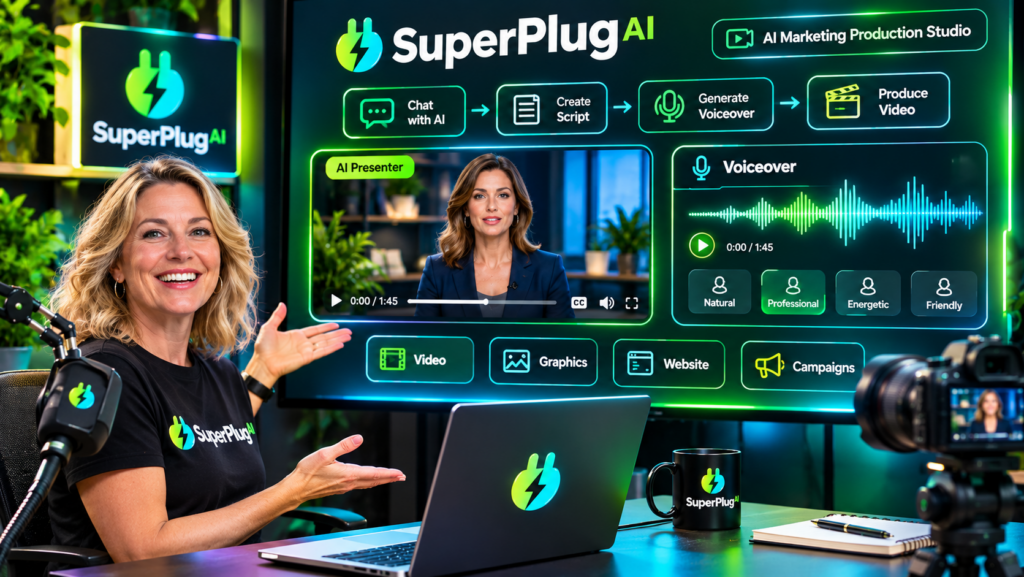
To connect HeyGen and ElevenLabs to SuperPlug AI for AI videos and voiceovers, use the platform’s supported bring-your-own-API-key integrations: obtain your API credentials from each provider, add them through the relevant SuperPlug AI integration settings, and then request supported video or voiceover workflows through your connected AI assistant. This lets you bring HeyGen’s AI video capabilities and ElevenLabs’ voice-generation tools into a more unified creative production process. Explore SuperPlug AI and its AI video and voiceover capabilities.
In this tutorial, you’ll learn what each integration does, what you need before connecting, how to prepare your API credentials, and how to approach your first AI video project using the two services.
What Do HeyGen and ElevenLabs Do in SuperPlug AI?
HeyGen and ElevenLabs provide different capabilities that can complement each other when creating AI-powered video content.
- HeyGen: Provides AI video creation capabilities, including avatar-led videos and presenter-style content. These features can be useful for explainers, promotional videos, product presentations and training content.
- ElevenLabs: Provides AI voice-generation and text-to-speech capabilities. It can help create voiceovers for videos, presentations, advertisements and other audio content.
SuperPlug AI’s launch materials list both HeyGen and ElevenLabs among its supported bring-your-own-key integrations. This means you can connect your own provider accounts rather than assuming that the SuperPlug AI subscription automatically includes unlimited usage of those external services.
What You Need Before Connecting HeyGen and ElevenLabs
Prepare these essentials before starting:
- An active SuperPlug AI account with access to the relevant integrations.
- A HeyGen account and the required API credentials.
- An ElevenLabs account and its API credentials.
- Access to SuperPlug AI’s integration or connection settings.
- A connected AI assistant, such as ChatGPT, Claude or Grok, for requesting supported workflows.
You can connect one provider first and add the other later. This is a sensible approach if you are new to API integrations because it makes it easier to identify and resolve connection issues individually.
How to Connect HeyGen to SuperPlug AI
Follow this general setup process to connect your HeyGen account:
- Sign in to HeyGen. Access the account you intend to use for AI video production.
- Locate your API credentials. Find the API or developer settings provided for your account and generate or retrieve the appropriate key.
- Open SuperPlug AI’s integration settings. Find the supported HeyGen connection option in the platform’s own-key integration area.
- Enter your API key. Add the credential in the designated field and follow the authentication instructions displayed by SuperPlug AI.
- Verify the connection. Confirm that the integration is accepted before requesting a HeyGen-powered video task.
Once connected, you can describe the video you want to create through your supported AI assistant. Be specific about the intended audience, presenter style, subject, video length and purpose. The available options will depend on the HeyGen capabilities supported by the integration and your provider account.
How to Connect ElevenLabs to SuperPlug AI
The ElevenLabs connection follows a similar bring-your-own-key process:
- Sign in to your ElevenLabs account.
- Open the account’s API or developer credentials area.
- Generate or copy the API key required for your intended usage.
- Open the ElevenLabs integration option in SuperPlug AI’s connection settings.
- Enter the API key in the appropriate credential field and complete the displayed setup steps.
- Check that the connection is recognised before requesting a voice-generation task.
After connecting, you can request supported voiceover workflows by providing a script, describing the desired delivery style and specifying the language where relevant. ElevenLabs supports voice-generation capabilities across multiple languages, although available voices and usage depend on your account and selected service.
How to Use HeyGen and ElevenLabs Together for AI Videos
Once both integrations are connected, you can explore a workflow that combines presenter-style video production with AI-generated voice content, where the available tools and workflow support it.
- Prepare your script: Write a clear script with an opening hook, useful information and a closing call to action.
- Plan the video: Describe the subject, target audience, presenter style and intended format to your connected assistant.
- Prepare the voiceover: Request a suitable voiceover using the connected ElevenLabs capability, where supported.
- Create the video: Request the appropriate HeyGen video workflow and provide the required creative instructions or assets.
- Review the result: Check the narration, pronunciation, visuals, timing and overall presentation before publishing.
For example, a marketer could prepare a short product explainer, generate suitable narration and create a presenter-led video. Review the proposed production plan and credit requirements before approving any SuperPlug AI task.
Important API Key, Credit and Usage Considerations
- Protect your credentials: Never share API keys publicly or include them in published content.
- Use the correct provider key: HeyGen credentials cannot replace ElevenLabs credentials, or vice versa.
- Check external costs: Your provider accounts may have separate subscriptions, usage limits or API charges.
- Review SuperPlug AI credits: The launch materials describe supported own-key integrations as using zero SuperPlug credits. External provider charges may still apply.
- Check permissions: Make sure your API credentials have the permissions needed for the intended task.
- Review before publishing: Always check generated videos and voiceovers for accuracy, quality and suitability.
For a wider look at SuperPlug AI’s creative tools, pricing, upgrades and other integrations, read the complete SuperPlug AI review and feature breakdown.
Frequently Asked Questions
Can I connect both HeyGen and ElevenLabs to SuperPlug AI?
Yes. SuperPlug AI’s launch materials list both services among its supported own-key integrations. You can connect the accounts separately and use the available capabilities in supported workflows.
Do I need separate API keys for HeyGen and ElevenLabs?
Yes. Each provider requires its own credentials. Obtain the HeyGen key from your HeyGen account and the ElevenLabs key from your ElevenLabs account.
Can I create AI avatar videos with HeyGen through SuperPlug AI?
HeyGen provides AI video and avatar-related capabilities. The specific features accessible through SuperPlug AI depend on the supported integration and your HeyGen account permissions.
Can ElevenLabs generate voiceovers for my videos?
Yes. ElevenLabs provides AI voice-generation capabilities that can be used for voiceover production, subject to the available integration and your account’s usage limits.
Final Thoughts
Connecting HeyGen and ElevenLabs to SuperPlug AI can bring AI video and voice-generation capabilities into a more streamlined creative workflow. Obtain the correct API key from each provider, add the credentials through the relevant integration settings, verify both connections and review costs before starting production.
To explore the complete platform, including its video tools, creative workflows, pricing and available upgrades, visit the full SuperPlug AI review.