
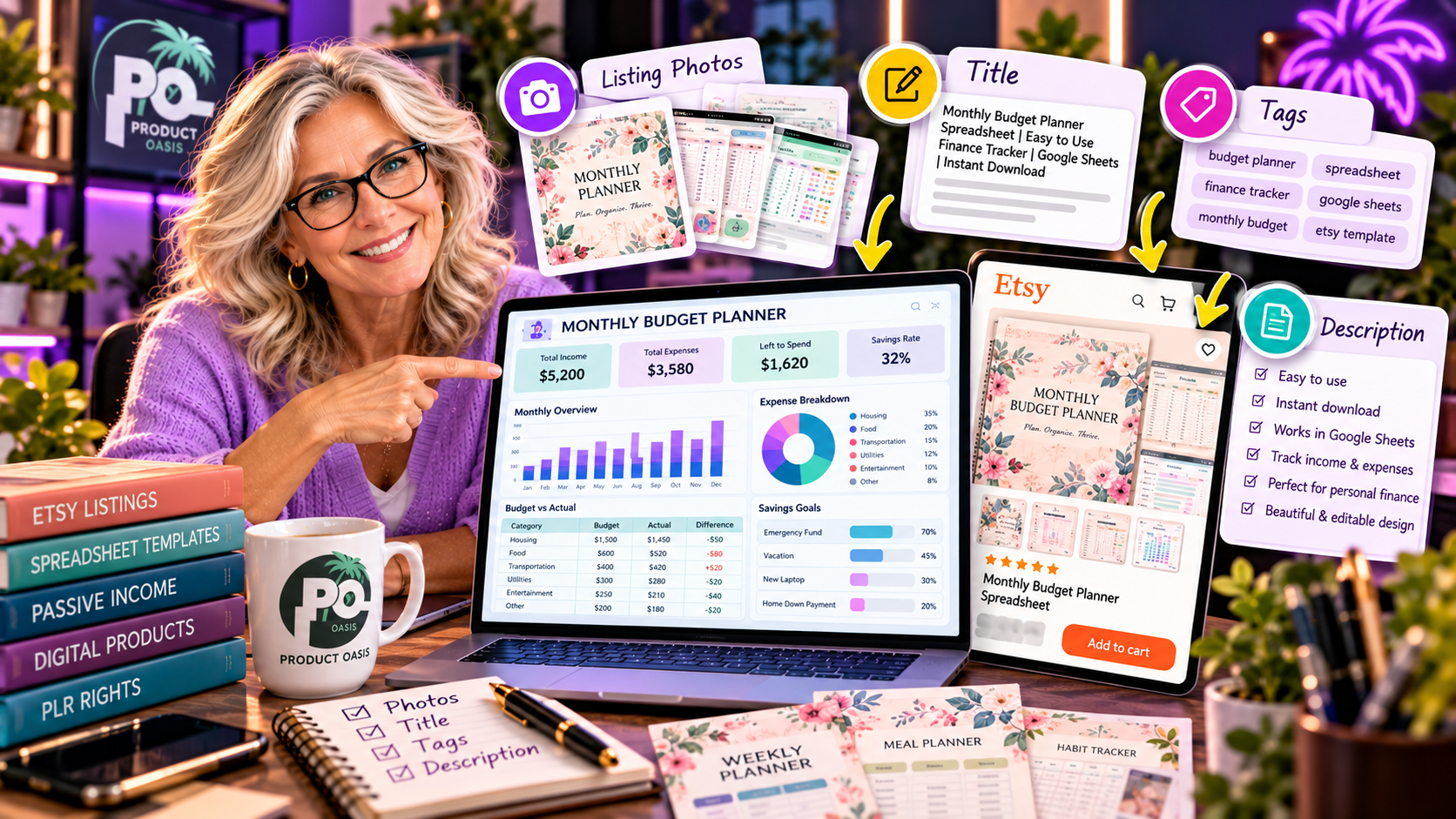
The Spreadsheet Studio Skill Set includes an Etsy Listing Kit designed to help you prepare the essential content needed to present and promote your spreadsheet digital products, including listing titles, 13 suggested tags, product descriptions, listing images, a short promotional video, and a buyer guide. It is intended to make the journey from creating a spreadsheet to preparing an Etsy-ready product listing more organized, particularly when using Claude as part of your workflow. Explore The Spreadsheet Studio Skill Set and its listing creation features here.
What Is Included in The Spreadsheet Studio Skill Set Etsy Listing Kit?
The Etsy Listing Kit is designed to help with several important parts of preparing a digital product listing. Instead of approaching every listing task separately, you get a collection of resources intended to help you organize the presentation of your spreadsheet product.
The advertised listing components include:
- Listing titles: Suggested titles to help describe your spreadsheet product.
- 13 Etsy tags: Keyword ideas to help categorize and describe your listing.
- Product descriptions: Draft content explaining the product and its features.
- Listing images: Visual materials to showcase your digital download.
- Short promotional video: A video asset to help demonstrate or present the product.
- Buyer guide: Supporting instructions to help customers understand how to use their purchase.
These resources address a common challenge for digital product creators: creating the spreadsheet is one task, but preparing a clear, attractive, and informative listing is another.
1. Etsy Listing Titles: How Do You Describe Your Spreadsheet Product?
Your Etsy listing title helps potential customers understand what you are offering. A vague title can make it difficult for shoppers to recognize whether a product is relevant to their needs.
For example, imagine you have created a debt payoff spreadsheet. A useful title should communicate the product type and its intended purpose rather than simply calling it a spreadsheet template.
Other examples include:
- Wedding Budget Planner Spreadsheet
- Monthly Meal Planning Spreadsheet
- Personal Debt Payoff Tracker
- Freelance Income and Expense Tracker
- Daily Habit and Goal Tracker
The Spreadsheet Studio Skill Set’s listing workflow is intended to help generate title ideas for your products. You should still review each suggestion to ensure it accurately describes the spreadsheet and uses language your intended customers would recognize.
2. Etsy Tags: Finding Relevant Keywords for Your Listing
Etsy tags help describe your product and provide additional information about what shoppers may be searching for. Choosing relevant tags is therefore an important part of listing preparation.
The Spreadsheet Studio Skill Set advertises 13 suggested Etsy tags as part of its listing kit.
For a meal planner spreadsheet, for example, relevant keyword ideas might include:
- Meal planner spreadsheet
- Weekly meal planner
- Digital meal planner
- Grocery list template
- Food planning tracker
- Meal prep organizer
These are illustrative examples, not guaranteed ranking keywords. Your final tags should match the actual product, the language your customers use, and the relevant marketplace requirements.
It is also important not to repeat similar phrases unnecessarily. Think about different ways a potential buyer might describe the problem your spreadsheet solves.
3. Etsy Product Descriptions: Explain What Buyers Actually Get
A product description should answer a simple question: what does the customer receive, and how will it help them?
For spreadsheet downloads, a good description should explain:
- The purpose of the spreadsheet.
- Who the product is designed for.
- What sections, trackers, or features are included.
- How the customer can use or customize it.
- What file format or spreadsheet compatibility applies.
- Whether instructions or sample data are included.
For example, a wedding planner spreadsheet description could explain how it helps couples organize their budget, guest list, vendor information, and planning schedule.
The advertised listing kit provides assistance with product description creation. This can give you a starting draft, which you should personalize and check carefully. Avoid promising features that the actual spreadsheet does not contain.
4. Etsy Listing Photos: Why Product Presentation Matters
Listing images are an important part of presenting a digital spreadsheet product. Potential buyers cannot physically handle a downloadable template before purchasing, so your visuals need to communicate what the product looks like and what it can do.
For example, if you are selling a budget tracker, your listing images could showcase:
- A clear preview of the main dashboard.
- The expense tracking sections.
- A sample monthly budget layout.
- Charts or progress summaries included in the spreadsheet.
- A visual explanation of what the customer receives.
The Spreadsheet Studio Skill Set advertises listing image creation as part of its Etsy Listing Kit. These visual assets can help you prepare a product presentation, but you should always check that the images accurately represent your finished spreadsheet.
Good listing images should be readable, consistent with your product branding, and focused on the benefits and functionality of the actual download.
5. Promotional Video: Give Potential Buyers Another Way to Understand Your Product
A short product video can demonstrate how a spreadsheet works more effectively than a static image alone.
For example, a brief video of a habit tracker could show how someone enters daily activities, updates progress, and views a summary. A business dashboard video could highlight the different sections and explain how information is organized.
The listing kit advertises a short promotional video as another resource for preparing your product presentation.
The key is to keep the video focused. Show the actual spreadsheet, highlight useful features, and avoid unnecessary effects that distract from what the buyer is purchasing.
6. Buyer Guide: Help Customers Understand Their Download
Customer experience does not end when someone purchases your digital product. Buyers need to understand how to open the file, where to enter information, and how to use its different sections.
A buyer guide can help answer common questions before they become support requests.
For example, a useful guide might explain:
- How to access the downloaded spreadsheet.
- Where to enter personal or business information.
- Which cells or sections can be customized.
- How the main calculations or tracking features work.
- How to use any included sample data or instructions.
The Spreadsheet Studio Skill Set also advertises a Start Here picture-guide concept, which is intended to make spreadsheet products easier to navigate.
Does the Etsy Listing Kit Automatically Guarantee Better Sales?
No. Listing titles, tags, descriptions, images, and videos can help you prepare a more complete product presentation, but they do not guarantee Etsy rankings, traffic, or sales.
Your results will also depend on factors such as:
- Whether your product addresses a genuine customer need.
- How competitive your chosen niche is.
- The quality and usefulness of the spreadsheet.
- How accurately your listing describes the product.
- Your pricing and overall product presentation.
- How effectively you promote your digital download.
The real value of a listing kit is that it can help organize several preparation tasks into a more structured workflow. You remain responsible for reviewing, customizing, and improving the final listing.
If you want to understand how the Etsy Listing Kit fits into the complete product, including spreadsheet creation, customization, formula checking, pricing, and bonuses, take a look at our complete Spreadsheet Studio Skill Set review and feature breakdown.
Who Can Benefit from the Spreadsheet Studio Etsy Listing Kit?
This part of the product may be particularly useful for:
- New Etsy sellers: People who need help organizing their first digital product listings.
- Spreadsheet creators: Those developing planners, trackers, and dashboards for potential customers.
- Existing digital product sellers: Creators who want to expand their product catalogue.
- Claude users: People interested in using AI-assisted workflows for product creation and listing preparation.
- Busy entrepreneurs: Those who prefer a guided starting point for handling multiple listing tasks.
Final Thoughts: Can the Etsy Listing Kit Simplify Your Product Launch?
The Spreadsheet Studio Skill Set Etsy Listing Kit is designed to help prepare six important listing components: titles, 13 suggested tags, descriptions, listing images, a short promotional video, and a buyer guide. Its purpose is to support the journey from spreadsheet creation to a more complete digital product presentation.
For creators who find listing preparation time-consuming, having these resources together may provide a useful starting point. Just remember to customize the generated materials, check their accuracy, and make sure your final listing reflects the product customers will actually receive.
If you want to get ahead of the curve in AI-assisted Etsy product creation, learn more about preparing professional digital product listings, and receive additional free resources to expand your knowledge, consider subscribing below. You will also get access to five extra bonuses designed to complement your Spreadsheet Studio experience.
Want to see how the listing kit fits into the bigger picture? Read our full Spreadsheet Studio Skill Set review covering its features, pricing, bonuses, and overall verdict before deciding whether it is the right addition to your digital product toolkit.