
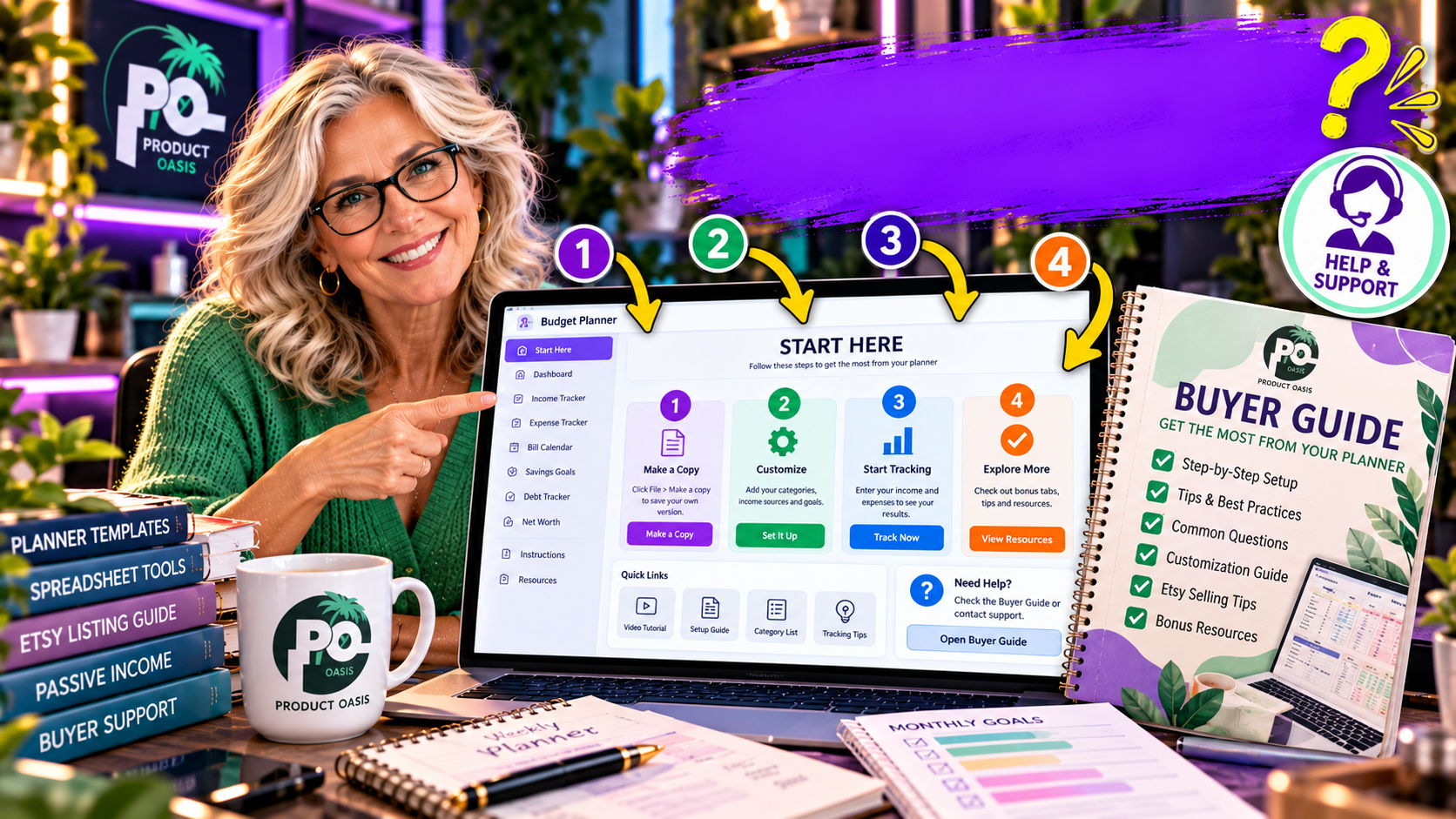
The Spreadsheet Studio Skill Set includes buyer-support resources designed to help customers understand and use the spreadsheet products you create, including a buyer guide and a visual “Start Here” picture-guide concept. These resources address an important challenge for digital product sellers: reducing confusion after purchase by giving customers clearer instructions, explaining how to get started, and making spreadsheet features easier to navigate. If you want to explore the product and its included creation workflow, take a look at The Spreadsheet Studio Skill Set here.
Why Do Spreadsheet Download Customers Need a Buyer Guide?
When someone purchases a spreadsheet template, they may not immediately know how to use every section. They might be unsure where to enter information, which cells can be edited, how to interpret a dashboard, or what to do when they open the file for the first time.
Even a well-designed spreadsheet can create unnecessary questions if the instructions are unclear. A buyer guide helps bridge that gap between receiving a digital download and understanding how to use it.
For example, someone purchasing a debt payoff tracker may need to know where to enter outstanding balances, how to record payments, and which figures update automatically. Without clear guidance, the customer may struggle even if the spreadsheet itself is functioning correctly.
Key takeaway: A good spreadsheet buyer guide explains what the customer receives, how to get started, where to enter information, and how to use the product’s main features.
What Does The Spreadsheet Studio Skill Set Provide?
The Spreadsheet Studio Skill Set advertises two relevant customer-support resources as part of its spreadsheet creation workflow:
- Buyer guide: Supporting instructions intended to help customers understand and use the spreadsheet product.
- Start Here picture guide: A visual guide concept designed to make the initial steps easier to follow.
These resources are particularly relevant if you plan to create spreadsheet products for people who may not be familiar with formulas, dashboards, or spreadsheet customization.
What Should a Good Spreadsheet Buyer Guide Include?
A useful buyer guide should be practical, concise, and specific to the spreadsheet being sold. Here are five elements worth including.
1. A Clear Getting-Started Section
Begin by explaining what the customer has downloaded and what the spreadsheet is designed to do. Identify the main sections and provide simple instructions for opening the file and getting started.
For example, a meal planner guide could explain where to enter meals, how to organize a weekly schedule, and where to maintain a shopping list.
2. Instructions for Entering Information
Customers should know exactly where to enter their information. Explain which cells or sections are intended for user input and which areas contain formulas or calculated results.
This is especially important for financial planners, habit trackers, and business dashboards where entering information in the wrong place can lead to confusion.
3. An Explanation of Important Features
Do not assume every customer will understand how your spreadsheet works. Explain important features such as totals, progress indicators, summary sections, dropdowns, or dashboard charts where applicable.
Use simple language and, where helpful, include screenshots or annotated examples.
4. Common Questions and Troubleshooting
Think about the questions a first-time buyer might ask. For example:
- Where should I enter my information?
- Which sections can I customize?
- Why does a total change when I update an entry?
- What should I do if a section appears blank?
- How do I reset or reuse the spreadsheet?
Answering relevant questions in advance can make the product easier to understand and may reduce repetitive customer support requests.
5. A Simple Final Checklist
End the guide with a short checklist that helps buyers confirm they have completed the initial setup. Keep it relevant to the product rather than filling it with generic instructions.
How Can a Start Here Picture Guide Reduce Customer Confusion?
A visual guide can be especially helpful when customers need to understand a spreadsheet’s layout quickly. Instead of relying entirely on written explanations, a picture guide can identify important sections and show users where to begin.
For example, a visual guide for a budget planner could identify:
- The starting section for entering monthly income.
- Where to record expenses.
- Where to view calculated totals.
- How to interpret the dashboard.
- Which sections are designed for customization.
The Spreadsheet Studio Skill Set advertises a Start Here picture-guide concept as part of its supporting resources. The objective is to make the initial experience more approachable, particularly for customers who prefer visual instructions.
For more information about how the buyer guide fits into the product’s wider creation and selling workflow, read our complete Spreadsheet Studio Skill Set review.
How to Create Spreadsheet Products That Are Easier to Use
Even with a buyer guide, the spreadsheet itself should be designed with the customer in mind. These practical steps can help:
- Keep the layout intuitive: Use clear headings and organize related information together.
- Make input areas obvious: Use consistent formatting to distinguish editable cells from calculated sections.
- Use understandable labels: Avoid technical terms when simpler wording will communicate the same idea.
- Test the instructions: Review the guide alongside the spreadsheet to ensure every step is accurate.
- Consider a first-time user: Check whether someone unfamiliar with the product could follow the instructions without needing constant assistance.
Frequently Asked Questions
Does The Spreadsheet Studio Skill Set include a buyer guide?
Yes. A buyer guide is among the advertised resources designed to help explain spreadsheet products to customers.
What is the Start Here picture guide?
It is a visual guide concept intended to help customers understand where to begin and how to navigate the spreadsheet they have purchased.
Can a buyer guide eliminate customer support questions?
No guide can eliminate every question, but clear instructions and useful examples may prevent common misunderstandings and make the product easier to use.
Should every spreadsheet download include instructions?
It is generally good practice. Even simple templates benefit from a short explanation of their purpose, editable sections, and basic usage.
Does the buyer guide replace spreadsheet testing?
No. You should test the spreadsheet’s formulas, functionality, and instructions separately before making the product available to customers.
Final Thoughts: Make the Customer Experience Part of Your Product
The Spreadsheet Studio Skill Set includes a buyer guide and a Start Here picture-guide concept to help creators prepare spreadsheet products that are easier for customers to understand and use. These resources address an often-overlooked part of selling digital downloads: what happens after the customer makes a purchase.
If you are creating planners, trackers, or business dashboards, clear instructions can make your product more approachable and help set realistic expectations. The best approach is to combine an intuitive spreadsheet design with accurate, easy-to-follow guidance.
Would you like to get ahead of the curve in AI-assisted spreadsheet creation and learn more about building digital products that offer a better customer experience? Subscribe below to receive useful resources and five additional free bonuses designed to complement your learning and help you explore more possibilities.
If you want to see how these customer-support resources fit into the complete offer, including spreadsheet creation, customization, formula checking, pricing, and bonuses, continue with our full Spreadsheet Studio Skill Set review and product breakdown.