
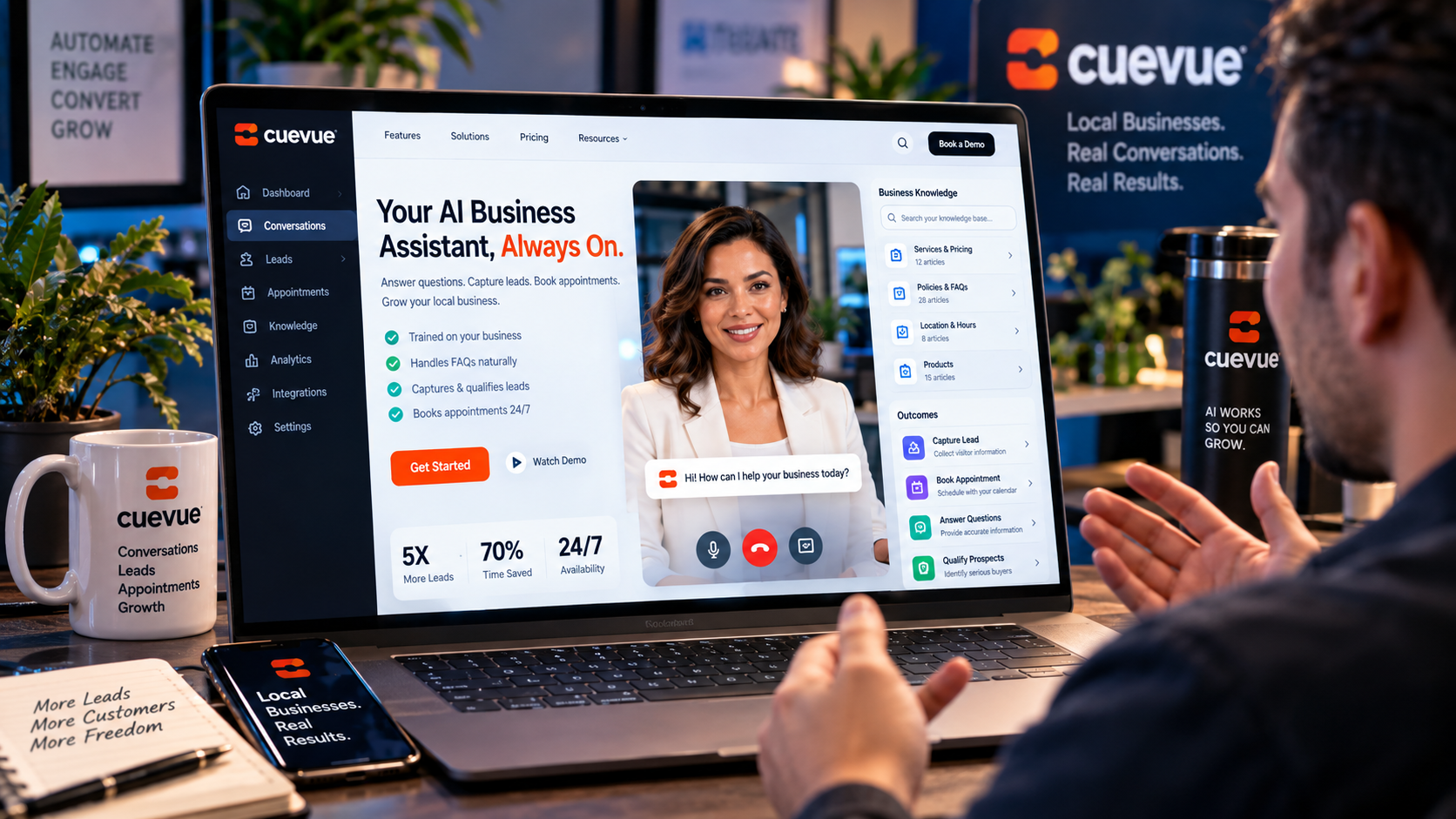
CueVue works by turning your existing website URL into a conversational AI experience powered by a lifelike LiveRep™. You give CueVue your website, it builds an editable business knowledge base, you choose the LiveRep and define its job, and then you deploy it to your website so visitors can ask questions, speak naturally, capture leads, book appointments, or get support. Explore CueVue and its current package.
How Does CueVue Work?
Short answer: CueVue follows a four-step process: paste your website URL, let CueVue learn your business, choose a LiveRep, and go live. The product materials state that the basic process can take about three minutes, with a one-line installation for deployment.
The important part is that CueVue is not simply adding an animated character to a webpage. The LiveRep is connected to business information and given a specific purpose, allowing the conversation to move beyond answering questions toward an actual business outcome.
Step 1: Start With Your Website URL
The first step is straightforward: provide CueVue with the website you want the LiveRep to represent.
Instead of manually constructing every piece of information from scratch, CueVue uses the website as the starting point for understanding the business. This can include information about services, offers, locations, FAQs and other details already available on the site.
This approach is particularly useful for businesses that already have a reasonably complete website but want to add a more interactive layer without rebuilding their existing site.
Step 2: CueVue Builds the Business Knowledge Base
Once the website is provided, CueVue creates a business knowledge base that can be reviewed and edited.
This is an important part of how CueVue works because the LiveRep needs business-specific information to have useful conversations. Rather than relying on a generic AI personality, the representative can work from information relating to the particular company, its services and its offers.
The knowledge base is also editable. You can add, remove or change information so the LiveRep’s approved business knowledge better matches what you actually want visitors to hear.
Key takeaway: CueVue turns website information into an editable knowledge source that the LiveRep can use during visitor conversations.
Step 3: Choose Your CueVue LiveRep
After the business knowledge is prepared, you select the LiveRep that will interact with visitors.
CueVue provides different representative styles and roles, allowing the experience to be matched to the purpose of the website. A local service company might need a representative focused on lead capture and qualification, while a SaaS business could use one to answer product questions and move interested visitors toward a demonstration.
The key is to give the LiveRep a clear mission. CueVue’s approach is based on the idea that the AI representative should have a job to do rather than simply exist as a visual attraction.
Step 4: Deploy CueVue on Your Website
Once the LiveRep and its objective are configured, CueVue can be deployed to the website.
The product materials describe a one-line installation process and approximately three minutes from entering the website URL to having a working LiveRep. This is designed to avoid the need for a developer during the basic setup process.
Once live, visitors can interact with the representative directly on the website using voice or typed conversation.
What Happens During a CueVue Conversation?
The conversation follows a simple listen-response-action model.
- Visitor asks a question: The visitor can speak or type.
- LiveRep understands: CueVue processes the request in the context of the business information available to it.
- LiveRep responds: The representative answers using the approved business knowledge.
- LiveRep takes action: Depending on its assigned mission, it can capture information, qualify the visitor, work toward an appointment, provide support or move the conversation toward another defined outcome.
This is what separates the CueVue workflow from a simple website information widget. The conversation is designed to continue toward an outcome rather than necessarily ending after an answer.
Can CueVue Capture Leads and Book Appointments?
Yes. Lead capture and appointment booking are among the specific outcomes supported by CueVue.
A visitor could ask questions about a service, explain what they need, provide contact information and then move toward an appointment. The interaction can therefore combine qualification and lead capture instead of forcing the visitor to leave the conversation and find a separate form.
CueVue also provides recordings, transcripts, conversation scoring and lead dossiers, giving businesses additional information about what happened during conversations.
Why Is CueVue’s Editable Knowledge Base Important?
An AI representative is only useful to a business when its answers are relevant to that business. CueVue addresses this by making the knowledge base editable.
Businesses can review the information, refine facts and provide additional details. The product materials also describe the LiveRep as working from approved knowledge and directing visitors toward a human when a question falls outside that knowledge.
If you want to see how this setup fits into the broader product, features and pricing, the complete CueVue review covers the wider offer.
What Can You Use CueVue For?
The workflow can be adapted to several common website objectives, including:
- Generating and capturing leads
- Qualifying prospects
- Booking appointments
- Answering product and service questions
- Handling customer support questions
- Assisting e-commerce visitors
- Helping SaaS businesses qualify demo requests
- Creating AI-powered website services for agency clients
The same underlying process remains the same: give CueVue the business information, choose the representative, define its purpose and deploy it where visitors can interact with it.
How Long Does CueVue Take to Set Up?
CueVue’s product materials state that the process can take about three minutes. The workflow is intentionally condensed into the website URL, business knowledge, LiveRep selection and deployment stages.
The exact amount of preparation a business needs will naturally depend on how much information it wants to customize, but the basic deployment concept is designed to be quick and straightforward.
Final Thoughts: From Website URL to LiveRep
CueVue works by transforming a website into the starting point for an interactive AI representative. The process is essentially URL → business knowledge → LiveRep → live conversation.
That makes the platform particularly relevant for businesses and agencies that want their websites to do more than provide information. Instead, the website can have a representative available to answer questions, capture visitor details, qualify prospects and work toward appointments or other defined outcomes.
If you want the complete breakdown of CueVue’s features, pricing, OTOs, bonuses and overall offer, read the full CueVue review and buying guide.