
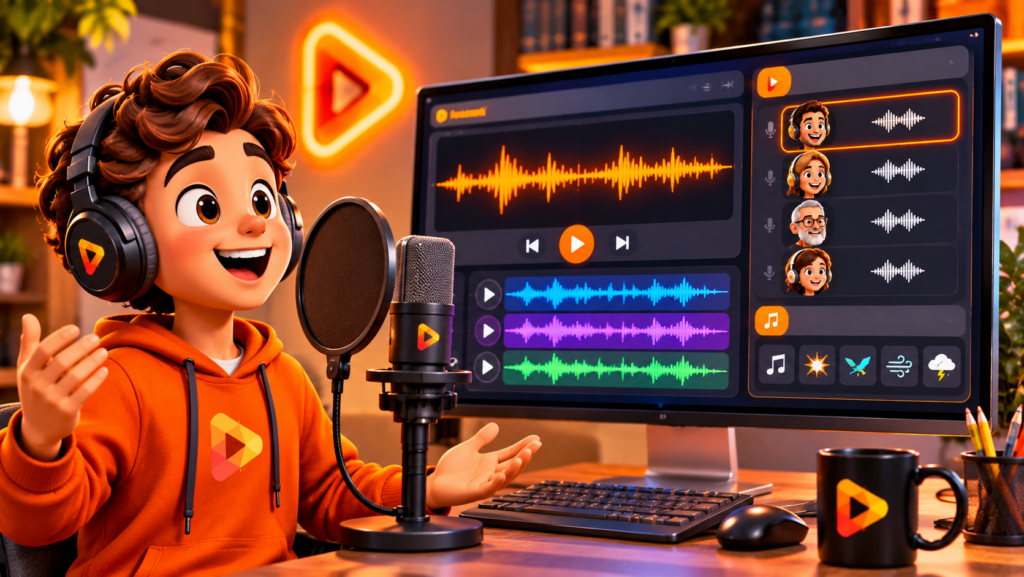
Choosing the right AI voice for an animated character can make the difference between a cartoon that feels alive and one that sounds flat or disconnected. The best voice should match the character’s personality, age, role, emotions, and intended audience. If you are creating animated videos with a tool such as RocketToons AI, selecting a suitable voice is an important step in making your characters more believable and your stories easier to follow.
Think about your favorite animated characters. Their voices are often just as memorable as their appearance. A friendly cartoon teacher, a mischievous sidekick, and a serious business presenter should not all sound the same. The right voice helps viewers understand who the characters are and connect with what they are saying.
What Is an AI Voice for an Animated Character?
An AI voice is a digitally generated voice that converts written text into spoken dialogue. In animated videos, it can provide narration or give individual characters their own voices.
Depending on the platform, you may be able to select different voice characteristics, languages, accents, and speaking styles. Some tools also offer controls for adjusting delivery, speed, or emotional expression.
Instead of recording every line yourself or hiring voice actors for every project, AI voice technology can help you produce dialogue for cartoon characters and narrated scenes.
Why Does the Right Character Voice Matter?
A character’s voice communicates more than words. It helps establish personality, mood, and identity.
Consider these examples:
- A children’s cartoon hero: A warm, friendly, expressive voice can make the character approachable.
- A wise storyteller: A calm, confident voice can make narration feel reassuring.
- A funny sidekick: An energetic voice with playful delivery can support comedic moments.
- A business presenter: A clear, professional voice can help explain products and services.
- An animated villain: A controlled, dramatic delivery may help communicate tension.
If the voice does not fit the character, the audience may find the animation less convincing. Matching the voice to the character helps create a more coherent viewing experience.
How to Choose the Right AI Voice in 7 Steps
Step 1: Understand Your Character’s Personality
Before browsing voice options, write down a few words that describe your character.
Is the character friendly, confident, curious, funny, serious, shy, adventurous, or authoritative?
These descriptions give you a starting point. A curious cartoon child may need a bright, enthusiastic delivery, while a documentary-style narrator may need a more measured and informative voice.
Step 2: Consider the Character’s Age and Role
The voice should make sense for the character viewers see on screen. A young cartoon character, an experienced mentor, and a professional presenter have different communication needs.
Think about the character’s role in the story:
- Main character or hero.
- Supporting character or friend.
- Teacher or guide.
- Narrator or storyteller.
- Business representative or presenter.
Do not choose a voice based only on whether it sounds attractive. Choose one that makes sense for the character and the story.
Step 3: Match the Voice to Your Target Audience
Your audience should influence your voice selection. A video designed for young children may benefit from friendly, expressive delivery and simple pronunciation. A professional explainer may need a clear, steady voice that communicates information without sounding overly theatrical.
For social media videos, consider how the voice will sound on a mobile phone and whether viewers can understand it easily in a short clip.
Step 4: Choose the Right Accent and Language
If you are targeting a particular region, consider selecting a voice that sounds natural to that audience. Accent, pronunciation, and familiar expressions can influence how easily viewers connect with the content.
For multilingual videos, check whether the platform supports the languages you need and listen to samples before committing to a voice. Do not assume that translating a script automatically produces natural-sounding dialogue in another language.
Step 5: Test the Voice With Your Actual Script
This is one of the most important steps. A voice that sounds excellent in a short demonstration may not work well with your script.
Choose a few representative lines and generate a preview. Test different sentence types, including:
- A short introduction.
- A question or conversational line.
- An emotional statement.
- A longer explanatory sentence.
Listen for pronunciation, clarity, pacing, pauses, and natural-sounding delivery. Pay attention to difficult names, technical terms, and unusual words.
Step 6: Check Emotional Expression and Speaking Speed
Animated characters should sound appropriate for the scene. A happy character should not sound bored, and an important announcement should not be delivered too casually.
Where voice controls are available, experiment with speaking speed, pauses, and emotional delivery. Avoid making every line overly dramatic. Natural variation usually makes dialogue easier to listen to.
Also consider the length of the scene. If the voice speaks too quickly, viewers may struggle to follow the message. If it speaks too slowly, the animation may lose momentum.
Step 7: Maintain Voice Consistency Across Scenes
If the same character appears throughout a video or across several episodes, try to use the same voice settings whenever possible.
Keep a simple character reference sheet containing:
- Character name and personality.
- Selected AI voice.
- Language and accent.
- Speaking speed and preferred delivery.
- Any important pronunciation notes.
This makes it easier to maintain a recognizable character identity as you create more videos.
How RocketToons AI Can Help With Character Voices
RocketToons AI is advertised as an AI-powered cartoon video creation platform that combines character creation, scene development, dialogue, and voice options in one workflow.
The promotional materials describe a selection of natural AI voices, multiple language options, and tools for building cartoon videos from ideas and scripts. Its advertised workflow can help creators develop scenes, assign dialogue, preview the storyboard, and refine individual parts of a video.
When using a platform like this, the important thing is to evaluate the available voices with your own script. Listen to how the selected voice handles your character’s dialogue rather than choosing one simply because its sample sounds impressive.
For a multi-character story, consider whether each character needs a distinct voice. For an educational video, a consistent narrator may be more useful than several different voices. Your choice should support the purpose of the content.
You can explore the platform’s advertised features, workflow, and buying considerations in our complete RocketToons AI review.
Common Mistakes to Avoid When Choosing AI Character Voices
- Choosing a voice just because it sounds impressive: A dramatic voice may not suit a friendly educational character.
- Ignoring your audience: Consider the age, interests, and language preferences of your intended viewers.
- Skipping voice previews: Always test the actual script before producing the complete video.
- Using too many different voices: Give each character a clear identity without making the video confusing.
- Ignoring pronunciation problems: Review names, technical terms, and important phrases.
- Forgetting consistency: Keep recurring characters recognizable from one scene or episode to the next.
FAQs About Choosing AI Voices for Animated Characters
How do I make an AI cartoon character sound more natural?
Use dialogue that sounds conversational, select a suitable voice, and test the actual script. Adjust pauses and speaking speed where supported, and correct unusual pronunciations before exporting.
Can different animated characters have different AI voices?
Yes. Many AI animation workflows allow creators to assign different voices to characters. Distinct voices can help viewers identify who is speaking, particularly in stories with several characters.
Should I use a male or female AI voice for my cartoon character?
There is no universal rule. Choose based on the character’s personality, visual design, role, audience, and story. The best choice is the voice that communicates the character convincingly.
Can AI voices speak different languages?
Some AI voice platforms support multiple languages and regional voice options. Check the available language list and test pronunciation before creating a multilingual video.
Can I use AI-generated character voices in commercial videos?
That depends on the platform’s licensing terms and the rights associated with the selected voice. Review the commercial-use policy before using generated audio in advertisements, client projects, or monetized content.
Final Thoughts: Give Every Animated Character a Voice That Fits
The right AI voice can make an animated character easier to recognize, more engaging, and more believable. Start with the character’s personality, consider your audience, test the voice with real dialogue, and check pronunciation and consistency before producing the final video.
Remember, the goal is not to find the most impressive voice in the library. It is to find the voice that makes your character feel right for the story. If you want to explore an AI-assisted workflow for creating cartoon characters, scenes, and dialogue, take a closer look at RocketToons AI through our RocketToons AI review.