
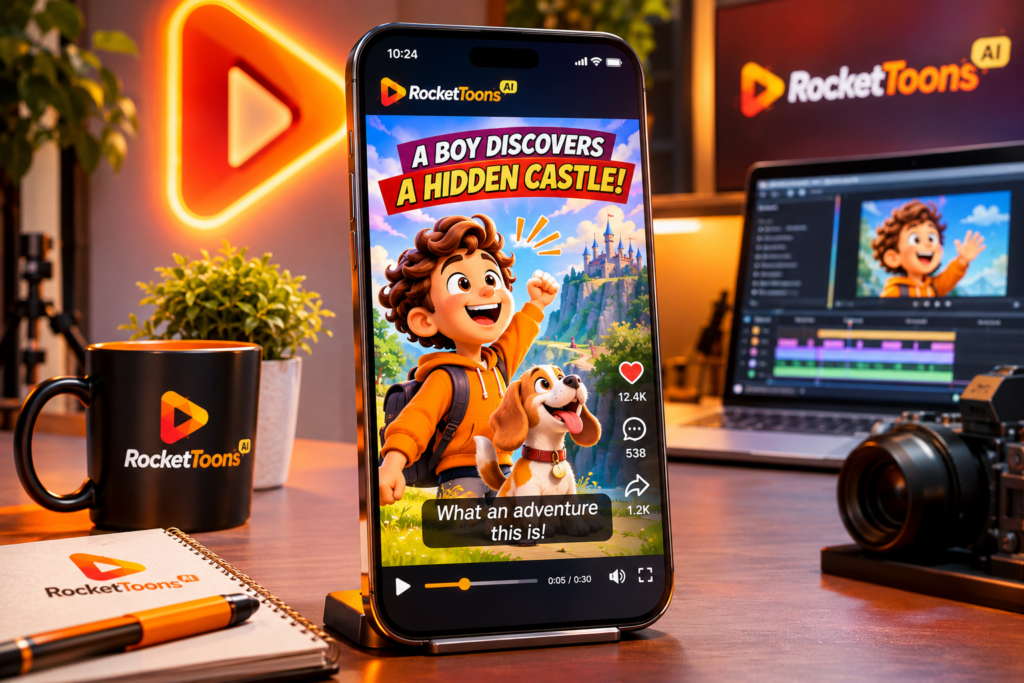
To make short cartoon videos for YouTube Shorts and Instagram Reels, start with one simple idea, write a short script with an attention-grabbing opening, divide it into a few engaging scenes, and produce the animation in a vertical 9:16 format. Keep the story focused, use expressive characters, clear dialogue, and quick visual changes. An AI cartoon creation platform such as RocketToons AI may help bring together script assistance, cartoon characters, scenes, voices, and video production for this type of content.
Short-form video gives creators an opportunity to communicate an idea quickly. You do not need a complicated storyline or a long animation. Sometimes, one funny character, one surprising moment, or one useful message is enough to make a memorable cartoon video.
Why Create Short Cartoon Videos for YouTube Shorts and Instagram Reels?
Short animated videos can be useful for creators who want to communicate through visual storytelling rather than relying entirely on talking-head footage. Cartoon characters can explain ideas, demonstrate situations, entertain viewers, and give a channel a recognizable identity.
Some practical applications include:
- Entertainment: Create funny cartoon moments, mini-adventures, and recurring characters.
- Education: Explain one concept or share one useful lesson in a short animated sequence.
- Business promotion: Introduce a product, highlight a service, or communicate a simple benefit.
- Storytelling: Share short fictional stories with a beginning, middle, and ending.
- Social engagement: Create relatable situations, questions, and visual jokes that encourage viewers to respond.
The key is to make every second serve the central idea. A short video should not feel like a longer video that has simply been cut down.
How to Make Short Cartoon Videos in 6 Steps
Step 1: Start With One Clear Video Idea
Before creating characters or scenes, decide what your video is about. Avoid trying to explain several unrelated ideas in one short animation.
For example, instead of creating a general cartoon about pet care, focus on one specific idea: a funny dog learning why it should not steal food from the kitchen table.
Other possible ideas include:
- A cartoon character sharing one useful productivity tip.
- A funny cat reacting to an everyday situation.
- A miniature animated explanation of a business concept.
- A character demonstrating one simple educational fact.
- A short story ending with an unexpected twist.
A focused concept makes scripting and scene planning much easier.
Step 2: Write a Strong Opening Hook
The first few seconds should give viewers a reason to continue watching. Begin with a question, an unexpected situation, a surprising statement, or an interesting visual action.
Compare these two openings:
Weak opening: “Hello everyone. Today we are going to talk about saving money.”
Stronger opening: “Why does your money disappear before the month ends?”
The second opening immediately introduces a problem and creates curiosity.
For cartoon videos, you can make the opening even more visual. Show a character staring at an empty wallet, reacting dramatically, or discovering something unexpected.
Step 3: Divide the Story Into Short Scenes
Once your script is ready, break it into a small number of scenes. Each scene should communicate one part of the story.
A simple short-form cartoon structure could look like this:
- Opening: Introduce the character and the main problem.
- Development: Show the character reacting or trying to solve the problem.
- Payoff: Deliver the lesson, punchline, or surprising outcome.
- Ending: Add a brief question or call to action where appropriate.
Keep dialogue concise and make sure the visuals support the spoken message. If a scene can communicate something through character movement or expression, you may not need another sentence of narration.
Step 4: Create Characters and Choose a Visual Style
Your cartoon characters are part of your content identity. Choose designs that suit your subject and intended audience.
You might use a friendly 3D character for an educational channel, a playful animal for comedy, or a simple illustrated mascot for business content.
If you plan to publish recurring videos, try to maintain consistent character appearances, colors, and visual styles. This helps viewers recognize your content over time.
Step 5: Produce the Video in Vertical Format
YouTube Shorts and Instagram Reels are designed for vertical viewing. A 9:16 aspect ratio is a practical format for creating content intended primarily for these feeds.
When planning your scenes:
- Keep important characters near the center of the frame.
- Make expressions and actions easy to see on a mobile screen.
- Use readable captions and avoid overcrowding the image.
- Keep essential visual information away from interface overlays.
- Check that dialogue, music, and sound effects are balanced.
Preview the finished video on a phone-sized screen before publishing. A scene that looks attractive on a computer monitor may be difficult to follow on a smaller display.
Step 6: Review, Export, and Publish
Before publishing, watch the complete video from beginning to end. Check whether the opening is interesting, the story is easy to follow, and the ending delivers what the opening promised.
Look for unnecessary pauses, confusing transitions, inconsistent character details, and audio problems. Add captions where they improve accessibility and understanding.
Finally, prepare a relevant title, description, and cover image for each platform. Use a clear description of the video’s subject and encourage viewers to respond with a meaningful question rather than adding an unrelated call to action.
How RocketToons AI Can Help Create Short Cartoon Videos
RocketToons AI is an AI-powered cartoon video creation platform designed to combine script assistance, character creation, scenes, voices, and video production in one workflow.
Its advertised features include multiple export formats, including a vertical 9:16 option, which may be useful when preparing cartoon videos for mobile-first platforms. The platform also advertises AI-assisted script writing, cartoon character creation, voice options, and scene-level controls.
For example, you could develop a short cartoon idea, create the characters, organize the story into scenes, add dialogue, and prepare a vertical video for social media. The actual result will depend on your creative direction, the available features, and the amount of editing required.
Remember that using an AI video tool does not automatically make content engaging. Strong storytelling, originality, pacing, and relevance to your audience remain essential.
If you want to understand the platform’s advertised features, workflow, and buying considerations in more detail, read our complete RocketToons AI review.
Tips to Make Your Cartoon Shorts More Engaging
- Focus on one message: Give every video one clear purpose.
- Use visual storytelling: Let expressions, movement, and scene changes communicate the story.
- Build recurring characters: Familiar characters can help create a recognizable series.
- Keep the pacing purposeful: Remove scenes and dialogue that do not advance the story.
- Use captions thoughtfully: Make important dialogue easy to follow without sound.
- Experiment with different hooks: Test questions, funny situations, surprising facts, and direct statements.
- Study audience response: Use retention, comments, and engagement data to identify which ideas connect with viewers.
FAQs About Making Cartoon Videos for Shorts and Reels
What is the best video format for YouTube Shorts and Instagram Reels?
A vertical 9:16 format is a practical choice for content designed specifically for these platforms. Make sure important text and characters remain visible within the mobile viewing area.
How long should a cartoon Short or Reel be?
There is no ideal length for every topic. Use enough time to establish the idea, develop the scene, and deliver a satisfying ending. Avoid stretching a simple concept unnecessarily.
Can I make cartoon Shorts without animation experience?
Yes. AI-assisted cartoon video tools can simplify parts of character creation, scripting, and scene production. You will still need to plan the content and review the final animation.
Can I use the same cartoon character in multiple Shorts?
Yes. Recurring characters can help create a recognizable content series. Use consistent character references and available character controls, and review each generated scene for visual differences.
Can AI-generated cartoon Shorts be monetized?
Potentially, yes. AI-generated content is not automatically excluded from monetization, but videos must meet the platform’s monetization policies. Original storytelling, meaningful creative input, and viewer value matter. Repetitive or mass-produced content with little original contribution may create monetization problems.
Final Thoughts: Turn One Idea Into Your Next Short Cartoon Video
You do not need a complicated production plan to start creating cartoon videos for Shorts and Reels. Begin with one interesting idea, build a short story around it, choose a suitable character, and create scenes that keep the viewer focused on the message.
As you gain experience, experiment with recurring characters, different storytelling formats, educational clips, comedy, and promotional content. Pay attention to what your audience watches and responds to, then use those insights to improve your next video.
RocketToons AI is worth exploring if you want to investigate an AI-assisted cartoon creation workflow with advertised vertical export options, character creation, script assistance, and voice features. To examine the platform and its buying considerations, visit our RocketToons AI review.