
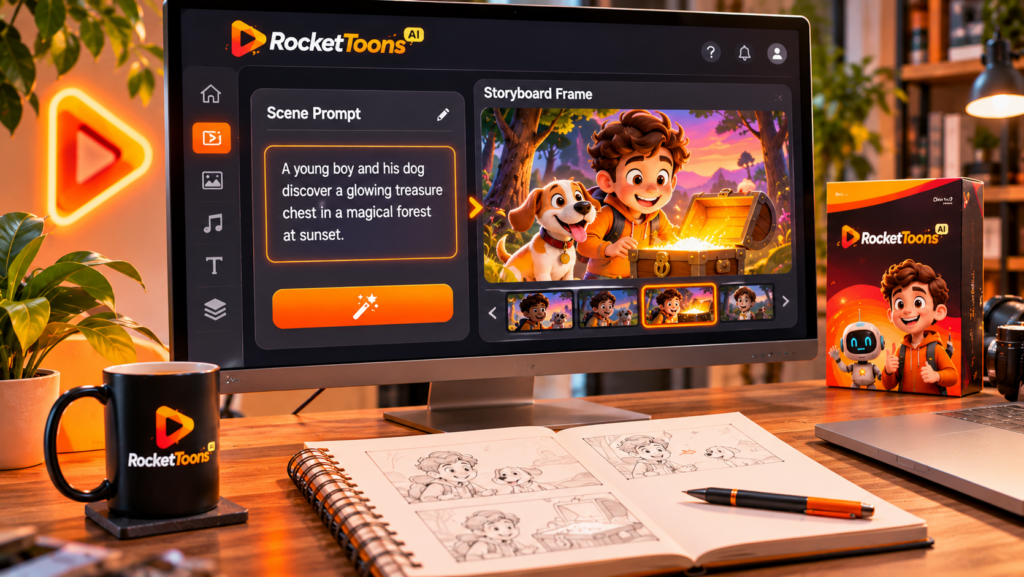
To write better AI prompts for cartoon video scenes, describe exactly what the viewer should see: the characters, their appearance, the setting, the action, the emotions, the camera angle, and the visual style. The more specific and organized your instructions are, the easier it is to guide an AI video creation tool toward the scene you imagine. Platforms such as RocketToons AI can help bring scripts, characters, and animated scenes together, but the quality of your creative direction still matters.
Imagine asking an AI tool to create a cartoon scene of a dog. You might get a dog sitting in a garden. But what if you wanted a golden retriever wearing a blue explorer’s jacket, discovering a mysterious treasure chest in a tropical forest, with a surprised expression and a cinematic camera angle?
That difference comes down to the prompt.
What Makes a Good AI Prompt for Cartoon Video Scenes?
A good cartoon video prompt communicates a clear visual instruction rather than simply naming a subject. It gives the AI enough information to understand the scene’s characters, environment, movement, and mood.
A useful prompt should generally cover these six elements:
- Character: Who or what appears in the scene?
- Appearance: What do the characters look like, including clothing, colors, and distinctive features?
- Setting: Where does the action take place?
- Action: What exactly should the character do?
- Emotion: What should the character express or communicate?
- Visual direction: What animation style, lighting, and camera perspective should the scene use?
These details help transform a vague idea into a practical creative instruction.
How to Write Better AI Prompts for Cartoon Video Scenes in 6 Steps
Step 1: Describe the Main Character Clearly
Begin by identifying the character who will appear in the scene. Avoid relying on vague descriptions such as “a cartoon boy” or “a funny animal.”
Instead, describe the character’s age or general appearance, clothing, colors, body features, and personality.
Basic prompt: A cartoon boy walks into a room.
Improved prompt: A cheerful eight-year-old cartoon boy with curly brown hair, a yellow T-shirt, blue shorts, and red sneakers walks into a bright classroom carrying a green backpack.
The improved description gives the AI a much clearer visual starting point.
Step 2: Explain the Action Instead of Just Naming It
A video scene needs movement. Simply describing a character is not enough if you want an animated sequence.
Tell the AI what happens, how the character moves, and what changes during the scene.
For example, instead of writing “a dog in a garden,” try:
Improved prompt: A playful golden retriever runs across a sunny garden, suddenly stops beside a flowerpot, tilts its head curiously, and wags its tail when it discovers a butterfly.
This gives the scene a beginning, an action, and a small moment of discovery.
Step 3: Include the Environment and Background Details
The setting helps establish the atmosphere of your cartoon video. A character standing in a dark forest creates a different impression from the same character standing on a sunny beach.
Describe the location, time of day, background objects, weather, and important environmental details.
For example:
Improved prompt: A friendly cartoon astronaut explores a colorful alien planet with glowing purple plants, unusual rock formations, distant mountains, and two small moons in a deep blue sky.
Do not overload the prompt with unnecessary objects. Include details that help viewers understand the scene or support the story.
Step 4: Specify the Character’s Emotion and Mood
Expressions and emotions help viewers connect with animated characters. A character should not look equally happy, surprised, or serious in every scene.
Consider whether the character should appear excited, worried, confused, confident, frightened, or amused.
For example:
Improved prompt: A curious cartoon cat cautiously approaches a mysterious glowing box, raises one eyebrow, widens its eyes in surprise, and takes a small step backward.
Emotion gives the scene a storytelling purpose rather than making it feel like a static illustration.
Step 5: Add Camera Direction and Animation Style
Camera direction helps determine how viewers experience the scene. A close-up can emphasize a character’s expression, while a wide shot can establish the environment.
You can include instructions such as:
- Close-up: Focus on the character’s face and expression.
- Wide shot: Show the character within the surrounding environment.
- Tracking shot: Follow a character as it moves through the scene.
- Low-angle shot: Make a character appear powerful or imposing.
- Slow camera movement: Create a more deliberate and cinematic feeling.
Also specify the desired visual approach, such as 3D cartoon, 2D animation, storybook illustration, or comic-inspired visuals. Keep the style consistent across scenes when producing a connected story.
Step 6: Review the Generated Scene and Refine Your Prompt
Even a detailed prompt may not produce the exact result you imagined on the first attempt. AI-generated scenes can contain unexpected objects, inconsistent character features, or movements that do not fit the story.
Review the result and identify the specific problem. Then improve the relevant part of your prompt rather than rewriting everything unnecessarily.
For example, if the character’s clothing changes, reinforce its appearance in the instructions. If the action is unclear, describe the movement more precisely. If the background is distracting, simplify the setting.
Good prompting is an iterative process: describe, generate, review, and refine.
A Simple AI Cartoon Scene Prompt Template You Can Reuse
Use this structure when planning your next cartoon video:
Character: Describe the main character and its appearance.
Setting: Explain where the scene takes place.
Action: Describe what the character does.
Emotion: Specify the character’s facial expression and mood.
Camera: Explain whether the scene uses a close-up, wide shot, or moving camera.
Visual style: Identify the desired cartoon animation style, colors, and lighting.
Example complete prompt: A friendly cartoon fox wearing a green explorer’s jacket walks through a magical forest at sunrise. The fox discovers a glowing golden key beneath an ancient tree, picks it up carefully, and smiles with excitement. Use a colorful 3D cartoon animation style, expressive facial movements, warm golden lighting, and a medium camera shot that gradually moves closer to the character.
This structure provides a repeatable foundation for developing individual scenes while keeping the creative direction clear.
How RocketToons AI Fits Into the AI Prompting Workflow
RocketToons AI is an AI-powered cartoon video creation platform designed to combine script assistance, character creation, scene development, voices, and video production.
Its advertised workflow includes scene-level controls for elements such as camera direction, character actions, sound effects, and clip length. These options may be useful when refining the relationship between your written instructions and the final animated result.
For example, you could begin with a simple story idea, develop it into a script, establish your characters, and then work through the individual scenes. Instead of treating the entire video as one large instruction, you can concentrate on improving each scene separately.
The platform is worth exploring if you want to investigate an AI-assisted approach to cartoon video creation. However, always preview generated scenes and check which prompt and editing controls are available in your selected plan.
For a closer look at the platform’s advertised features, workflow, and buying considerations, read our complete RocketToons AI review.
Common AI Prompting Mistakes to Avoid
- Being too vague: General instructions leave too much room for interpretation.
- Adding too many unrelated details: Overloaded prompts can make the main action unclear.
- Ignoring character consistency: Repeat important character descriptions across scenes when necessary.
- Forgetting movement: Describe what happens during the scene, not just what appears in it.
- Changing visual styles unnecessarily: Maintain a consistent look throughout a connected story.
- Skipping the preview: Always inspect the generated result and correct problems before moving forward.
FAQs About Writing AI Prompts for Cartoon Videos
How long should an AI cartoon video prompt be?
There is no fixed word count. A prompt should be detailed enough to communicate the character, setting, action, emotion, and visual direction without including unnecessary information.
How do I keep cartoon characters consistent across scenes?
Use a consistent character description, reference images where supported, and available character-preservation controls. Review each generated scene because AI tools may still introduce visual differences.
Should I write one prompt for the entire cartoon video?
For better control, it is often useful to divide a longer story into individual scenes and provide specific instructions for each one. This makes it easier to refine actions, backgrounds, and camera direction.
Can beginners write effective AI animation prompts?
Yes. Beginners can start with a simple structure covering the character, setting, action, emotion, and visual style. Practice and reviewing generated results will help improve their instructions.
Can RocketToons AI help create scenes from written ideas?
RocketToons AI advertises AI-assisted script creation and scene-level customization as part of its cartoon video workflow. Check the current platform interface and plan details to confirm the controls available for your intended project.
Final Thoughts: Better Prompts Lead to Better Creative Direction
AI does not automatically know what you are imagining. It needs clear creative instructions. The difference between a generic cartoon scene and an engaging animated moment often begins with how well you describe the character, action, environment, emotion, and camera direction.
Start simple. Be specific. Build your story scene by scene. Review the results and refine your instructions until the visuals support the message you want to communicate.
RocketToons AI is worth investigating if you want to bring AI-assisted scripting, cartoon characters, scene development, and video creation into one workflow. To explore its features and understand how the platform works, visit our RocketToons AI review.