
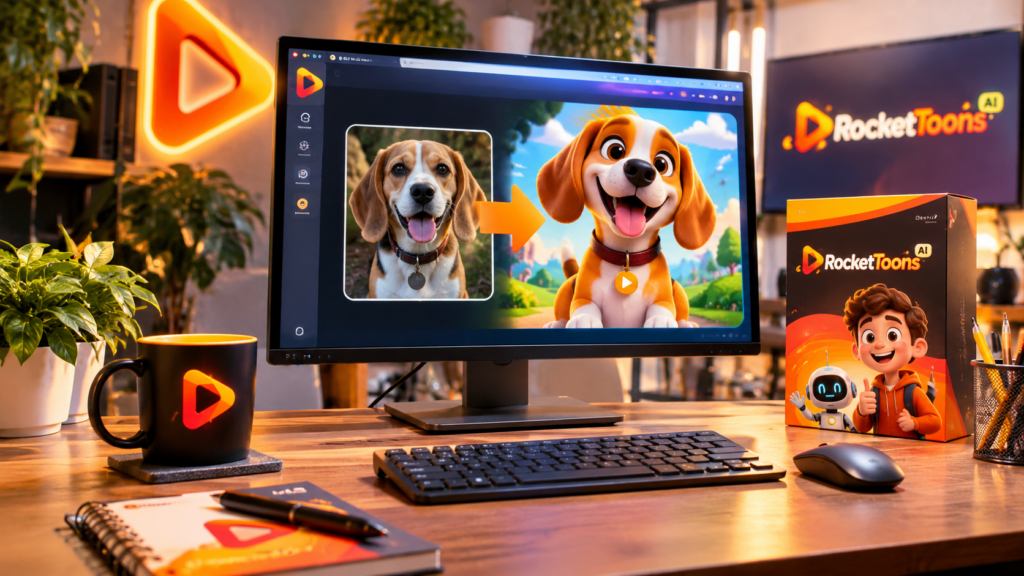
Yes, you can turn a photo of your pet into an animated cartoon video, provided your chosen animation tool supports image uploads, character creation, or photo animation. The idea is to use your pet’s photograph as a visual reference, develop a cartoon version of the animal, and build a short story around that character. Explore RocketToons AI here to see how its advertised creative and animation features may fit into this process.
Imagine your dog starring in its own cartoon adventure, your cat becoming the hero of a funny animated story, or your family pet appearing in a series of short videos. What once required considerable illustration and animation work can now be explored with AI-assisted creative tools.
How Does Turning a Pet Photo Into a Cartoon Video Work?
The basic process involves transforming a real animal photograph into a cartoon-style character and then using that character in an animated scene. Instead of simply applying a filter to a photograph, the goal is to create a recognizable character that can become part of a story.
Here is a practical workflow to follow:
Step 1: Choose a Good Photograph of Your Pet
Start with a clear, well-lit photograph. Ideally, your pet’s face, body shape, fur pattern, and distinctive markings should be visible. A front-facing or slightly angled photograph can provide useful visual details when developing a cartoon interpretation.
Try to avoid blurry images, extreme shadows, or photographs where important features are hidden. The better your reference material, the easier it is to communicate what makes your pet recognizable.
Step 2: Create a Cartoon Version of Your Pet
Next, decide what kind of animated character you want. Would your dog look best as a friendly 3D cartoon hero? Should your cat have a playful storybook appearance? Perhaps you prefer a comic-book character or a more traditional animation style.
Use the photograph as a reference when the chosen software supports image-based character creation. If direct pet-photo conversion is unavailable, you can describe your pet’s appearance and create a character inspired by its distinctive features.
Pay attention to details such as fur color, eye shape, ears, facial expressions, and recognizable markings. These elements help give your cartoon character its personality.
Step 3: Give Your Pet a Personality and Story
This is where the creative possibilities become exciting. A cartoon character needs more than an attractive appearance. It needs a personality, a purpose, and something interesting to do.
For example, your dog could become a curious explorer who discovers a hidden treasure. Your cat might become a clever detective solving a mystery. You could even create a short educational cartoon featuring your pet as the main character.
Keep the first story simple. Give it an opening, a small challenge, and a satisfying ending.
Step 4: Build Animated Scenes and Add Dialogue
Once the character and story are ready, divide the script into individual scenes. Decide where your pet appears, what it does, and how the story progresses.
If your animation platform supports character voices, dialogue, or scene-level controls, experiment with different options. A playful voice might suit a mischievous puppy, while a calmer narration could work better for an educational animal story.
RocketToons AI is advertised as bringing together AI-assisted scripts, cartoon characters, scenes, voices, and video creation. Its Studio upgrade is also advertised with photo-animation capabilities. However, verify whether the specific image-to-character workflow you want is supported for pet photographs before purchasing.
Step 5: Preview and Refine Your Cartoon Video
Before exporting, watch the entire video. Check whether your pet’s cartoon appearance remains recognizable, the dialogue sounds appropriate, and the scenes follow the story naturally.
Look for changes in fur color, facial features, body proportions, or other identifying details. AI-generated characters can sometimes vary between scenes, so reviewing and correcting inconsistencies is important.
Can RocketToons AI Help You Create Animated Pet Stories?
RocketToons AI is designed to help users develop cartoon videos through a workflow involving scripts, characters, scenes, voices, and animation. This makes it worth investigating if you want to experiment with personalized cartoon stories rather than manually building every visual element.
Its advertised Studio features include animating photographs and other visual assets. That could be useful for creators interested in bringing still images into animated content. However, do not assume every pet photograph will automatically become a consistent, fully animated character. Check the actual image-upload options, supported inputs, and character controls.
For a closer look at the platform, its features, pricing, and buying considerations, read our complete RocketToons AI review.
What Types of Pet Cartoon Videos Can You Create?
- Funny pet adventures: Turn everyday animal behavior into entertaining cartoon stories.
- Personalized pet stories: Create memorable animated stories inspired by your own dog or cat.
- Pet birthday videos: Make a playful animated greeting for a special occasion.
- Educational animal videos: Use a cartoon pet character to explain animal care or interesting facts.
- Short-form social content: Develop quick animated pet clips for YouTube Shorts and Instagram Reels.
FAQs About Turning Pet Photos Into Animated Cartoon Videos
Can I animate a photo of my dog using AI?
Yes, AI animation tools that support photo uploads or image-to-video workflows can help transform a dog photograph into an animated visual. The available controls and results depend on the software.
Can I turn my cat into a recurring cartoon character?
Yes, you can create a cartoon character inspired by your cat and use it in multiple stories. Look for character-reference and consistency controls, because maintaining the same appearance across scenes may require adjustments.
Do I need animation skills to create pet cartoon videos?
No professional animation background is necessarily required. AI-assisted tools can simplify parts of the process, although you will still need to plan the story, review scenes, and refine the final video.
Can I publish AI-generated pet cartoon videos on YouTube?
Yes, AI-generated pet cartoons can be published on YouTube, provided you follow the platform’s policies and have the necessary rights to your source images, music, and other assets. Original storytelling and meaningful creative input are important, particularly if you intend to monetize your content.
Will my animated pet look exactly like the original photograph?
Not necessarily. Cartoon transformations interpret visual features rather than always reproducing them perfectly. Use clear reference photographs and review the character carefully to improve resemblance.
Final Thoughts: Give Your Pet a Cartoon Story
Your pet already has a personality. It has recognizable expressions, funny habits, and little moments that make it special. Turning those moments into an animated cartoon story is a creative way to preserve and share them.
Start with one photograph, develop a character, write a simple story, and explore the animation tools available. RocketToons AI may be worth considering if you want to bring script assistance, character creation, scenes, and video production into one workflow. Just remember to verify its specific photo-animation capabilities before choosing a plan.
Ready to explore the possibilities? Visit The complete RocketToons AI review to learn more about the platform and decide whether it fits your creative plans.