
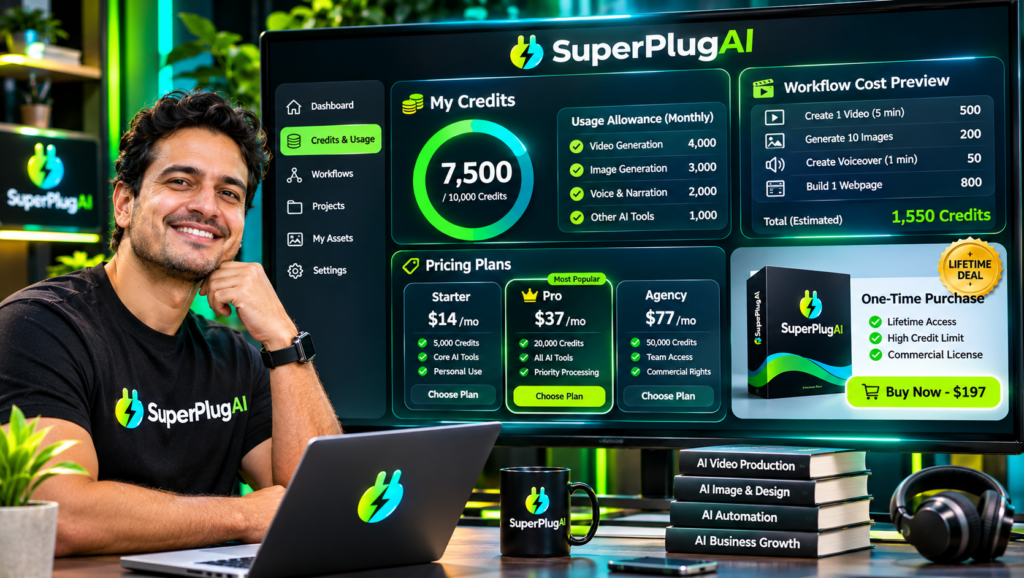
SuperPlug AI’s Premium Lifetime Deal is priced at $47 as a one-time payment, with a launch coupon offering 10% off, bringing the price to $42.30 when accepted. It includes creative production tools, monthly credits, MCP connections, Brand Kit Memory and a commercial license. Whether the lifetime deal is worth it depends on how frequently you create content and whether the included monthly usage limits meet your needs. Explore the SuperPlug AI lifetime deal and available upgrades.
This guide explains SuperPlug AI pricing, credits, usage limits and optional upgrades so you can decide whether the Premium plan is enough or whether a larger package makes more sense.
How Much Does SuperPlug AI Cost?
The launch pricing lists the following one-time payments for the main product and optional upgrades:
- SuperPlug AI Premium: $47 one-time.
- Pro Unlimited: $67 one-time upgrade.
- Max: $67 one-time upgrade.
- Agency: $67 one-time upgrade.
- Teams: $47 one-time upgrade.
The launch materials also list a bundle priced at $397, with coupon code SUPERPLUG100 reducing the stated price by $100 to $297. The bundle is presented as including the upgrades, features and bonuses, with 5,000 credits per month.
These are launch prices and promotional terms, not a guarantee that the same offers will remain available indefinitely. Check the current checkout details before purchasing.
What Is Included in the $47 SuperPlug AI Premium Deal?
Premium is the entry-level plan and provides access to the core SuperPlug AI production environment. Its advertised features include:
- MCP connection to supported AI assistants, including ChatGPT, Claude and Grok.
- Guided creative workflows for videos, images, graphics, websites, voiceovers and presentations.
- Brand Kit Memory for saving up to three brands.
- A project library for organising generated creative assets.
- Monthly creation credits and monthly MCP connections.
- Watermark-free files and a commercial license.
- Access from supported devices, including computers and phones.
The sales materials advertise a 14-day money-back guarantee. Premium is positioned as a one-time purchase, but that does not mean unlimited monthly production. The plan includes recurring usage allowances that still matter when estimating how much work you can complete.
How Do SuperPlug AI Credits Work?
Credits are the usage allowance for supported creative production tasks. Different jobs can consume different amounts depending on the type of output, workflow and production requirements.
For example, creating a graphic, producing a video or generating a more involved creative project may have different credit costs. SuperPlug AI’s plan-first workflow is designed to show the proposed task, estimated credit cost and production steps before you approve the work.
This approval process is useful because you can review the expected usage before allowing a task to proceed. It also means you should avoid assuming that a fixed number of credits translates into a guaranteed number of videos or images.
What Are the Monthly Credits and Usage Limits?
The launch materials describe Premium as including monthly creation credits and a monthly MCP connection allowance. They also advertise expanded allowances in the higher plans. The bundle is specifically listed with 5,000 credits per month.
One important distinction is that credits and MCP connections are separate limits. Credits relate to creative production usage, while MCP connections relate to connecting and using the platform through supported AI assistants. Reaching one allowance does not necessarily mean the other has also been exhausted.
Before buying, check the current plan display for the exact Premium credit and connection allowances, as well as any reset rules. The available launch documents do not clearly establish every detail of rollover, overage or top-up treatment, so don’t assume unused credits accumulate or that additional usage is automatically included.
Which SuperPlug AI Upgrade Should You Choose?
Pro Unlimited – $67
Pro Unlimited is aimed at users who need more production capacity. Its advertised features include additional creation credits, expanded Pro workflows, increased storage, unlimited brand kits, batch processing of up to 20 creative jobs and workflow-building capabilities. It is the most relevant upgrade to consider if your main concern is producing more content or repeating workflows regularly.
Max – $67
Max focuses on connected apps and automation. Its advertised integrations cover email marketing, productivity tools, communication platforms and automation bridges. It is worth considering if you want to connect services such as email platforms, project tools and other supported applications to your AI-assisted workflow.
Agency – $67
Agency is designed for client-service businesses. Its advertised features include client dashboards, separate client brand kits, per-client credit budgets, project libraries, content packs and client approval links. It is the more relevant option if you plan to create and manage marketing assets for multiple customers.
Teams – $47
Teams is intended for collaborative work, with advertised features such as 25 seats, Admin, Creator and Viewer roles, shared brand kits, approval queues and per-seat spending limits. The launch document notes that these team features required further building or confirmation, so verify their current availability before purchasing this upgrade.
Is the SuperPlug AI Lifetime Deal Worth It?
For freelancers, solo creators and small businesses that regularly need multiple types of creative content, the $47 Premium deal can be attractive. It combines several production workflows in one environment and includes a commercial license, Brand Kit Memory and recurring monthly usage allowances.
However, it is not automatically the best choice for everyone. If you only need occasional image generation, a specialised single-purpose tool may be sufficient. If you produce content at higher volume, manage clients or depend on connected business apps, you should compare the optional upgrades and bundle against your actual workload.
Also remember that external services connected using your own API keys may charge separately. A one-time SuperPlug AI payment does not mean every third-party service, model or API is free.
For a complete look at the product’s creative tools, integrations, demonstrations and buying considerations, read the complete SuperPlug AI review.
Frequently Asked Questions
Is SuperPlug AI a one-time payment?
The advertised Premium launch price is a one-time payment of $47. Its monthly credits and connection allowances still apply, and external services may have separate charges.
Does SuperPlug AI Premium include unlimited credits?
No. Premium includes a monthly credit allowance. Higher plans advertise expanded production capacity, but you should check the current plan details for exact limits.
Do unused SuperPlug AI credits roll over?
The launch information does not clearly specify a credit rollover policy. Check the current account or checkout terms rather than assuming unused credits carry forward.
What is the difference between Pro Unlimited and Max?
Pro Unlimited focuses on increased creative production capacity, advanced workflows and batch processing. Max focuses on connecting business applications and automating tasks across supported services.
Is the SuperPlug AI bundle better than buying individual upgrades?
The advertised bundle includes the upgrades and bonuses for a stated one-time price of $397, reduced to $297 with the SUPERPLUG100 coupon. It may offer better value if you need several upgrades, but compare the current checkout terms and features before deciding.
Final Verdict: Should You Buy SuperPlug AI?
SuperPlug AI Premium is worth considering if you want a connected creative production environment rather than a collection of disconnected tools. The $47 one-time launch price, monthly production allowance, guided workflows and commercial license make it an accessible starting point for creators and small businesses.
Choose Premium if you want the core platform, consider Pro Unlimited for heavier production, Max for app automation and Agency for client work. The right choice depends on your expected usage, not simply the number of features listed.
To see the complete feature breakdown, product demonstrations, pricing details and available upgrades before making your decision, visit the full SuperPlug AI review and buying guide.