
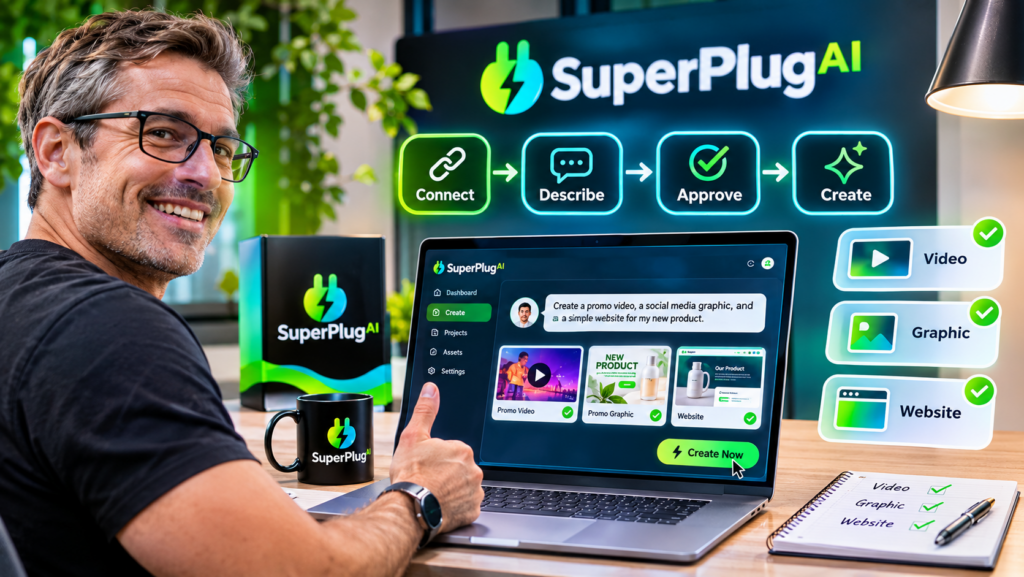
Creating your first AI project with SuperPlug AI is straightforward: connect your preferred AI assistant (ChatGPT, Claude or Grok) through MCP, describe what you want to create, review the proposed production plan, approve the task and let SuperPlug AI handle the connected creative workflow. You don’t need to be an experienced designer or video editor to get started. Get started with SuperPlug AI here and follow this beginner-friendly tutorial to create your first project.
In this SuperPlug AI tutorial for beginners, we’ll walk through the initial setup, explain how to give your AI clear instructions, show you how to review production plans and explore a practical example of creating a promotional video.
What You Need Before Starting
Before creating your first project, make sure you have:
- An active SuperPlug AI account.
- Access to ChatGPT, Claude or Grok.
- Your personal SuperPlug AI MCP connection details.
- A clear idea of the project you want to create.
- Any supporting images, brand details or product information you want to use.
You don’t need to prepare a complicated technical brief. A simple description of your desired result is enough to begin exploring the guided workflows.
Step 1: Connect SuperPlug AI to Your Preferred Assistant
SuperPlug AI uses Model Context Protocol (MCP) to connect its creative production tools with supported AI assistants.
Start by signing in to your SuperPlug AI account and locating your personal MCP connection instructions. Copy the connection details and add the custom connector through the supported settings in ChatGPT, Claude or Grok.
Complete the authentication process and enable the connector in your conversation. The exact settings and available permissions depend on the AI platform and your account plan.
Once connected, your assistant can access the SuperPlug AI tools made available through your account. You can now begin requesting supported creative tasks using ordinary conversational instructions.
Step 2: Choose Your First AI Project
For your first project, I recommend creating something practical and easy to evaluate, such as a short promotional video for a product or business.
Why a promotional video? Because it allows you to explore the creative production process and understand how SuperPlug AI can help turn a simple idea into a usable marketing asset.
Other beginner-friendly projects include:
- A promotional image for a new product.
- A social media graphic for your business.
- A simple business website or landing page.
- A short video with a voiceover.
- A presentation introducing your services.
Step 3: Give SuperPlug AI a Clear Creative Brief
Open a conversation with your connected AI assistant and describe what you want to produce. The more specific your instructions, the easier it is to communicate the intended result.
For example, try this beginner-friendly prompt:
Create a 30-second promotional video for my online fitness coaching business. The target audience is busy professionals who want to improve their fitness. Use a premium, energetic visual style, show people exercising in a modern gym, include an engaging voiceover and finish with a strong call to action inviting viewers to book a consultation. Make the video suitable for social media promotion.
You can replace the business, audience and creative direction with your own project details.
If you have a logo, product photograph, brand colours or other supporting assets, include them in your project brief where the workflow allows. This helps guide the creative output towards your intended brand identity.
Step 4: Review the Production Plan Before Approval
This is an important part of the SuperPlug AI workflow. Rather than immediately launching a production task, the platform is designed around a plan-first process.
Review the proposed deliverables, production steps, estimated time and credit requirements before approving the task.
Check these details carefully:
- Deliverables: Does the proposed output match what you requested?
- Creative direction: Does the visual style suit your brand and audience?
- Credit cost: Is the estimated credit usage acceptable?
- Production steps: Are the proposed actions relevant to your project?
If something isn’t right, clarify your instructions before proceeding. Once you are happy with the plan, approve the production task.
Step 5: Review Your First Creation and Request Changes
When the production task is complete, examine the result rather than accepting the first version automatically.
For a promotional video, check the opening, visuals, voiceover, pacing and closing call to action. If something needs improvement, use the conversation to request a specific revision.
For example, you could say:
Make the opening more attention-grabbing, use brighter visuals, shorten the voiceover and make the final call to action more prominent.
You can also request alternative creative directions where the available workflow supports them. Once satisfied, organise the finished asset in your SuperPlug AI project library.
What Else Can Beginners Create With SuperPlug AI?
Your first promotional video is only one possible starting point. SuperPlug AI brings together several creative production categories, allowing you to explore different projects as you become familiar with the platform.
- Images and graphics: Create promotional images, thumbnails, logos and social media creatives.
- Websites: Develop business websites, landing pages and lead-generation pages.
- Voiceovers: Produce spoken audio for videos, presentations and promotional content.
- Music: Explore original background tracks and other music-production workflows.
- Social content: Prepare posts, captions, content calendars and campaign assets.
- Presentations: Turn ideas and information into structured business presentations.
As you become more comfortable, you can experiment with additional workflows and explore how the platform fits into your regular content-production process.
Beginner Tips for Getting Better Results
- Start with one project: Learn the workflow before attempting a large campaign.
- Be specific: Mention your audience, purpose, format and preferred creative style.
- Use your brand assets: Provide relevant logos, colours and product images where supported.
- Check credit costs: Review the production plan before approving tasks.
- Request focused revisions: Explain exactly what you want changed instead of simply saying that the result needs improvement.
- Save useful workflows: Reuse successful approaches for future projects where supported by your account.
Frequently Asked Questions
Is SuperPlug AI suitable for complete beginners?
Yes. SuperPlug AI is designed around conversational instructions and guided workflows, allowing beginners to describe what they want to create without manually managing every production tool.
What should I create first with SuperPlug AI?
A short promotional video, social media graphic or product image is a good starting project. These are practical tasks that help you understand the creative workflow.
Do I need coding skills to use SuperPlug AI?
No coding is normally required to request creative projects through the conversational interface. You do need to complete the MCP connection process using the instructions provided for your account.
Can I edit the results generated by SuperPlug AI?
You can request supported revisions through your connected AI conversation. Describe the changes you want, review the updated result and repeat the process until it meets your requirements.
Does SuperPlug AI support ChatGPT, Claude and Grok?
Yes. SuperPlug AI is designed to connect with all three assistants through MCP, subject to the relevant platform’s account requirements and available connector permissions.
Final Thoughts
Your first SuperPlug AI project doesn’t need to be complicated. Connect your preferred AI assistant, choose a simple creative task, provide a clear brief, review the production plan and approve the work. Once the first result is ready, use conversational instructions to refine it.
That is the core idea behind SuperPlug AI: bringing more creative production capabilities into the AI conversation you already use.
If you want to explore the complete feature set, Premium pricing, OTO upgrades, launch bonuses and product demonstrations before getting started, read the complete SuperPlug AI review.
Ready to move from experimenting with AI to creating actual marketing assets? Start exploring SuperPlug AI and put your first creative project into action.
For the complete product breakdown and buying recommendation, revisit the SuperPlug AI review and buying guide.