
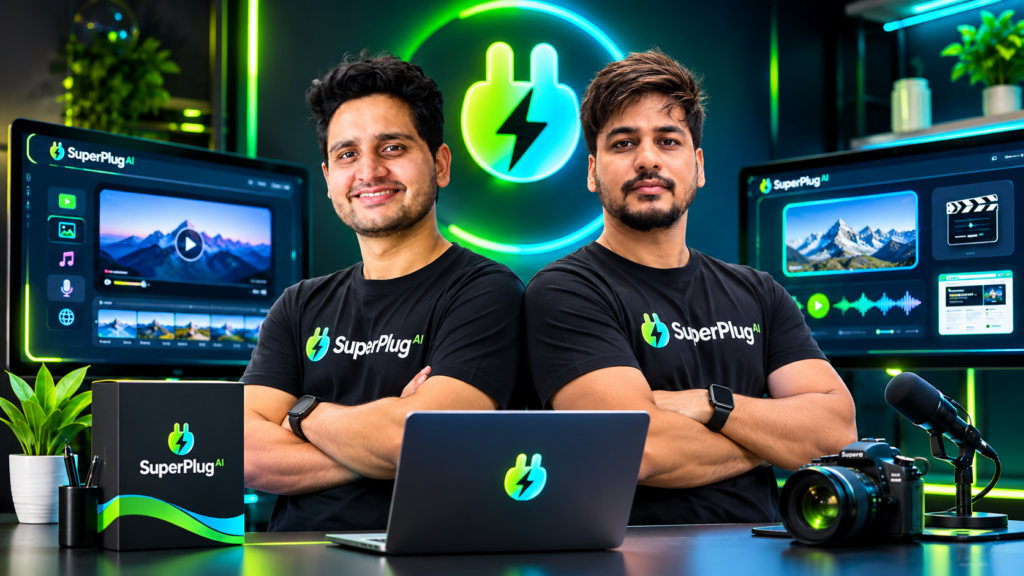
What if ChatGPT, Claude or Grok could do more than write ideas, scripts and instructions? What if the same conversation could help you turn those ideas into finished videos, graphics, websites, voiceovers, music and marketing campaigns?
That is the idea behind SuperPlug AI. It connects a creative production studio to the AI assistant you already use, so you can move from planning a project to creating and refining its assets without constantly switching between separate applications.
In this SuperPlug AI review, we’ll look at exactly what the software does, how its MCP connection works, what you can create, how much Premium costs, what the OTO upgrades add, and which option makes the most sense for different users. I’ll also show you the available demonstrations and the launch bonuses.
If you regularly create content for your own business, promote affiliate products, manage social media, or deliver marketing assets to clients, SuperPlug AI deserves a serious look. Its biggest attraction is simple: you can direct a much wider range of creative work from the AI conversation you already know.
GET SUPERPLUG AI PREMIUM – CHECK THE OFFER
SuperPlug AI Review: Quick Verdict
SuperPlug AI is an MCP-powered creative production platform that connects ChatGPT, Claude and Grok to tools for creating videos, images, websites, graphics, voiceovers, music and other marketing assets. Instead of treating every creative task as a separate project in a separate application, it aims to keep the brief, production instructions, revisions and finished work connected through one AI conversation.
| Product detail | What you need to know |
|---|---|
| Product | SuperPlug AI |
| Category | AI creative production studio and MCP connector |
| Creators | Pankaj Malav and Deepanker Rajora |
| Compatible AI assistants | ChatGPT, Claude and Grok |
| Core capabilities | Video, images, graphics, websites, voiceovers, music, presentations and marketing workflows |
| Guided workflows | 50+ ready-made workflows highlighted on the Premium sales page |
| Premium launch price | $47 one-time, with the SUPERPLUG launch coupon advertised for 10% off |
| Premium monthly allowance | 2,500 creation credits and 200 MCP connections, as described in the launch materials |
| Brand kits | Up to 3 saved brands on Premium |
| Storage | 10GB cloud storage listed for Premium |
| License | Commercial license included |
| Guarantee | 14-day money-back guarantee |
| Checkout platform | JVZoo |
My verdict: SuperPlug AI is particularly attractive if you already use conversational AI and want to turn more of your ideas into usable marketing assets. Premium is the sensible starting point for individual creators and small businesses. Pro Unlimited, Max and Agency become more relevant as your production volume, integrations and client-management requirements grow.
What Is SuperPlug AI?
SuperPlug AI is an AI-powered creative production studio that connects to ChatGPT, Claude or Grok through an MCP connection. MCP stands for Model Context Protocol. In practical terms, it allows a supported AI assistant to access connected tools and perform tasks beyond simply generating text.
Think about the normal process of producing a marketing campaign. You might ask ChatGPT to write a script, move that script into a video generator, create images in another application, record a voiceover somewhere else, build a landing page in a website tool and then prepare social posts in yet another platform.
Every move creates more work. You copy content, upload files, repeat instructions, explain your brand again and manage different versions of the same project.
SuperPlug AI is designed to bring more of that production process into the AI conversation. You describe what you want, the assistant helps plan the task, SuperPlug provides the production capabilities, and you can request revisions through the same conversation.
For example, imagine you own a restaurant and want to promote a new menu. You could provide a menu, a few food photographs and the promotion details, then ask your connected AI to help create a short promotional video. After reviewing the result, you could request a matching social graphic or another variation for a different campaign.
The important difference is that you are not just asking an AI to describe what should be created. You are using the connected production tools to help create the actual assets.
Watch the SuperPlug AI introduction
How Does SuperPlug AI Work?
The workflow is straightforward. You connect SuperPlug AI to a supported assistant, describe the result you want, review the proposed plan and approve the production task.
Step 1: Connect your AI assistant
SuperPlug AI uses an MCP connection. The setup process described for the product involves copying your personal SuperPlug connection link, adding it to your supported AI assistant and signing in. The product materials describe this as a setup that takes approximately two minutes.
Step 2: Tell the AI what you want to create
You can write a normal instruction rather than learning complicated production software. For example:
Create a 30-second promotional video for my new product. Use a premium visual style, include a clear benefit-led message, add suitable background music and finish with a call to action.
You can also choose from the available guided workflows and answer the questions they ask.
Step 3: Review the plan and approve it
One useful part of the SuperPlug workflow is the plan-first approach. The system is designed to show the proposed deliverables, steps, estimated time and credit cost before production begins. You can review the plan and approve it before the work proceeds.
Step 4: Request revisions and save your work
When the result needs an adjustment, you can ask for a change in the conversation. You might request a different background, a shorter ending, a new headline, a revised visual or a different music direction. Finished projects and creative assets are stored in your project library.
This is the practical appeal: your original brief, creative direction and follow-up changes remain connected rather than being scattered across multiple disconnected tools.
What Can You Create With SuperPlug AI?
SuperPlug AI brings together several creative and business-production capabilities. Here are the major areas that make the platform interesting.
1. AI video creation and promotional films
The video engine is one of the main attractions. It is designed to help create promotional videos, product commercials, business promos, explainers, UGC-style videos, product demonstrations, video sales letters, social content and other video assets.
The product materials also describe workflows for turning photographs into moving video, creating talking introductions, producing cinematic short films and developing faceless YouTube channel assets.
For content creators and marketers, this opens up several practical possibilities:
- Create short promotional videos for products and services.
- Turn product photographs into video concepts.
- Prepare video assets for social media campaigns.
- Create scripts, thumbnails and other faceless YouTube channel materials.
- Repurpose longer videos into shorter social clips.
- Develop promotional videos and creative assets for client projects.
2. AI image generation and graphic design
The Magic Design capabilities are intended to help produce visual assets for everyday marketing and business use. These include logos, promotional graphics, product images, advertisements, thumbnails, banners, posters, flyers, menus and social media creatives.
You can also use image-editing instructions to request changes such as replacing a background, removing an unwanted element or trying another visual direction.
This is useful when you need a consistent collection of campaign graphics rather than a single isolated image.
3. Website creation and landing pages
SuperPlug AI also includes a website production engine. The product materials describe websites for businesses, events, agencies, properties, courses, stores and other projects.
Its website capabilities include:
- Business websites and lead-generation pages.
- Sales pages and landing pages.
- Cinematic and animated scrolling experiences.
- Website redesigns based on an existing website.
- Enquiry forms and lead capture.
- Multi-page funnel structures.
For a freelancer, this could help create a first draft or demonstration website for a prospective client. For a business owner, it offers another way to develop campaign pages without starting every project from a blank screen.
4. AI voiceovers and original music
The voice and music capabilities extend the platform beyond visual content. SuperPlug AI describes voiceover production in 20 spoken languages, with different tones suited to promotional videos, lessons, presentations and stories.
The music engine is designed to create original background tracks, intros, commercial soundtracks, story scores and full songs with cover art. This gives video projects another production component within the same broader workflow.
5. Social media content and scheduling
Planning and producing social media content can become a repetitive task, especially when you manage several accounts. SuperPlug AI includes workflows for creating and scheduling Facebook and Instagram content after approval.
The product materials describe a 30-day content calendar workflow that can prepare posts, captions, hashtags and suggested posting times from a single brief. It also describes turning an article into multiple social posts and a carousel.
6. Presentations, proposals and training materials
SuperPlug AI can also help turn rough notes and ideas into presentations, proposals, webinar slides, sales decks and training materials. The product materials describe presentations that can include video content within the slides.
7. Lead generation and client outreach
The lead and outreach features are especially relevant to freelancers and agencies. The Lead Finder workflow is described as helping identify businesses in a chosen niche and location. You can then prepare sample creative work, a pitch page and outreach material for those prospects.
The idea is to make the sales process more tangible: instead of sending a generic message describing what you could do, you can prepare a relevant sample that helps a prospective client understand the service.
8. Email marketing and connected business apps
With the Max upgrade, SuperPlug AI is designed to connect creative production with a wider range of business applications. The product materials describe email campaign workflows, including welcome sequences, launch emails, promotional broadcasts, affiliate campaigns and re-engagement sequences.
They also describe integrations with email platforms and productivity or automation services. The exact integrations available depend on the selected upgrade and the connected services.
See What Is Possible With SuperPlug AI
The following demonstrations and short videos give you a visual idea of the types of creative projects and workflows being presented for SuperPlug AI.
SuperPlug AI video demonstration
SuperPlug AI short demonstrations
These examples are useful starting points for understanding the range of creative directions the platform is designed to support. The best way to assess a particular workflow is to watch the relevant demonstration and then explore that workflow after connecting your own account.
SuperPlug AI Official Demo and Walkthrough
If you want to see the platform presented in a more complete walkthrough, watch the official demo below. It is the best next step if you want to understand how the product is positioned, how the workflow is presented and what the creative production experience is intended to look like.
CHECK SUPERPLUG AI PREMIUM ACCESS
SuperPlug AI Pricing: How Much Does It Cost?
The SuperPlug AI launch offer lists Premium at $47 as a one-time payment. The launch coupon SUPERPLUG is advertised as a 10% discount, which brings the arithmetic price to $42.30 if the coupon is accepted at checkout.
Premium is the entry-level version and includes the core creative production features, commercial license and the monthly allowances described in the launch materials. The one-time software price should not be confused with unlimited production: Premium uses monthly creation credits and MCP connection allowances.
The pricing graphic below provides a visual reference for the offer. Select it to view the SuperPlug AI offer through the access link.
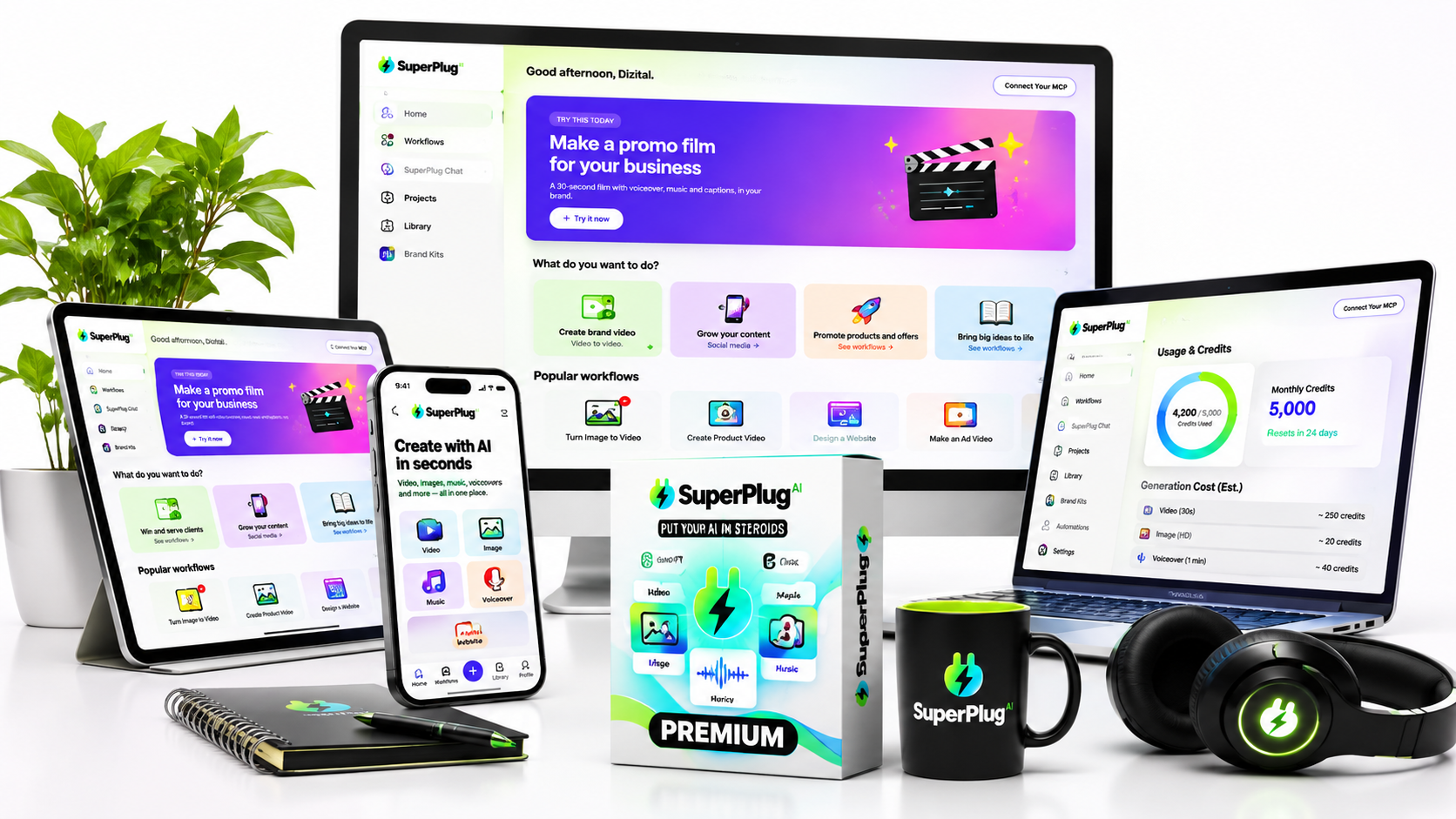
SuperPlug AI Premium – $47 one-time
Premium is the core product and the right place for most individual users to begin. It is designed to provide the main MCP creative engine and the core production capabilities without requiring you to purchase every upgrade.
The Premium package is described with:
- Connection to ChatGPT, Claude or Grok.
- Video, image, graphic, website, voiceover and music production capabilities.
- 50+ guided workflows highlighted on the Premium sales page.
- 2,500 monthly creation credits.
- 200 monthly MCP connections.
- Up to 3 saved brand kits.
- 10GB cloud storage.
- Watermark-free files.
- Commercial license.
- 14-day money-back guarantee.
Launch coupon: Enter SUPERPLUG at checkout if the discount is available. The advertised 10% saving takes the $47 price to $42.30.
SuperPlug AI OTOs: What Do the Upgrades Include?
SuperPlug AI has four main upgrades in its launch funnel. Each one targets a different type of user. You do not need to purchase every upgrade to start using the Premium product.
OTO 1: SuperPlug AI Pro Unlimited – $67
Pro Unlimited is aimed at users who want to expand their creative production capacity and build repeatable workflows.
The upgrade is described with:
- Additional creation credits.
- Expanded Pro production workflows.
- Monthly MCP connections.
- Five times more storage than the Premium allowance.
- Unlimited brand kits.
- Custom workflow builder.
- Batch production of up to 20 jobs.
- Reusable workflows for recurring production tasks.
- Video campaign and advanced campaign workflows.
Who should consider it? Frequent content creators, marketers and freelancers who expect to create multiple assets or repeat the same production processes regularly.
OTO 2: SuperPlug AI Max – $67
Max is the integration and automation-focused upgrade. It is designed to connect SuperPlug AI with a wider business stack so that production can be linked to email, productivity, communication and automation workflows.
The upgrade is described with integration categories covering:
- Email marketing platforms.
- Productivity and project-management applications.
- Chat and team alerts.
- Automation bridges such as Zapier, Make and Pabbly.
- External AI services and creative tools through supported accounts.
The launch materials specifically mention services such as ElevenLabs, HeyGen, Runware, fal.ai, Replicate, OpenRouter, Stability and Leonardo for supported bring-your-own-account workflows.
Max is the upgrade to consider if your main objective is to connect creative production with the other tools you already use. External services may have their own account requirements, subscriptions or usage charges.
OTO 3: SuperPlug AI Agency – $67
Agency is designed for people who create and deliver work for multiple clients. Rather than treating every client as one generic project, the upgrade is described as providing a more organised client-management environment.
Its listed capabilities include:
- Client dashboard.
- Separate brand kits for each client.
- Monthly credit budgets per client.
- Client-specific projects and asset libraries.
- Monthly client content packs.
- Client approval links.
- Content scheduling by client.
- White-label client websites.
- Agency proposal, pricing and outreach resources.
- Commercial and agency-oriented client delivery rights.
Who should consider it? Freelancers moving towards an agency model, social media managers, marketing consultants and agencies that need to organise recurring content production for several businesses.
OTO 4: SuperPlug AI Teams – $47
Teams is intended for businesses that need more than one person involved in the production process. The listed package describes 25 team seats, Admin, Creator and Viewer roles, shared brand kits and workflows, approval queues, per-seat spending limits, activity logs and team alerts.
The team feature list is presented in the launch materials, but the JV documentation notes that the 25-seat functionality was not included in the demonstration and that these features needed building or confirmation. Check the live checkout and current product access before purchasing this upgrade specifically for its team-seat capabilities.
SuperPlug AI Bundle – $397, or $297 with the bundle coupon
If you already know that you need several of the upgrades, the all-in bundle is the option to compare against buying the funnel items individually.
The bundle is listed at $397 one-time. The coupon SUPERPLUG100 is advertised for $100 off, giving an effective price of $297 when accepted at checkout. A three-payment option of $147 per payment is also listed in the launch material.
The bundle is described as including Premium, Pro Unlimited, Max, Agency, Teams and the associated bundle benefits, with 5,000 monthly credits listed for the package.
Mega Bundle options
| Option | Listed price | Listed credit allocation |
|---|---|---|
| Mega Bundle Lite | $147 | 5,000 one-time credits |
| Mega Bundle Pro | $247 | 10,000 one-time credits |
The JV material also references a 20 Actions add-on at $27. Its exact placement and complete contents are not sufficiently detailed in the available offer information, so check the order page if it appears during checkout.
Which SuperPlug AI package should you choose?
| Your situation | Package to consider |
|---|---|
| You want the core creative production tools | Premium |
| You create content frequently and need repeatable workflows | Pro Unlimited |
| You want more connected business apps and automation | Max |
| You manage content and projects for multiple clients | Agency |
| You need multiple team members and shared workflows | Teams |
| You already know you need most of the upgrades | Compare the all-in Bundle |
My recommendation: Start with Premium if you are an individual creator, marketer or small business owner. Consider Pro Unlimited when production volume becomes your main limitation. Choose Max when connected apps are central to your workflow. Agency is the more relevant upgrade for client-service businesses. The full bundle is worth comparing if you genuinely need most of the upgrade features.
VIEW SUPERPLUG AI PRICING AND ACCESS
SuperPlug AI Bonuses: What Extra Value Can You Claim?
Alongside the product offer, there are launch bonus materials intended to add practical value for buyers. The bonus graphic below gives you a visual overview of the bonus presentation.
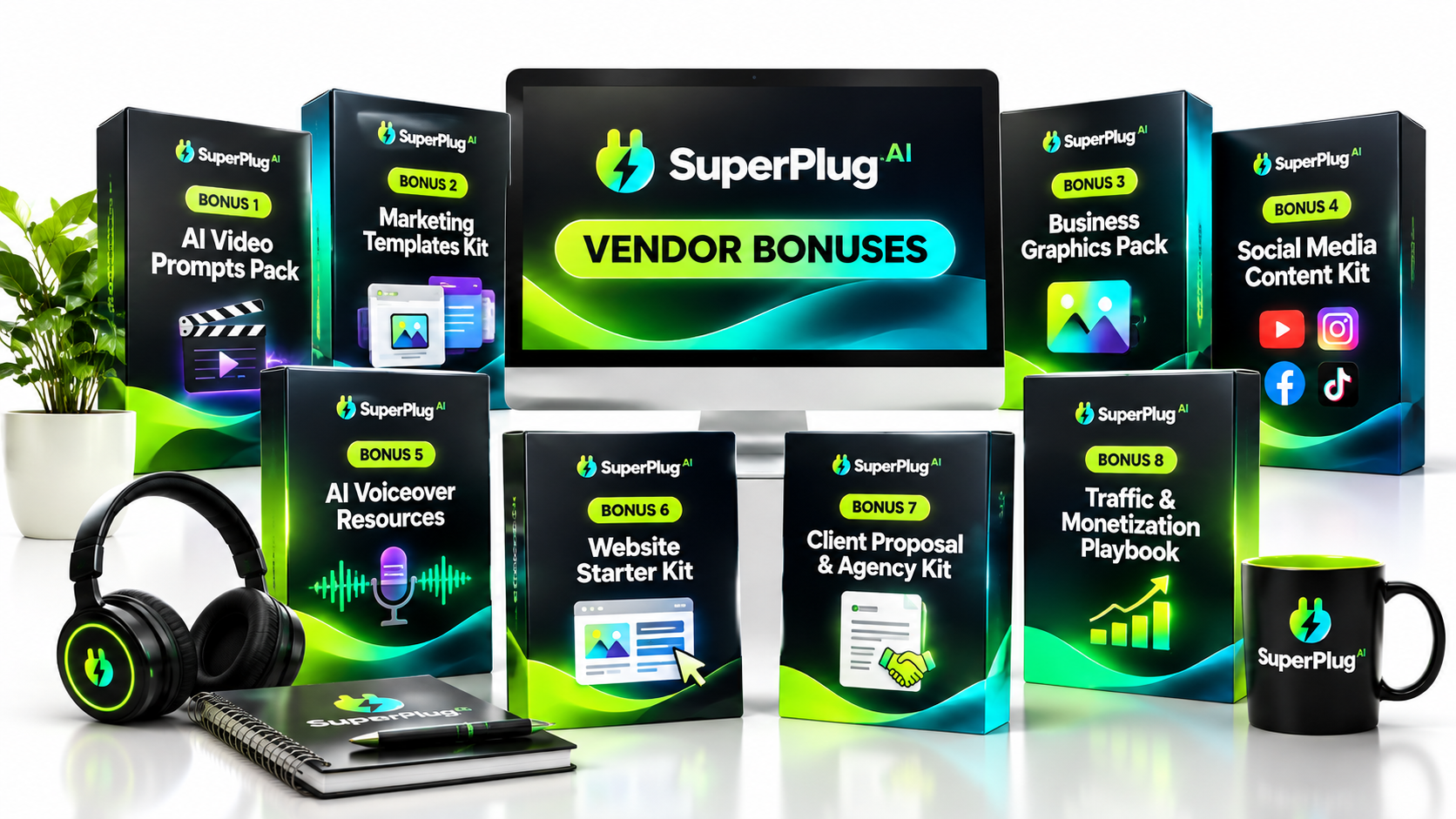
Claim 5 additional free bonuses
There is also a separate bonus gift available through the opt-in below. You can claim these 5 free bonuses at no additional cost. They are offered as a separate free resource, so you can request them without purchasing an upgrade or adding another product to your order.
🎁 Claim Your 5 FREE Bonus Gifts
Get five additional free bonuses to complement your SuperPlug AI journey. No extra purchase and no paid upgrade required to request these gifts.
FREE • 5 BONUS GIFTS • NO EXTRA COST
Who Are the Creators Behind SuperPlug AI?
SuperPlug AI names Pankaj Malav and Deepanker Rajora as its product creators. Their launch materials present the product as a creative-production platform built around the idea of extending the capabilities of familiar AI assistants through connected tools and workflows.
The creators’ partner page identifies both Pankaj Malav and Deepanker Rajora as product creators. The image below provides a visual introduction to the SuperPlug AI product and its creator-led brand presentation.
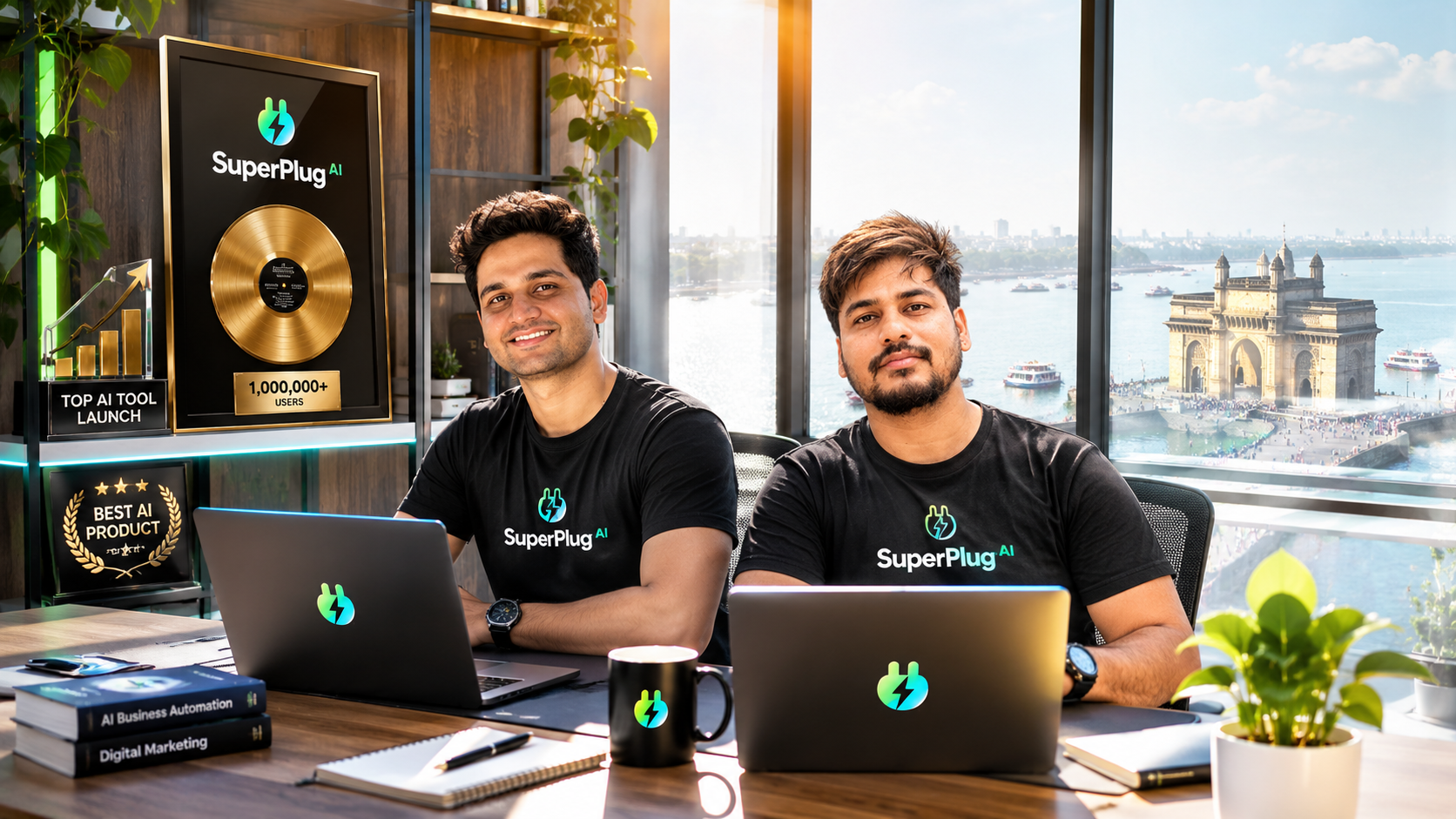
A special note on Pankaj Malav
Pankaj Malav is one of the named creators of SuperPlug AI. If you would like additional background about his digital marketing work, the profile below provides a dedicated introduction.
Pankaj Malav: The Underrated Digital Strategist Behind 5,500+ Sales and a Growing Marketing Empire
SuperPlug AI Testimonials and Customer Feedback
When evaluating software, it is useful to look beyond a feature list and consider real customer experiences. In particular, useful feedback should explain what the reviewer created, which features were used, how the software fitted into their workflow and what evidence supports the review.
The visual below is an illustrative review-research graphic, not a collection of independently verified customer testimonials or a verified product rating. Use it as a reminder of the evidence worth checking rather than treating the displayed names, quotations or star score as genuine customer feedback.
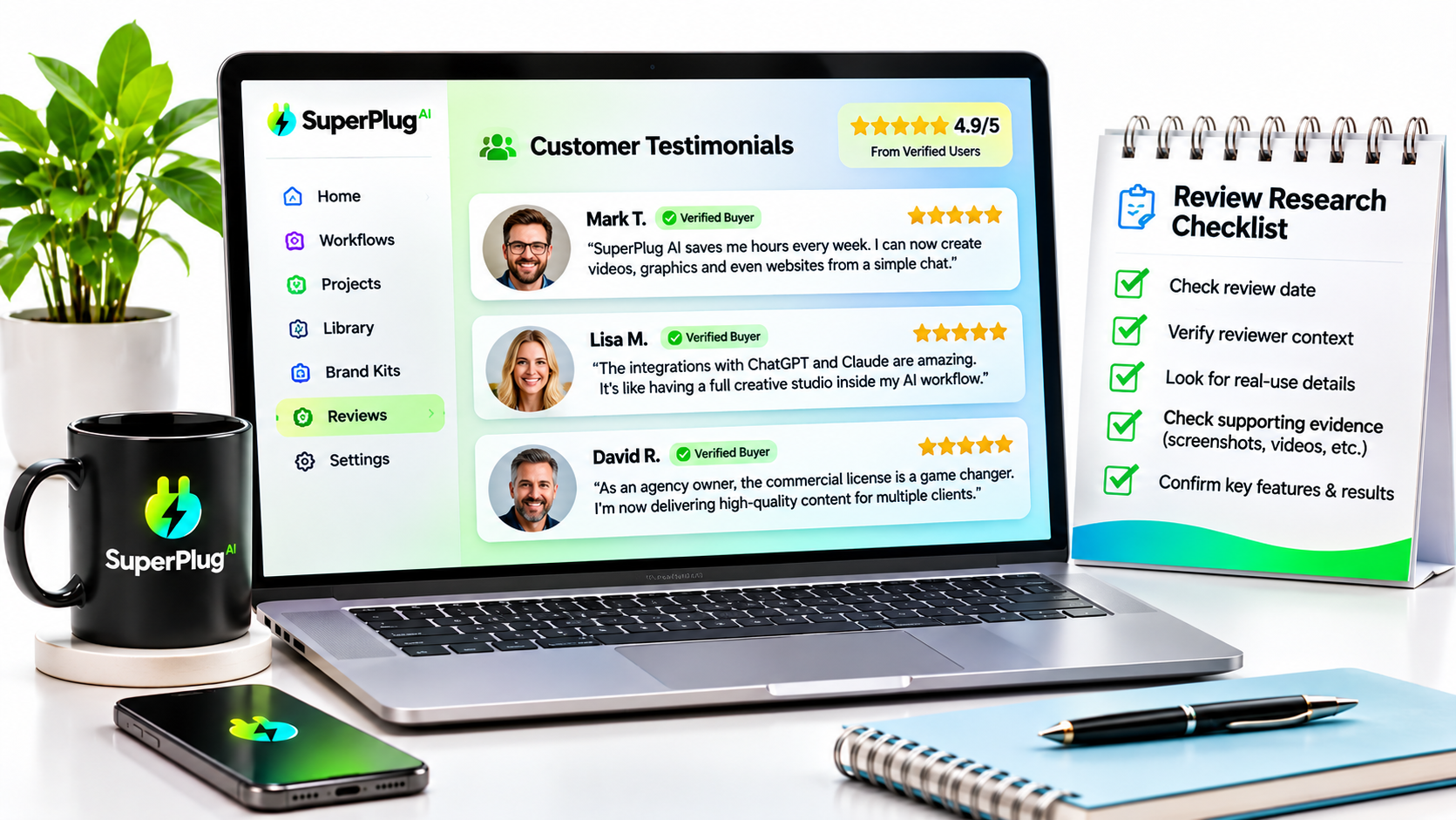
For your own evaluation, focus on the actual product demonstration, the workflows you intend to use, the credit allowance and the 14-day refund period. Those are more useful decision points than an unsupported review score.
SuperPlug AI Webinar Replay
If you want to hear the product explained in a longer presentation, the webinar replay below is another resource to watch before making your decision. It provides a further opportunity to understand the product concept, the workflow and the capabilities being introduced.
Who Should Buy SuperPlug AI?
SuperPlug AI is most relevant to people who regularly move between AI assistants and creative applications to get work completed. Its value is in bringing more of those production steps into one connected workflow.
Content creators and YouTubers
If you publish videos, Shorts, thumbnails, channel graphics, scripts and promotional assets, the combination of video, image, voice and music workflows is worth exploring. The product materials also describe faceless YouTube channel workflows and long-video repurposing.
Affiliate marketers
Affiliate campaigns often require more than a review article. You may need product graphics, video promos, social content, landing pages, email sequences and campaign variations. SuperPlug AI is designed to help create several of those assets from a connected AI workflow.
Freelancers and digital marketing consultants
Freelancers can use the production capabilities to prepare marketing assets for businesses. The included commercial license is particularly relevant if you plan to create and sell deliverables to clients. The Agency upgrade adds client-management features for people handling multiple accounts.
Small business owners
Small businesses often need regular promotional content but do not have a dedicated production team. SuperPlug AI is designed to help with social graphics, promotional videos, websites, voiceovers and campaign materials from a more centralised workflow.
Agencies and teams
Agencies that produce recurring content for different clients may find the client brand kits, credit budgets, project libraries and approval features relevant. Teams is aimed at shared production across multiple users, subject to confirmation of the listed team functionality in the live product.
SuperPlug AI Pros and Cons
Pros
- Works with familiar AI assistants: Connects to ChatGPT, Claude and Grok rather than requiring you to abandon your existing AI workflow.
- Broad creative production: Covers video, graphics, images, websites, voiceovers, music and presentations.
- One conversation for revisions: The workflow is designed to keep follow-up creative instructions connected to the original project.
- Guided workflows: Ready-made workflows can make common production tasks easier to start.
- Plan-first controls: The product describes showing the proposed task and credit cost before production approval.
- Brand memory: Saved brand information can reduce the need to repeat visual identity instructions.
- Commercial license: Premium is advertised with a license for creating work for clients.
- Project library: Finished work and creative assets can be organised in one place.
- One-time Premium payment: The launch offer is presented as a one-time software payment rather than a recurring SuperPlug Premium subscription.
- Money-back period: The Premium offer includes a 14-day money-back guarantee.
Things to understand before buying
- Monthly credits are limited: A one-time purchase does not mean unlimited AI generation. Premium is described with 2,500 monthly creation credits.
- Connection allowances apply: Premium is described with 200 monthly MCP connections.
- External services may have separate costs: Connected AI accounts and third-party creative services can have their own plans, usage limits or charges.
- Some advanced capabilities require upgrades: Max, Agency and other OTOs extend the core product for more specialised workflows.
- Team features should be confirmed: The launch documentation says the listed 25-seat functionality was not included in the demo and required confirmation.
Is SuperPlug AI Legit?
SuperPlug AI is presented as a commercial software product with a defined Premium offer, named creators, a JVZoo checkout, a stated feature set and a 14-day money-back guarantee. The product is built around an MCP connection that allows supported AI assistants to access connected tools and workflows.
The most useful way to evaluate it is to match the actual offer to the work you need to do. If you want to create videos, graphics, websites, voiceovers and marketing materials from a connected AI workflow, SuperPlug AI is directly aimed at that use case.
It is also important to understand what the one-time payment covers. The Premium software offer includes monthly credit and connection allowances; it is not a promise of unlimited production. If you plan to use third-party AI or creative services, check their account and usage requirements too.
For a buyer who understands those points and wants the core creative workflow, Premium provides a clear entry point without requiring the purchase of the entire upgrade funnel.
Is SuperPlug AI Worth It?
For creators, marketers and business owners who regularly produce multiple types of digital content, SuperPlug AI is worth considering at its advertised $47 Premium launch price. Its appeal is not simply that it offers another image or video generator. It is the attempt to connect creative production to the AI conversation where you already plan and direct your work.
Consider the time involved in creating a typical promotional campaign. You may need a script, a video, a thumbnail, a set of social graphics, a landing page and an email. Producing each asset in a separate application can make the workflow feel fragmented. SuperPlug AI is designed to reduce those transitions and keep more of the project connected.
The commercial license also makes the Premium offer relevant to freelancers who want to create deliverables for paying clients. If you later need more production capacity, integrations or client-management tools, the upgrade path gives you options.
For someone who only wants a single specialist tool for advanced video editing or professional web development, a dedicated application may still be more appropriate. But for everyday marketing production across several formats, the connected workflow is the central reason to look at SuperPlug AI.
SuperPlug AI vs. Using Separate AI Tools
SuperPlug AI is not best understood as a replacement for every specialist application. Its proposition is that it can connect production capabilities to the AI assistant you already use, reducing the manual work of moving between separate tools.
| Typical fragmented workflow | SuperPlug AI approach |
|---|---|
| Write a script in one AI chat | Keep the brief and creative direction in the connected conversation |
| Copy the script into a video tool | Request video production through the connected workflow |
| Move to another tool for graphics | Request supporting visual assets through the production studio |
| Explain brand details repeatedly | Reuse saved brand-kit information |
| Manage project files across folders | Use the SuperPlug project library |
| Repeat instructions in several applications | Request supported revisions through the same conversation |
The difference is workflow integration. If your current process already involves several disconnected tools, this is the area where SuperPlug AI may offer the most practical value.
Frequently Asked Questions About SuperPlug AI
What is SuperPlug AI used for?
SuperPlug AI connects ChatGPT, Claude and Grok to creative production workflows. It is designed to help create videos, images, graphics, websites, voiceovers, music, presentations and marketing assets from an AI conversation.
How much does SuperPlug AI cost?
The Premium launch price is listed at $47 as a one-time payment. The coupon SUPERPLUG is advertised for 10% off, which would make the price $42.30 if accepted at checkout. Optional upgrades are listed separately.
Does SuperPlug AI have a monthly fee?
Premium is advertised as a one-time software payment. It includes monthly creation credits and MCP connection allowances. Your connected AI account or third-party services may have separate subscriptions or usage charges.
Does SuperPlug AI work with ChatGPT?
Yes. SuperPlug AI is designed to connect with ChatGPT, Claude and Grok through its MCP engine. The exact connection experience and available capabilities depend on the supported assistant and its current plan.
Do I need coding skills to use SuperPlug AI?
The product is designed around conversational instructions and guided workflows rather than requiring you to build every creative task manually. Its connection process is described as copying a personal link, adding it to a supported assistant and signing in.
Can I use SuperPlug AI to create videos?
Yes. Video production is one of its central capabilities. The product materials describe promotional videos, product commercials, explainers, UGC-style content, talking introductions, short films, faceless YouTube assets and video repurposing workflows.
Can I create websites with SuperPlug AI?
Yes. The website engine is designed for business websites, landing pages, sales pages, lead-generation pages, animated websites and multi-page funnels. The product materials also describe website publishing with enquiry forms.
Does SuperPlug AI include a commercial license?
Yes. The Premium offer advertises a commercial license, allowing users to create work for clients. Review the license terms displayed at checkout for the precise permitted uses.
How many credits does SuperPlug AI Premium include?
The launch materials list 2,500 creation credits per month for Premium. The actual number of projects you can complete depends on the type of asset and its credit cost.
What are the SuperPlug AI OTOs?
The four main upgrades listed are Pro Unlimited at $67, Max at $67, Agency at $67 and Teams at $47. The upgrades are intended for expanded production, integrations, client management and team collaboration respectively.
What is the SuperPlug AI Bundle price?
The all-in bundle is listed at $397, with the coupon SUPERPLUG100 advertised for $100 off, giving an effective price of $297 if accepted at checkout. The launch material also lists a three-payment option of $147 per payment.
Does SuperPlug AI offer a money-back guarantee?
The Premium sales offer advertises a 14-day money-back guarantee. Check the terms presented at checkout and follow the stated process if you need to request a refund.
Is SuperPlug AI suitable for agencies?
Yes, the product is aimed at freelancers and agencies as well as individual creators. The Agency upgrade is specifically described with client dashboards, separate brand kits, client budgets, project libraries and approval links.
Can SuperPlug AI help with affiliate marketing?
It can support several parts of an affiliate marketing workflow, including promotional videos, product graphics, landing pages, email sequences, social posts and campaign assets. You still need to choose suitable offers, create accurate marketing messages and manage your own affiliate campaigns.
Is SuperPlug AI a replacement for ChatGPT, Claude or Grok?
No. Its central purpose is to connect production capabilities to supported AI assistants. ChatGPT, Claude or Grok remains the conversational interface, while SuperPlug AI provides additional tools and workflows.
Final Verdict: Should You Get SuperPlug AI?
SuperPlug AI is built around a useful idea: your AI assistant should be able to help you move beyond planning and writing into the production of actual creative and marketing assets.
It brings video, image, graphic, website, voiceover, music, presentation and marketing workflows into a connected production environment. Add the saved brand kits, project library, guided workflows and commercial license, and you have a package aimed at people who regularly need to create more than text.
My recommendation is to start with SuperPlug AI Premium if you want the core capabilities. At the advertised $47 one-time launch price, it gives individual creators, freelancers and small businesses a way to explore the connected production workflow without committing to every upgrade. Use the SUPERPLUG coupon if it is accepted at checkout.
If you already know you need batch production, more integrations or client-management features, compare the Pro Unlimited, Max and Agency upgrades. If you need most of the funnel, compare the $297 bundle price after the advertised SUPERPLUG100 discount against the individual upgrade costs.
The key question is not whether you need another AI chatbot. It is whether you want the AI tools you already use to help you produce more of the finished work you need every week. If the answer is yes, SuperPlug AI is worth taking a closer look at.
GET INSTANT ACCESS TO SUPERPLUG AI
Choose the package that fits your workflow, apply the available launch coupon and start exploring what you can create with SuperPlug AI.