
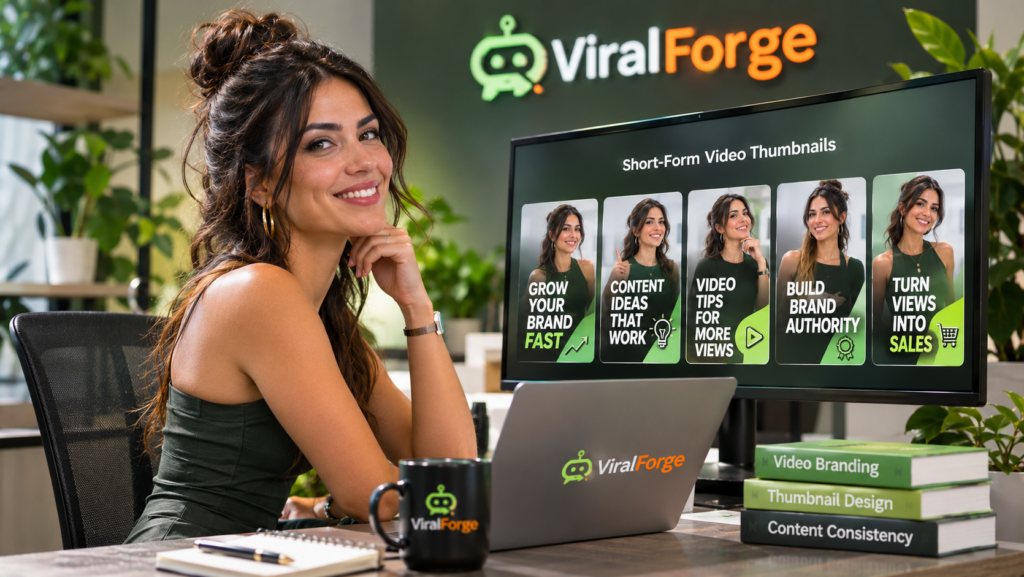
To keep AI videos consistent with your brand style using ViralForge, establish clear brand guidelines and apply them consistently to every script, presenter, voice, visual, caption, and call to action. Define your brand colors, fonts, tone of voice, audience, and preferred video format before creating content. Then review each generated video against those standards before publishing. An AI-assisted platform such as ViralForge for creating branded AI videos can help streamline content adaptation and generate creative variations while you maintain control over your brand identity.
Why Is Brand Consistency Important in AI Videos?
Brand consistency helps audiences recognize your business across different videos and social media platforms. When your content repeatedly uses a familiar visual style, tone, and presentation, viewers can develop a clearer understanding of what your brand represents.
AI video tools make it easier to produce content in different formats and variations. However, producing more videos does not automatically create a consistent brand experience. Different presenters, voices, colors, captions, and visual styles can make a channel feel disconnected if there are no guidelines governing the creative process.
For example, a professional consulting company may want educational videos with a calm presenter, clean graphics, and straightforward explanations. A lifestyle brand may prefer energetic narration, brighter visuals, and conversational captions. Both approaches can work, provided the style remains recognizable across the content.
Which Brand Elements Should Stay Consistent?
Before creating AI videos, identify the elements that define your brand. Documenting these standards makes it easier to review each video and maintain a recognizable presentation.
- Brand colors: Choose a consistent palette for backgrounds, captions, graphics, and supporting elements.
- Typography: Use a limited set of fonts and maintain consistent text sizing and emphasis.
- Logo placement: Decide where and how your logo should appear without distracting from the video.
- Voice and tone: Define whether your communication should sound professional, friendly, educational, authoritative, or conversational.
- Presenter style: Establish preferences for AI presenters, clothing, backgrounds, and delivery.
- Video structure: Create a familiar approach to opening hooks, explanations, captions, and calls to action.
- Visual direction: Decide what types of footage, illustrations, backgrounds, and animations suit your brand.
How to Keep AI Videos on Brand With ViralForge
A simple production system can help you apply the same standards across multiple videos.
- Create a brand style guide. Record your colors, fonts, logo usage, tone of voice, preferred presenters, and visual preferences in one document.
- Define your audience and message. Decide who each video is for and what the viewer should understand after watching it.
- Prepare reusable script guidelines. Establish how your videos should begin, explain ideas, and finish. Include examples of phrases and language that fit your brand.
- Choose consistent presenters and voices. Where possible, use a familiar presenter style and narration approach across related videos.
- Adapt creative variations carefully. Experiment with different hooks, captions, and presentation angles without changing the underlying brand personality.
- Review before publishing. Check colors, captions, pronunciation, product claims, visuals, and calls to action against your style guide.
How ViralForge Can Support Consistent AI Video Creation
ViralForge describes an AI-assisted workflow with features designed to help users discover content concepts, analyze creative structures, adapt content, and generate variations.
Its SwapEngine feature is described as adapting creative elements such as scripts, presenters, voices, languages, and calls to action. These options may help you adjust content for different audiences while retaining a consistent central message.
FreshHooks and the variation workflow can help generate alternative openings, captions, hashtags, and on-screen text. This is useful when testing different ways to communicate the same idea. However, each variation should still follow your brand’s language and visual standards.
ViralForge also describes AI presenters and voices that can support presenter-led content. Establishing preferred presenter and voice choices before producing a batch can help reduce unnecessary differences between videos.
For a closer look at the platform’s described features and workflow, explore the ViralForge review and product overview at Product Oasis.
How to Build a Repeatable Branded Video Workflow
Consistency becomes easier when every video follows a familiar production checklist. Before generating a new batch, prepare the scripts and decide which brand elements must remain unchanged.
For example, a business could use the same opening animation, caption style, presenter, and closing message across a series of educational videos. Individual topics and hooks can change while the overall presentation remains recognizable.
Keep a record of approved video examples. These can serve as references when creating future content or briefing anyone involved in reviewing and publishing videos. If you use different formats for different platforms, define a separate template for each while preserving the same core identity.
Common AI Branding Mistakes to Avoid
- Changing styles too frequently: Avoid using unrelated colors, fonts, and presenter styles in every video.
- Overusing creative variations: Different hooks should not make your brand sound like several unrelated businesses.
- Ignoring captions: Check spelling, punctuation, terminology, and readability.
- Using unsuitable visuals: Make sure images and footage reflect your brand and accurately represent the subject.
- Relying entirely on automation: Review every video instead of assuming AI-generated content automatically follows your guidelines.
- Forgetting platform requirements: Adapt dimensions and presentation for each destination without losing your recognizable style.
Frequently Asked Questions
How do I make AI videos look consistent with my brand?
Create a brand style guide covering colors, fonts, logos, presenters, voices, tone, captions, and video structure. Apply it to every video and review the finished content before publishing.
Should I use the same AI voice in every video?
Using a consistent voice across related videos can help establish familiarity. You can use different voices for distinct audiences or content series, provided the choices fit your brand identity.
Can AI video tools maintain brand colors and fonts automatically?
Available customization options vary by platform and plan. Check the current tool capabilities and templates, and manually review the finished videos to confirm that your preferred colors and typography are applied correctly.
Can I create different video styles without weakening brand identity?
Yes. You can experiment with formats, hooks, and visual approaches while keeping core elements such as tone, colors, messaging, and logo usage consistent.
Final Thoughts
Keeping AI videos consistent with your brand style requires more than choosing an attractive template. Define your visual identity, establish a recognizable tone, use repeatable production guidelines, and review every video before publishing.
ViralForge may help streamline parts of this process through its described script adaptation, AI presenter, voice, and creative variation features. Use these capabilities to produce content efficiently while keeping your brand guidelines at the center of every creative decision.
To assess whether ViralForge fits your branded video workflow, read the complete ViralForge review at Product Oasis.