
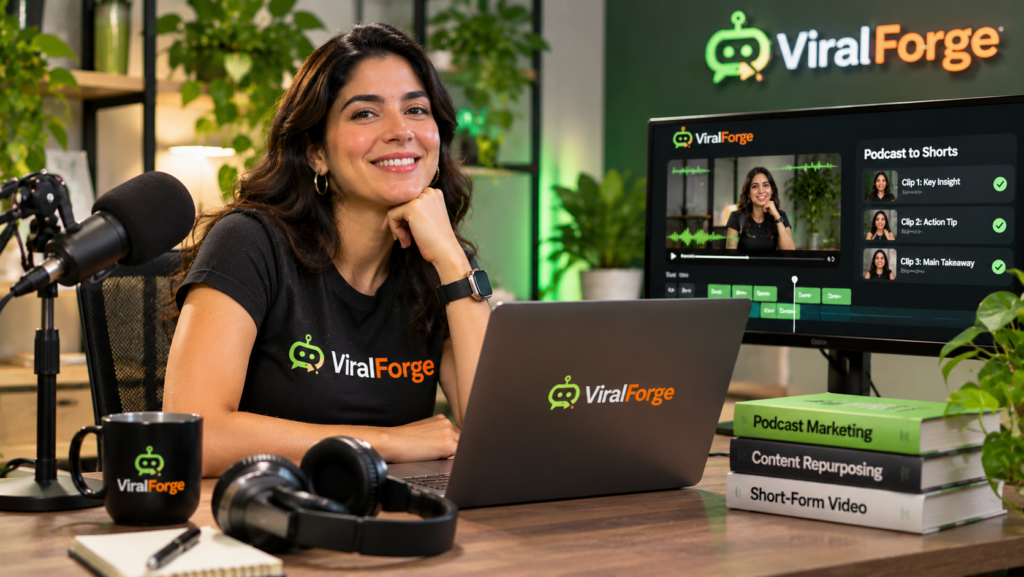
To turn podcast episodes into short videos with ViralForge, identify the most useful moments in each episode, convert them into focused short-form scripts, and pair each clip with clear captions and engaging visuals. Instead of relying on a single full-length recording, you can turn valuable discussions, practical tips, expert insights, and memorable answers into multiple standalone videos. An AI-assisted platform such as ViralForge for podcast content repurposing can help streamline creative adaptation and generate variations for short-form publishing.
Why Repurpose Podcast Episodes Into Short Videos?
Podcast episodes often contain valuable information that reaches only the people who have time to listen to the full recording. Short videos give you another way to present those insights to viewers who prefer quick, visual content.
A single episode may include several useful moments: a strong opinion, an expert answer, a practical recommendation, a surprising fact, or a discussion of a common problem. Each moment can become a separate video with its own opening and takeaway.
Repurposing also helps you get more value from the research, preparation, and recording that went into producing the original episode. Rather than creating every social media post from scratch, you can build a repeatable workflow around content you already own or have permission to use.
Which Podcast Moments Make the Best Short Videos?
Not every section of a podcast is suitable for a short clip. Prioritize moments that communicate a complete idea without requiring viewers to understand the entire conversation.
- Practical tips: Extract a useful recommendation that viewers can apply immediately.
- Expert answers: Turn a clear response to a common question into a standalone explanation.
- Strong opinions: Highlight a relevant viewpoint that encourages thoughtful discussion.
- Interesting facts: Use accurate, well-supported information that makes a topic easier to understand.
- Common mistakes: Share a warning or lesson that helps viewers avoid a recognizable problem.
- Memorable stories: Select a brief example that illustrates a broader lesson.
Choose clips that deliver value independently. If a section depends heavily on earlier discussion, add enough context to make the short video understandable.
How to Turn a Podcast Into Short Videos With ViralForge
A structured process makes podcast repurposing easier to repeat across multiple episodes.
- Choose a suitable episode. Start with an episode containing useful discussions, clear explanations, or practical advice. Make sure you have the necessary rights to repurpose its audio and video.
- Identify strong moments. Review the recording or transcript and mark sections that communicate one clear idea. Note the original timestamps so you can locate the material quickly.
- Create a focused script. Remove unnecessary introductions and repetition while preserving the speaker’s intended meaning. Give each clip a clear beginning, explanation, and takeaway.
- Write an engaging hook. Open with the question, insight, or problem that makes the clip relevant. Avoid misleading hooks that exaggerate what the speaker actually said.
- Prepare the visuals and captions. Use relevant podcast footage, presenter-led visuals, supporting text, or other suitable creative elements. Keep captions readable on mobile screens.
- Create and review variations. Test different openings and captions, then check that each version accurately represents the original discussion before publishing.
How ViralForge Can Support Podcast Repurposing
ViralForge describes an AI-assisted workflow with features intended to help users examine creative structures, adapt content, and produce multiple variations. These capabilities can support the planning and creation stages of a podcast repurposing workflow.
For example, DNA Decoder is described as a feature for analyzing elements such as hooks, structure, pacing, and caption style. This can help inform how you organize a short video, although the podcast’s original meaning and context should remain intact.
SwapEngine is designed to adapt creative elements such as scripts, voices, presenters, languages, and calls to action. FreshHooks and the variation workflow can help develop alternative openings, captions, hashtags, and on-screen text for the same underlying idea.
AI presenters and voices may also be useful when creating supplementary videos rather than using only the original podcast footage. Smart Scheduler is described as supporting publishing workflows across supported social platforms, subject to the options available in the current plan.
To explore the platform’s described features and workflow, read the ViralForge review and product overview at Product Oasis.
How Many Short Videos Can One Podcast Episode Produce?
The number depends on the episode’s length, subject, and how many distinct ideas it contains. A conversation with several useful questions and detailed answers may provide more opportunities than an episode focused on one narrow topic.
As a practical starting point, identify five to ten potential moments from an episode, then select the strongest clips. You can create different versions by testing alternative hooks or explanations, but avoid publishing repetitive videos that offer no additional value.
Organize the clips into a simple content calendar. Spread related topics across several days and use consistent branding so viewers can recognize the series.
Common Podcast Repurposing Mistakes to Avoid
- Removing essential context: Make sure each clip preserves the speaker’s intended meaning.
- Using misleading hooks: The opening should accurately reflect the discussion.
- Adding too much text: Keep captions concise and easy to read.
- Ignoring audio quality: Check speech clarity, volume, and background noise.
- Publishing without permission: Confirm that you own or have permission to use the recording, music, guest contributions, and other material.
- Repeating the same clip: Each variation should offer a meaningful creative difference or a distinct audience angle.
Frequently Asked Questions
Can one podcast episode be turned into multiple short videos?
Yes. An episode containing several useful discussions can provide multiple standalone clips. Select distinct ideas and make sure each video delivers a clear takeaway.
Do I need video footage to repurpose a podcast?
No. You can use authorized audio with captions, relevant visuals, waveforms, or presenter-led formats. Original video footage can provide additional visual material when available.
Should podcast clips include subtitles?
Subtitles are useful because viewers may watch short videos with the sound muted or in noisy environments. Review automatically generated captions carefully, especially names and technical terms.
Can ViralForge automatically find and extract podcast highlights?
ViralForge describes tools for analyzing creative structures and adapting content, but the workflow described here should not be treated as confirmation of automatic podcast transcription, highlight detection, or timestamp extraction. Check the current product features before relying on those functions.
Final Thoughts
Turning podcast episodes into short videos is a practical way to extend the reach of valuable conversations and create more content from existing recordings. Identify strong moments, preserve their meaning, write focused scripts, and use captions and visuals to make each clip easy to understand.
ViralForge may help with parts of this process through its described content adaptation, creative variation, presenter, voice, and scheduling features. Use AI to support production while keeping editorial accuracy, permissions, and audience value at the center of your workflow.
To decide whether the platform fits your podcast repurposing process, explore the complete ViralForge review at Product Oasis.