
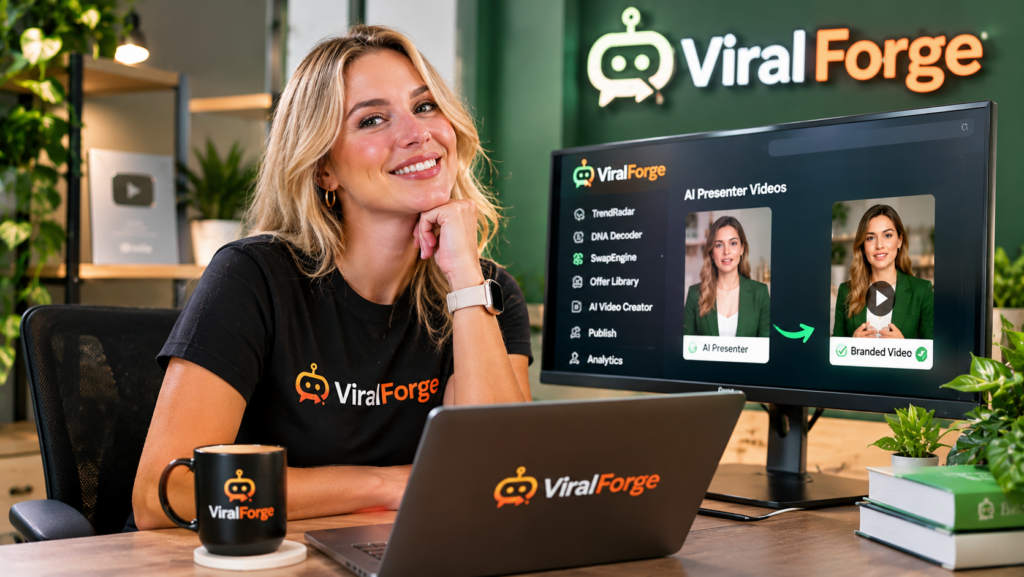
AI presenter videos can feel natural and trustworthy when you combine a suitable presenter, conversational script, realistic voice, clear pacing, and accurate information. The key is to make the video feel like a helpful person explaining something rather than an automated sales pitch. If you want to explore an AI-assisted production workflow, ViralForge for AI presenter video creation offers features designed to help creators develop scripts, choose AI presenters and voices, and produce short-form video content.
Why Do Some AI Presenter Videos Feel Unnatural?
AI presenters can make video production more accessible, especially for creators who do not want to appear on camera. However, simply placing an artificial presenter in front of a script does not automatically create an engaging video.
Several things can make an AI presenter video feel artificial:
- Robotic scripts: Formal sentences and repetitive marketing language can sound unnatural when spoken aloud.
- Incorrect voice selection: A voice that does not suit the subject or audience can make the message feel disconnected.
- Poor pacing: Long sentences, rushed delivery, or awkward pauses can make explanations difficult to follow.
- Unconvincing presentation: A presenter that does not match the tone of the content may distract viewers.
- Overly promotional messaging: Constant sales language can make a video feel less like helpful communication.
These issues are not exclusive to AI-generated content. They are common video presentation problems, and addressing them can improve the viewing experience.
How to Make AI Presenter Videos Feel More Human
A natural-sounding video starts before the presenter is selected. The script, audience, message, and delivery all need to work together.
- Write the way people speak. Use conversational language, shorter sentences, and familiar expressions. Read the script aloud before generating the video. If a sentence feels awkward when spoken, rewrite it.
- Choose a presenter suited to the topic. Consider the audience and subject. A professional business explanation may need a different presentation style from a friendly beginner tutorial.
- Match the voice to your brand. Select a voice that suits the intended mood. A calm, informative delivery may work well for education, while an energetic style may suit a product introduction.
- Keep each video focused. Explain one main idea at a time. Avoid filling a short video with too many features, benefits, or unrelated points.
- Use natural pacing. Break complex explanations into smaller sections. Give viewers enough time to understand important points, and avoid unnecessary repetition.
- Review the finished result. Check pronunciation, captions, timing, visual consistency, and whether the presenter communicates the intended message clearly.
How Can ViralForge Help With AI Presenter Videos?
ViralForge is designed to bring several parts of short-form video production into one workflow. Its described features include AI presenters, AI voices, AI-assisted scripts, and tools for adapting video concepts into different creative variations.
For example, imagine you want to create a short video explaining how a particular product works. You could begin by preparing a simple script that introduces the product, explains its main purpose, and answers one common customer question.
You could then choose an AI presenter and voice that suit the intended audience. The script can be adjusted to sound conversational rather than like a formal product brochure. Once the video is generated, review the presentation and make any necessary changes before publishing.
ViralForge also describes a workflow involving TrendRadar, DNA Decoder, and SwapEngine. These features are intended to help discover video concepts, examine their creative structure, and adapt ideas around a different niche, offer, or presentation. FreshHooks can support the exploration of alternative hooks and creative variations.
This gives creators a way to develop different approaches without treating every video as a completely new production project.
If you want to understand how these features fit into the wider platform, read the ViralForge review and product overview at Product Oasis.
How to Build Trust With AI-Generated Presenters
A professional-looking presenter is only one part of building audience trust. The information and communication style matter just as much.
- Be specific: Explain real product features, processes, or useful information instead of relying on vague statements.
- Avoid exaggerated promises: Do not make unsupported claims about results, income, performance, or product benefits.
- Use relevant examples: Practical demonstrations and clear explanations help viewers understand the subject.
- Maintain consistency: Keep your brand’s tone, visual style, and messaging reasonably consistent across videos.
- Be transparent: Follow the disclosure and synthetic-media requirements that apply to your content and publishing platform.
- Check every detail: AI-generated scripts and presentations can contain errors. Verify facts, product specifications, and instructions before publishing.
Remember that an AI presenter should support your communication, not replace your responsibility for the message. Viewers are more likely to value content that is useful, accurate, and relevant to their needs.
Common Mistakes to Avoid When Using AI Presenters
Even with a capable AI video tool, certain mistakes can reduce the quality of your content.
- Choosing a presenter before defining the audience: Decide who the video is for before selecting its presentation style.
- Using one script for every platform: Adapt the opening, length, and message to the audience and format.
- Making every video sound like an advertisement: Include educational explanations, demonstrations, and practical advice.
- Ignoring pronunciation: Check product names, technical terms, and unusual words carefully.
- Publishing without watching the video: Always review the complete output rather than assuming the generated result is ready.
Frequently Asked Questions
Can AI presenter videos look realistic?
AI presenter videos can look convincing, but the result depends on the presenter model, voice, script, delivery, and production quality. Reviewing the finished video is essential.
How do I choose the right AI presenter for my business?
Consider your audience, industry, brand personality, and video topic. Choose a presenter whose appearance and delivery style suit the message you want to communicate.
Can AI presenters help create faceless YouTube Shorts?
Yes. AI presenters can provide an on-screen spokesperson without requiring the creator to record themselves. They can be used alongside scripts, captions, and relevant visuals for short-form educational or promotional videos.
Should I disclose that a video uses an AI presenter?
Follow the applicable laws and the disclosure requirements of the platform where you publish. Some platforms require labels for certain realistic synthetic or altered media, so check the current rules before uploading.
Final Thoughts
Making AI presenter videos feel natural and trustworthy is primarily about good communication. Choose a suitable presenter and voice, write conversational scripts, keep explanations focused, and review every video before publishing.
ViralForge may help organize parts of this process through its AI-assisted scripts, presenters, voices, and creative variation workflow. However, the quality of your content still depends on the accuracy of your message and how well it serves your audience.
If you are considering using ViralForge for your short-form video workflow, explore the complete ViralForge review at Product Oasis for a closer look at its features and overall offer.