
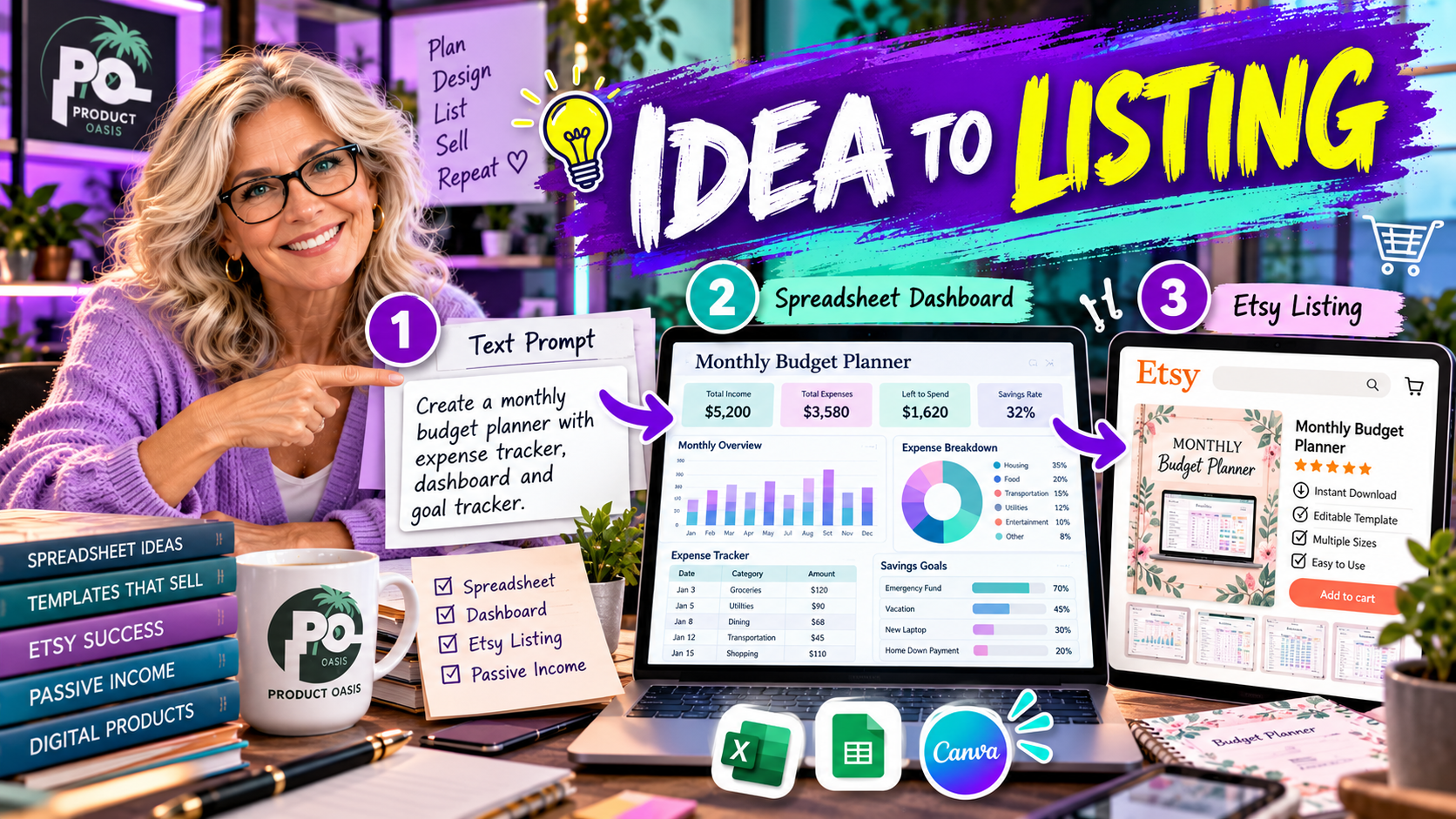
The Spreadsheet Studio Skill Set is designed to guide you through the process of turning a spreadsheet product idea into a customized digital download with supporting Etsy listing materials. Using Claude as part of its guided workflow, it helps you move from choosing a product niche and creating a planner, tracker, or dashboard to customizing its appearance, checking formulas, and preparing listing content. In other words, it aims to bring several important stages of digital product creation together in one process. Explore The Spreadsheet Studio Skill Set here to see the offer.
How Does The Spreadsheet Studio Skill Set Walkthrough Work?
The basic idea is straightforward: start with a product concept, use the guided Claude workflow to help build the spreadsheet, refine its design, check its functionality, and prepare the materials needed to present it to potential customers.
Here is how the process can work, step by step.
Step 1: Choose a Spreadsheet Product Idea
Every successful digital product begins with a problem worth solving. Rather than creating a random spreadsheet and hoping somebody wants it, start by identifying a particular audience and something they need help organizing.
For example, you could explore ideas such as:
- A wedding planner for couples organizing their big day.
- A debt payoff tracker for people monitoring their financial progress.
- A meal planner for households organizing weekly meals.
- A habit tracker for people building consistent routines.
- A freelance business tracker for managing projects and income.
The Spreadsheet Studio Skill Set advertises 13 niche blueprints to help you explore possible product directions. These provide a starting point when you are unsure which type of spreadsheet to create.
Remember, a blueprint is not proof of market demand. Research your intended audience and consider whether the proposed product solves a problem people genuinely want addressed.
Step 2: Use Claude to Help Create the Spreadsheet
Once you have selected an idea, the next stage is using the guided workflow with Claude to help develop the spreadsheet.
Instead of manually planning every section and starting with an empty workbook, you can work through the instructions to generate a suitable spreadsheet structure.
For example, a debt payoff tracker might need sections for:
- Debt names and outstanding balances.
- Interest rates and payment amounts.
- Payment dates and remaining balances.
- Progress summaries and payoff milestones.
A meal planner would require a completely different structure, with sections for meals, ingredients, shopping lists, and weekly planning.
The objective is to create a spreadsheet that serves a clear purpose rather than simply producing a collection of unrelated tables.
Step 3: Customize the Design and Appearance
A spreadsheet should not only work properly; it should also be easy and pleasant to use.
The Spreadsheet Studio Skill Set advertises design customization resources that include eight color palettes and five font pairings. These can help you develop a more consistent appearance across your spreadsheet products.
You can use design choices to give different products their own identity. A wedding planner might benefit from soft, elegant colors, while a business tracker could use a cleaner and more professional visual style.
Pay attention to headings, spacing, readability, and the way information is organized. A visually attractive spreadsheet is useful only when customers can understand how to use it.
Step 4: Check Formulas and Test the Spreadsheet
This is an important stage that should never be skipped.
The advertised workflow includes formula-checking assistance using sample data. This is intended to help identify potential problems before you offer your spreadsheet to customers.
For example, if you create a financial tracker, you should check that totals, balances, and progress calculations produce sensible results when different figures are entered.
Before considering your product ready, make sure you:
- Enter realistic sample information.
- Check important formulas and calculations.
- Test different inputs and possible scenarios.
- Review the spreadsheet for confusing layouts or missing instructions.
- Make sure the finished product behaves as intended.
Formula checking is a useful quality-control aid, but it should not replace your own testing.
Step 5: Prepare Your Etsy Listing Materials
Creating the spreadsheet is only part of the journey. You also need to explain the product clearly so potential customers understand what they are getting.
The Spreadsheet Studio Skill Set advertises an Etsy listing kit designed to assist with several important elements:
- Listing title: A starting point for describing your product.
- 13 suggested tags: Ideas for relevant listing keywords.
- Product description: Content explaining the spreadsheet’s purpose and features.
- Listing images: Visual materials to help present the product.
- Short promotional video: An additional way to showcase the spreadsheet.
- Buyer guide: Instructions to help customers understand how to use their download.
These resources can make the listing preparation process more organized. You should still review and personalize the content, ensuring that every description and image accurately represents the finished product.
For a closer look at the complete workflow, product features, pricing, and advertised bonuses, read our detailed Spreadsheet Studio Skill Set review.
Step 6: Review the Product from a Buyer’s Perspective
Before publishing your digital download, take a moment to experience it as if you were the customer.
Can someone understand what the spreadsheet does? Are the instructions clear? Are the formulas working? Is it obvious where to enter information? Does the design make the important sections easy to find?
The advertised Start Here picture-guide concept and buyer guide are intended to support this part of the process. Clear instructions can help customers get started and make the overall experience easier to navigate.
Also check the product’s licensing terms before using, rebranding, or reselling any commercially created materials.
Does This Walkthrough Guarantee Etsy Sales?
No. The Spreadsheet Studio Skill Set is a product creation workflow, not a guarantee of marketplace sales or income.
Your results will depend on factors such as product quality, niche selection, audience demand, pricing, presentation, and how effectively you market your listing. The purpose of the workflow is to help organize the creation and preparation process, not eliminate the need for business decisions.
Final Thoughts: From Spreadsheet Idea to Digital Product
The Spreadsheet Studio Skill Set is designed to help you move through the main stages of spreadsheet product creation: choosing an idea, developing it with Claude, customizing the design, checking functionality, and preparing Etsy listing materials.
That combination may be particularly useful if you want a more structured approach instead of handling every part of the process independently.
If you want to get ahead of the curve in AI-assisted digital product creation, discover more ways to turn spreadsheet ideas into practical products, and receive free resources that can expand your knowledge, consider subscribing below. You will also receive five additional bonuses designed to complement your experience and help you explore new possibilities.
Ready to see whether this workflow fits your digital product goals? Before making your decision, explore our complete Spreadsheet Studio Skill Set review, including the features, pricing, bonuses, and final verdict.