
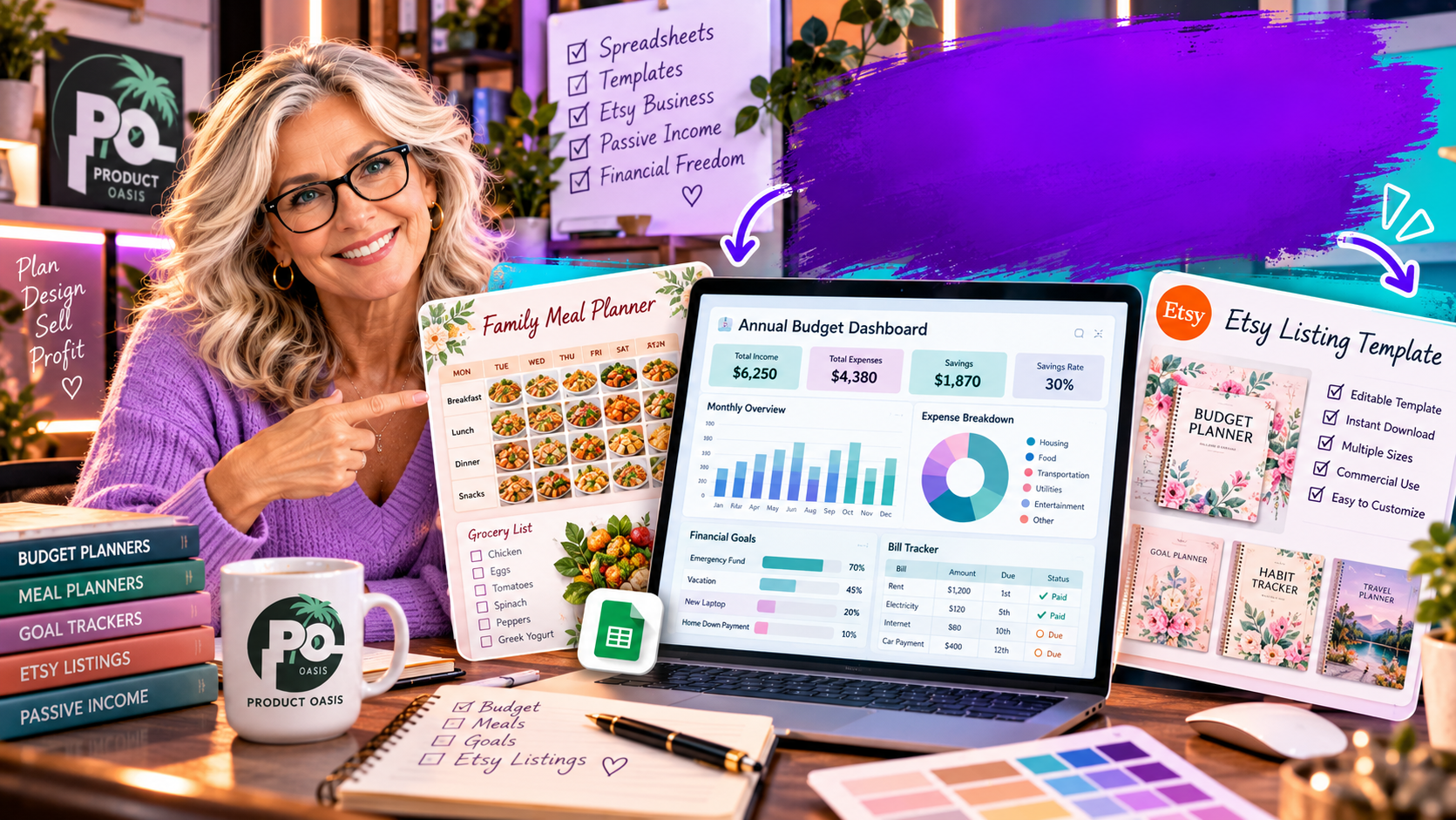
The Spreadsheet Studio Skill Set is designed to help you create a range of digital spreadsheet products using Claude, including planners, trackers, dashboards, and other customizable spreadsheet templates for potential online sale. Rather than starting with a blank spreadsheet and building every element manually, it provides a guided creation workflow supported by niche blueprints, design customization options, and tools for preparing products for customers. If you want to explore what it can create, you can check out The Spreadsheet Studio Skill Set here.
What Does The Spreadsheet Studio Skill Set Actually Create?
The Spreadsheet Studio Skill Set focuses on creating practical spreadsheet-based digital products. These are the kinds of downloadable resources people may use to organize personal activities, manage everyday tasks, monitor progress, or keep track of business information.
Depending on the niche and the instructions you provide, the workflow can help you develop products such as:
- Planners: Wedding planners, meal planners, holiday planners, and other organizational tools.
- Financial trackers: Budget planners, debt payoff trackers, and expense management spreadsheets.
- Business spreadsheets: Freelance trackers, business dashboards, and productivity management tools.
- Personal development trackers: Habit trackers, goal planners, and routine management sheets.
- Custom dashboards: Spreadsheet layouts that organize information into a more visual and accessible format.
The important distinction is that these are not simply generic spreadsheet files. The intended workflow allows you to customize the appearance and structure so that the finished product is more relevant to a particular audience or use case.
Can It Create Planners, Trackers, and Dashboards?
Yes. Planners, trackers, and dashboards are central examples of the types of products this workflow is designed to help create.
1. Digital planners
A digital planner helps users organize information and activities in one place. For example, a wedding planner could include sections for budgets, guest lists, schedules, vendors, and important tasks. A meal planner could help users organize meals, ingredients, and shopping lists.
Instead of manually designing every section from scratch, you can use the guided Claude workflow to help generate a starting structure and then refine it for your intended audience.
2. Financial and productivity trackers
Trackers are useful because they help people monitor information over time. A debt payoff tracker, for example, could organize balances, payments, and progress. A habit tracker could provide a simple way to record daily activities and see consistency over a period.
The value of these products comes from making information easier to record, understand, and act upon.
3. Business dashboards
Dashboards bring important information together in a visual format. A freelancer might want to monitor projects, income, expenses, and deadlines. A small business owner may prefer a central spreadsheet for tracking selected operational figures.
These are practical product categories because they address recognizable organizational needs. The key is to make each dashboard understandable and useful rather than adding visual elements that do not serve a purpose.
How Does the Skill Set Help Customize Spreadsheet Products?
A spreadsheet’s usefulness matters, but its presentation also influences how customers perceive it. The Spreadsheet Studio Skill Set advertises customization options that can help give products a more consistent visual identity.
Its design-related features include:
- Color palettes: Use coordinated colors to create a consistent appearance.
- Font combinations: Give headings and spreadsheet content a more organized visual hierarchy.
- Dashboard layouts: Present selected information in a more accessible format.
- Artwork and headers: Add visual details that help distinguish one product from another.
- Niche blueprints: Use suggested product directions as starting points for creating resources for different audiences.
These features can help you move beyond a plain spreadsheet layout. However, customization does not automatically make a product commercially successful. You still need to understand your target buyer, create a genuinely useful resource, and test the finished spreadsheet.
Does It Help Prepare Products for Selling?
Yes. The advertised workflow also extends beyond spreadsheet creation into some of the tasks involved in preparing a digital product for an online marketplace.
The Spreadsheet Studio Skill Set includes an Etsy listing kit designed to assist with several listing components, including:
- Product listing titles.
- Thirteen suggested listing tags.
- Product descriptions.
- Listing images.
- A short promotional video.
- A buyer guide to help customers understand the product.
This is relevant because creating a spreadsheet is only one part of launching a digital download. You also need to explain what the product does, show potential buyers what they are getting, and provide instructions that make it easier to use.
If you want to examine the complete feature set, examples, and overall product offer, you can read our detailed Spreadsheet Studio Skill Set review and feature breakdown.
What About Formula Checking and Product Quality?
A spreadsheet can look attractive but still be frustrating if its calculations do not work correctly. That is why formula checking is an important part of the advertised creation workflow.
The Spreadsheet Studio Skill Set describes a formula-checking process that uses sample data to help identify potential problems. This can be useful when developing trackers, financial planners, and dashboards that depend on calculations.
Nevertheless, treat this as a quality-control aid rather than a guarantee that every spreadsheet will be error-free. Before offering a product to customers, you should:
- Enter realistic sample information.
- Check important formulas and calculated results.
- Test different scenarios and unusual inputs.
- Review the spreadsheet from a buyer’s perspective.
- Make sure the instructions explain how to use its main features.
Who Could Benefit From These Creation Features?
The product may be worth exploring if you are:
- A beginner interested in creating spreadsheet-based digital products.
- An Etsy seller looking to expand an existing product catalogue.
- A digital product creator who wants to experiment with planners and trackers.
- A freelancer or small business owner interested in developing useful spreadsheet resources.
- A creator who wants to use Claude as part of a more structured product development process.
It is important to remember that Claude-assisted creation still requires clear instructions, review, and refinement. You should also check the applicable product license before using or reselling anything commercially.
So, What Can You Actually Create With It?
The Spreadsheet Studio Skill Set is designed to help create customizable planners, trackers, dashboards, and other spreadsheet-based digital products, while also providing supporting features for quality checking and marketplace listing preparation.
Its appeal is the combination of product creation, design customization, and selling-related resources in one guided workflow. Whether that combination is right for you depends on your experience, the types of products you want to create, and how much assistance you need with the process.
If you want to get ahead of the curve in AI-assisted spreadsheet creation, explore new product ideas, and receive additional resources that can improve your digital product knowledge, consider subscribing below. You can also receive five extra bonuses designed to complement your experience.
Still deciding what the product can do and whether its features match your goals? Take the next step by reading our complete Spreadsheet Studio Skill Set review, including its features, pricing, bonuses, and overall verdict.