
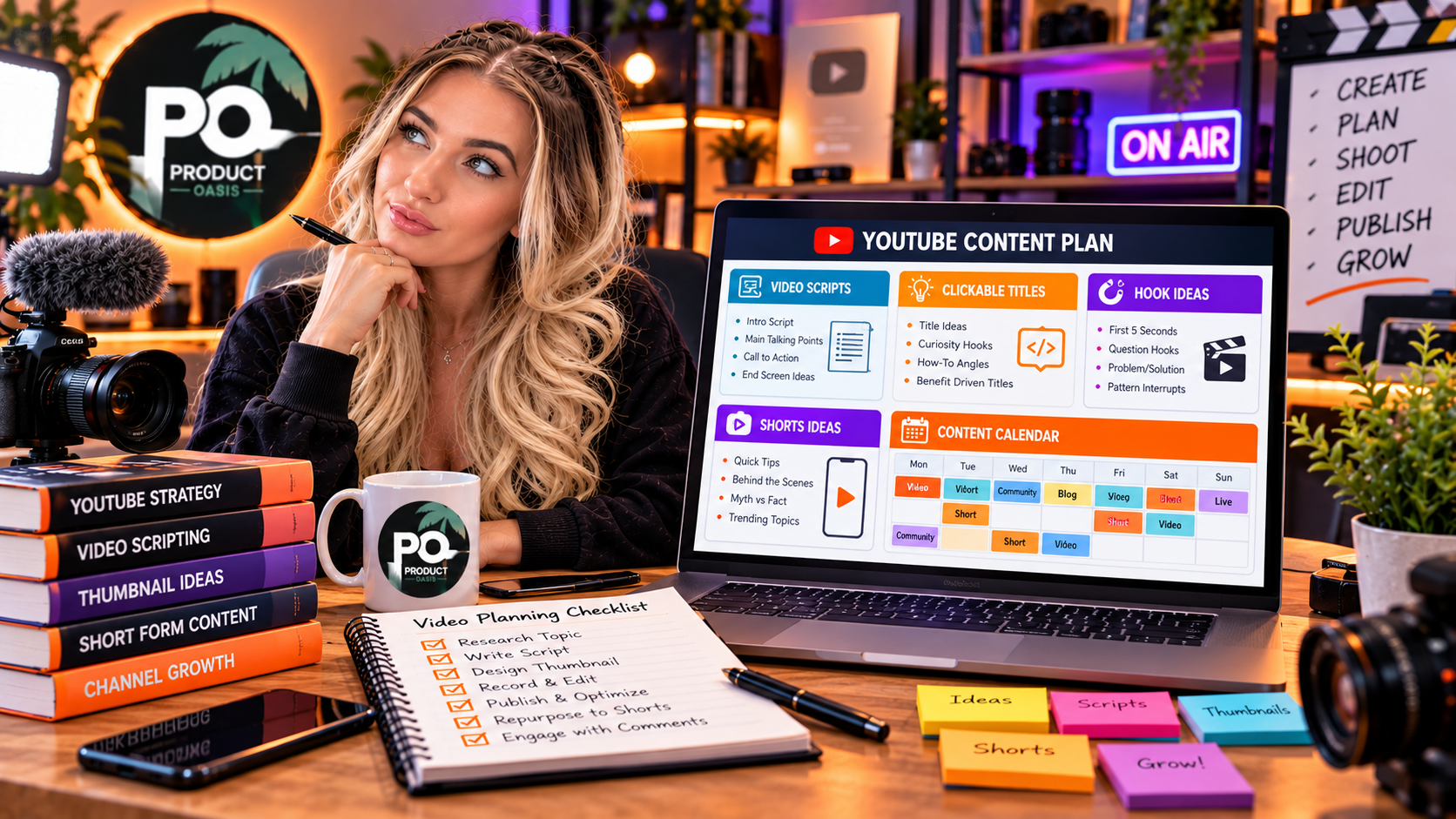
Ultimate Claude AI Prompt Vault can help with YouTube videos and video marketing by providing prompts you can adapt for video ideas, scripts, titles, descriptions, promotional copy, and content planning. Its advertised front-end edition includes 3,000 prompts across six marketing niches, while the Elite Edition is advertised as adding 7,000 prompts across 14 additional niches, including YouTube and video marketing. If you want to explore the available editions, check out Ultimate Claude AI Prompt Vault here.
Creating videos consistently takes more than pressing record. You need compelling topics, a strong opening, a clear script, an engaging title, and a description that explains why viewers should watch. AI prompts can help organize these tasks and reduce blank-page frustration while leaving creative decisions, fact-checking, and final editing in your hands.
What Is Ultimate Claude AI Prompt Vault for YouTube Marketing?
Ultimate Claude AI Prompt Vault is an advertised collection of prompts designed to help users work with Claude AI across marketing tasks. For YouTube creators, relevant prompts can be adapted to brainstorm video concepts, structure scripts, develop titles, write descriptions, and plan ways to repurpose videos into other content formats.
The front-end edition focuses on six core categories: content marketing, social media marketing, email marketing, SEO and organic search, copywriting and sales pages, and paid advertising. These categories can support different parts of a video marketing workflow, even though the front-end offer is not presented as a dedicated video production or editing platform.
5 Ways to Use AI Prompts for YouTube Videos
1. Generate YouTube Video Ideas
Choosing the right topic is an important early step in video creation. Prompts can help you brainstorm tutorials, product comparisons, beginner guides, common mistakes, and answers to questions your audience frequently asks.
Example prompt:
Generate 20 YouTube video ideas for a channel about [niche]. My target audience is [audience], and my channel helps viewers [main benefit]. Include tutorials, beginner questions, common mistakes, comparisons, and practical case studies. For each idea, suggest the viewer’s likely question, the main takeaway, and a potential video angle. Do not invent search-volume statistics.
Use the suggestions as a starting point, then validate promising topics by researching audience needs and existing videos in your niche.
2. Write Engaging YouTube Video Scripts
A well-structured script helps keep a video focused. It can introduce a problem, explain why it matters, deliver practical steps, and end with a clear next action.
Example prompt:
Write a YouTube video script about [topic] for [target audience]. Start with a compelling 10-second hook, explain the main problem, deliver five practical steps, and conclude with a concise summary and natural call to action. Use conversational language, short spoken sentences, and clear transitions. Avoid unsupported claims and repetitive filler.
Read the script aloud before recording or generating a voiceover. Edit awkward phrases and add your own examples to make the narration sound natural rather than generic.
3. Create Search-Friendly YouTube Titles and Descriptions
Your title should communicate the video’s main benefit or answer while accurately representing the content. The description should explain what viewers will learn and provide relevant context without unnecessary keyword repetition.
Example prompt:
Create 10 YouTube title options for a video about [topic] targeting [audience]. Include clear, relevant keyword phrasing and a compelling reason to watch. Then draft a description that summarizes the video’s key points, identifies who will benefit, and includes a natural call to action. Do not promise results the video cannot demonstrate.
Choose a title that balances relevance and curiosity. A strong title can help attract suitable viewers, but it cannot guarantee higher rankings or clicks.
4. Develop Thumbnail Concepts
A thumbnail should communicate the video’s subject quickly and remain easy to understand at a small size. AI prompts can help brainstorm visual concepts, facial expressions where appropriate, contrast, composition, and concise thumbnail text.
Example prompt:
Suggest five YouTube thumbnail concepts for a video about [topic]. For each concept, describe the main visual, background, composition, emotional angle, and up to four words of thumbnail text. Keep the design simple, readable on mobile devices, and consistent with the video’s actual content.
Use these concepts as creative briefs for your preferred design tool. Avoid clutter, misleading imagery, and text that repeats the entire title.
5. Repurpose Videos Into More Marketing Content
A single video can provide material for short-form clips, social media posts, newsletter content, and blog outlines. Prompts can help identify the main takeaways and adapt them for different formats.
For example, ask Claude AI to turn a tutorial into three short-video scripts, five social posts, and a concise email summary. Check each adaptation against the original video so it preserves the correct meaning and does not introduce unsupported information.
Which Prompt Categories Help Video Creators?
The advertised front-end edition includes 3,000 prompts, with 500 each for content marketing, social media marketing, email marketing, SEO and organic search, copywriting and sales pages, and paid advertising.
These categories can support topic planning, script development, search-focused descriptions, promotional campaigns, and audience follow-up. The advertised Elite Edition adds another 7,000 prompts across 14 additional niches, including video and YouTube marketing, affiliate marketing, personal branding, and lead generation.
The expanded collection may be useful if video is one part of a wider marketing strategy. Whether you need it depends on the categories you plan to use and the additional value they provide to your workflow.
For a complete breakdown of features, editions, advertised pricing, and bonuses, read the Ultimate Claude AI Prompt Vault review.
How to Build a Repeatable YouTube Content Workflow
- Research: Identify a relevant audience question or video topic.
- Plan: Use prompts to create an outline and define the video’s main takeaway.
- Write: Develop a script with a strong opening and useful information.
- Package: Draft a relevant title, description, and thumbnail concept.
- Review: Fact-check the content, edit the narration, and assess viewer feedback after publishing.
Remember that a prompt library does not automatically record, edit, upload, or publish videos. Those steps require your own production process or separate tools. You should also evaluate performance using real audience data rather than assuming AI-generated content will succeed on its own.
Frequently Asked Questions
Can Ultimate Claude AI Prompt Vault write YouTube scripts?
You can adapt relevant prompts to ask Claude AI to draft video scripts, hooks, outlines, and calls to action. Review and customize the output before use.
Does the front-end edition include dedicated YouTube prompts?
The front-end edition is advertised around six core marketing categories. Dedicated YouTube and video marketing prompts are listed among the additional niches in the Elite Edition.
Can AI prompts help optimize YouTube SEO?
They can help brainstorm titles, descriptions, and relevant topics. Effective optimization still requires audience research, accurate metadata, useful videos, and ongoing performance analysis.
Will these prompts make a YouTube channel go viral?
No. Prompts can support content planning and production, but viral reach and channel growth are not guaranteed.
Final Thoughts
Ultimate Claude AI Prompt Vault can support YouTube video creation and video marketing by helping you brainstorm topics, draft scripts, develop titles and descriptions, and repurpose content. Its core marketing categories can support several parts of the workflow, while the advertised Elite Edition expands into additional niches, including YouTube and video marketing.
Use prompts as a practical starting point, add original expertise, and refine each video based on audience feedback. To compare the available editions and explore the complete product details, visit the full Ultimate Claude AI Prompt Vault review.