
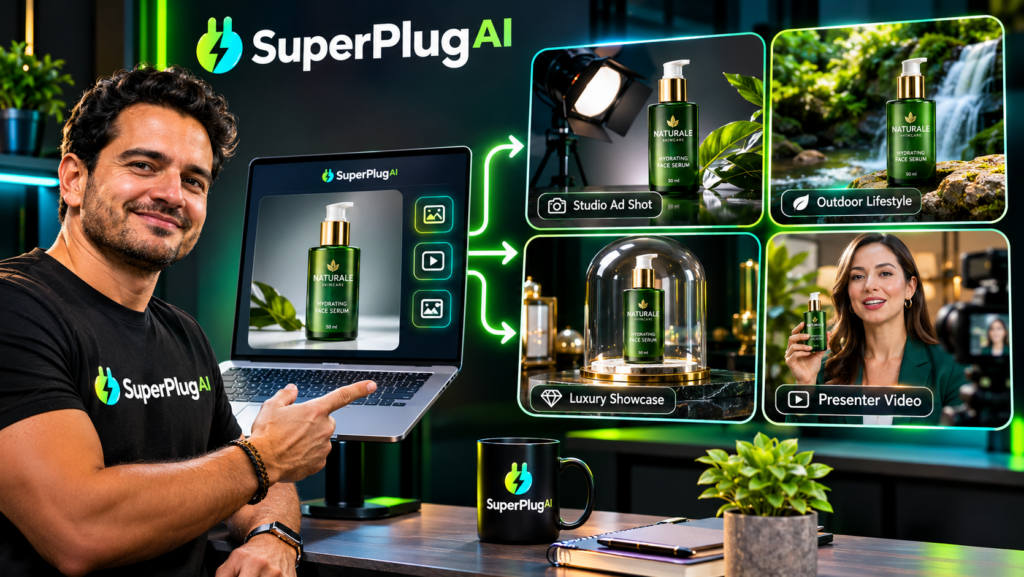
You can create a product commercial from just one photo using SuperPlug AI by providing your product image, describing the commercial you want, reviewing the proposed production plan and approving the video-generation workflow. SuperPlug AI’s video creation capabilities are designed to turn product photos into promotional video assets, helping marketers create product demonstrations, advertisements and social media videos without filming a traditional commercial. Explore SuperPlug AI’s product video creation features here.
This step-by-step tutorial explains how to prepare your product photo, write an effective creative brief, generate your commercial and refine the finished video for marketing use.
What Is One-Photo Product Commercial Creation?
One-photo product commercial creation uses an existing product image as the starting point for a promotional video. Instead of arranging a camera shoot, hiring a production team or filming multiple product angles, you provide a suitable image and use AI-assisted creative tools to develop a video concept around it.
This approach can be useful for ecommerce sellers, affiliate marketers, small businesses, product creators and agencies that need promotional content without organising a full video shoot.
SuperPlug AI includes video workflows for product commercials, product demonstrations, photo-to-video projects and other promotional assets. The final output depends on the selected workflow, available tools and quality of the source image.
Step 1: Prepare a High-Quality Product Photo
Your source image is the foundation of the commercial, so choose it carefully.
For the best starting point, use a photograph that:
- Shows the complete product clearly.
- Has good lighting and minimal visual clutter.
- Uses a reasonably high resolution.
- Does not obscure important product details.
- Has a background that suits the intended advertising style.
For example, if you are promoting a skincare bottle, choose a clear image showing the packaging, label and overall product shape. A clean background can make it easier to develop a premium-looking promotional concept.
Step 2: Connect SuperPlug AI to Your AI Assistant
SuperPlug AI uses Model Context Protocol (MCP) to connect supported AI assistants such as ChatGPT, Claude and Grok with its creative production tools.
- Sign in to your SuperPlug AI account.
- Locate your personal MCP connection instructions.
- Copy the connection details provided for your account.
- Add the connection through the supported settings in your preferred AI assistant.
- Complete authentication and enable the connector.
Once connected, you can request supported creative tasks through a normal AI conversation instead of manually navigating multiple production tools.
Step 3: Upload Your Product Photo and Write a Creative Brief
Start a new project and provide the product photo through the supported workflow. Then explain the commercial you want to create.
A detailed creative brief should describe:
- Product: What are you advertising?
- Audience: Who should the commercial appeal to?
- Style: Should the video look luxurious, energetic, modern or minimalist?
- Format: Is the commercial intended for YouTube, social media or a product landing page?
- Message: What product features or benefits should the video communicate?
- Call to action: What should viewers do after watching?
Here is an example prompt you can adapt:
Create a 30-second premium product commercial using the uploaded product photo. Make the product the visual focus, with cinematic lighting, elegant camera movement and attractive background scenes. Highlight its main features, use engaging promotional narration and finish with a clear call to action. Make the video suitable for social media advertising.
Step 4: Review the Proposed Production Plan
One useful part of SuperPlug AI’s workflow is its plan-first approach. Before production begins, review the proposed deliverables, steps, estimated time and credit requirements.
Check that the plan matches your creative brief. In particular, confirm that:
- The uploaded image is being used as the intended product reference.
- The proposed visual direction matches your brand.
- The video format suits your intended publishing platform.
- The estimated credit cost is acceptable.
- The planned narration and promotional message are appropriate.
If the plan does not match your expectations, clarify the instructions before approving the task. This gives you an opportunity to correct the creative direction before production proceeds.
Step 5: Generate and Review Your Product Commercial
After approving the production plan, let the supported workflow generate the commercial. Depending on the selected tools, the process may combine your product image with generated scenes, motion, narration and other video elements.
When the result is ready, review it carefully:
- Product accuracy: Does the product still look like the original item?
- Visual quality: Are the scenes clear and professionally presented?
- Brand consistency: Are the colours, style and messaging appropriate?
- Narration: Is the voiceover clear and correctly paced?
- Advertising claims: Are all product benefits and statements accurate?
- Call to action: Is the next step obvious to the viewer?
Pay particular attention to product labels, logos and small packaging details. AI-generated visuals can sometimes alter these elements, so correct any inaccuracies before using the video in a campaign.
Step 6: Create Different Versions for Your Marketing Channels
Once you have a commercial you like, consider adapting the creative concept for different platforms. A longer product commercial might work well on a website or YouTube channel, while a shorter cut may be more suitable for vertical social media placements.
You can request alternative versions with different hooks, visual styles or calls to action where the available workflow supports them. Keep the central product message consistent while adapting the presentation to each audience.
To understand how this photo-to-video workflow fits into the platform’s other creative features, pricing and integrations, read the complete SuperPlug AI review and feature breakdown.
Frequently Asked Questions
Can SuperPlug AI create a product commercial from one photo?
Yes. SuperPlug AI’s listed video capabilities include photo-to-video and product commercial workflows. The available output depends on the selected workflow and connected creative tools.
Do I need video footage to create a product advertisement?
Not necessarily. A suitable product photo can be used as the starting point for a supported photo-to-video workflow.
What type of product photo should I use?
Use a clear, well-lit image that shows the product accurately. A high-quality source image gives the creative workflow a better starting point.
Can I create social media product commercials?
Yes. You can specify the intended platform and format in your creative brief, then review the available output options before approving production.
Final Thoughts
Creating a product commercial from one photo with SuperPlug AI can simplify the process of turning a static product image into a promotional video. Prepare a good source photograph, provide a detailed creative brief, review the production plan and carefully inspect the generated commercial before publishing.
For a complete look at the platform’s video engine, AI integrations, pricing, upgrades and other creative workflows, explore the full SuperPlug AI review.