
Present 3D is an AI-powered presentation platform that turns prompts, websites and existing PDF or PowerPoint content into interactive 3D cinematic presentations featuring talking AI avatars, voice responses, built-in chat and lead capture.
If you’re tired of ordinary slide decks that simply display information, Present 3D offers a much more engaging way to present ideas, explain products, demonstrate services and communicate with potential customers. Instead of creating another static presentation, you can build an experience that speaks, responds and gives viewers a way to interact.
In this Present 3D review, we’ll break down its features, how it works, the pricing and upgrade funnel, commercial license, bonuses, creators, demo and overall verdict. Most importantly, you’ll see why this is worth considering if you want to create modern presentations or offer interactive presentation services to clients.
Present 3D Review: Quick Verdict at a Glance
| Product | Present 3D |
|---|---|
| Product category | AI-powered 3D interactive presentation software |
| Main purpose | Create cinematic presentations with talking AI avatars and interactive features |
| Inputs supported | Prompts, website URLs and existing PDF or presentation content |
| AI presentation features | AI-written slides, AI images, avatars, voices and voice cloning |
| Engagement features | AI chat, voice and text responses, lead forms and feedback forms |
| Business tools | Built-in CRM and basic presentation engagement analytics |
| Sharing | Cloud-hosted presentations, links and QR codes |
| Devices | Desktop, tablet and mobile |
| Commercial license | Included with the advertised front-end offer |
| Front-end launch price | $37 one-time in the supplied JV funnel |
| Guarantee | 30-day money-back guarantee advertised on the sales page |
| Verdict | A strong option for anyone who wants to create and potentially sell interactive AI presentation experiences. |
What Is Present 3D?
Present 3D is a cloud-based AI presentation creation platform designed to transform ordinary information into visually engaging, interactive 3D cinematic presentations.
You can start with a simple prompt, enter a website URL or upload existing PDF content. Present 3D uses AI to help create presentation slides, visuals and a structured presentation experience. You can then customize the result, add a talking AI avatar, choose a voice and enable interactive features that let viewers ask questions and respond.
The important distinction is that Present 3D is not positioned simply as another AI slide generator. It brings the presentation, AI presenter, conversation layer and lead-capture tools together.
Build cinematic presentations
Turn prompts, website content and existing documents into a presentation experience with AI-assisted slides and visuals.
Bring in AI presenters
Use moving AI avatars and natural-sounding voices to give your presentation a more personal, narrated feel.
Make presentations interactive
Allow viewers to ask questions, interact with the AI and submit their details through built-in forms.
That combination makes Present 3D relevant for sales presentations, product demonstrations, training, onboarding, educational content, business pitches and client-facing projects.
How Does Present 3D Work?
The basic workflow is straightforward: provide the source material, generate the presentation, customize the experience and share it with your audience.
01. Start with your content
Enter a prompt, provide a website URL or upload an existing PDF to give Present 3D the information needed to build your presentation.
02. Generate the presentation
Use AI-generated slide content and visuals to create the initial presentation structure.
03. Customize the experience
Use the drag-and-drop editor to adjust text, images, layouts and branding. Select an avatar and voice for your presenter.
04. Add interaction
Configure AI chat, voice and text responses, lead forms, feedback options and presentation navigation.
05. Publish and share
Host the presentation in the cloud and share it through a link or QR code. Viewers can access it across supported devices.
06. Review engagement
Use the built-in CRM and available engagement analytics to organize captured leads and review presentation activity.
The result is a shareable presentation that can do more than display a sequence of slides. It can introduce a product, explain a service, answer viewer questions and collect prospect information in the same experience.
Present 3D Features: What Do You Actually Get?
The value of Present 3D comes from how its features work together. Here are the capabilities that make the platform worth a closer look.
1. AI-powered 3D cinematic presentations
Present 3D is designed to move beyond traditional flat slide decks. It helps create a more cinematic presentation experience using structured slides, visual assets and interactive presentation elements.
Why it matters: A presentation is often the first detailed explanation a prospect sees. A more engaging visual experience can make it easier to communicate a product, service or idea without relying on a long, static document.
2. Create presentations from prompts, URLs and PDFs
You don’t have to begin every project with a blank slide. Present 3D supports multiple starting points:
- Text prompts: Describe the presentation you want to create.
- Website URLs: Use existing website content as the starting point.
- PDF uploads: Convert existing PDF material into an interactive presentation.
This is especially useful when you already have product information, sales copy, training material or business content that needs a more engaging format.
3. AI-written slides and AI-generated images
Present 3D can generate slide content and create AI images for presentation pages. This reduces the amount of manual work involved in building the first version of a presentation.
You can then use the editor to refine the wording, visuals and layout so the finished presentation reflects your brand and message.
4. A library of 2,000+ moving AI avatars
The platform advertises access to more than 2,000 ready-made moving AI avatars. These presenters can give your presentation a recognizable face instead of making viewers read through a series of silent slides.
You can select an avatar that fits the subject, audience and presentation style. The platform also promotes the ability to create or clone a personalized presenter, depending on the applicable feature access.
5. More than 1,500 AI voices and voice cloning
Present 3D advertises a library of more than 1,500 natural-sounding AI voices, along with voice-cloning capabilities.
This gives you flexibility when creating presentations for different brands, audiences and languages. A consistent voice can also help make a series of presentations feel more connected.
6. AI chat and interactive Q&A
One of the most useful differences between a static presentation and an interactive presentation is the ability to respond to questions.
Present 3D includes an AI chat experience that allows viewers to ask questions and receive text or voice responses from the AI presenter. The vendor materials also describe live chat and human handover options.
For a product demo, this means viewers can explore information and ask relevant questions rather than simply watching a presentation from beginning to end.
7. Built-in lead capture forms
Present 3D supports lead forms inside presentations. This gives you an opportunity to collect visitor details at a relevant point in the viewing experience.
For example, a business presentation could invite interested viewers to request a consultation, ask for a quote or receive further information.
8. Feedback forms and thank-you messages
Presentations can include feedback forms and thank-you messages. This is useful for training, onboarding, educational material and customer communication where collecting a response matters.
9. Built-in CRM and engagement analytics
The front-end product includes a built-in CRM for capturing and storing leads, along with basic presentation engagement analytics.
Instead of treating a presentation as a file that gets shared and forgotten, you can connect it to a simple lead-management workflow and review available engagement information.
10. QR codes and shareable presentation links
Present 3D supports QR code generation and presentation sharing. This makes it practical to use presentations in online campaigns as well as offline situations such as meetings, events, printed material and business displays.
11. Mobile, tablet and desktop access
The platform is cloud-based and designed to work across desktop, tablet and mobile devices. You do not need to install traditional desktop presentation software or arrange your own hosting for the advertised cloud workflow.
12. Drag-and-drop editor and presentation controls
After generating a presentation, you can edit text, images, layouts and branding using the live editor. You can also configure subtitles and choose between automatic slide progression and manual navigation.
Why the feature combination matters
AI slide creation, talking avatars, voice responses, interactive chat and lead capture are more useful when they work together. Present 3D brings these elements into one presentation workflow, giving marketers and businesses a way to create, publish and share a more complete interactive experience.
Who Should Use Present 3D?
Present 3D has practical applications across several business and content workflows. Here are some of the strongest use cases.
Digital marketers
Create interactive product presentations, campaign explainers, lead-generation experiences and sales demonstrations.
Coaches and consultants
Present services, explain coaching programs, introduce training material and answer common prospect questions.
Freelancers
Offer presentation creation as an additional service to businesses that need product explainers, pitches or onboarding material.
Agencies
Build presentation projects for clients and explore the commercial and agency upgrade options for a larger service operation.
Course creators and trainers
Turn educational material into narrated, interactive presentations and combine multiple presentations into larger learning experiences where supported.
Small business owners
Explain products, showcase services, answer questions and collect enquiries through a shareable presentation.
It is particularly attractive if you regularly explain the same offer, demonstrate the same product or answer the same questions for different prospects. A reusable presentation can help make that communication more consistent.
Present 3D Official Demo and Walkthrough
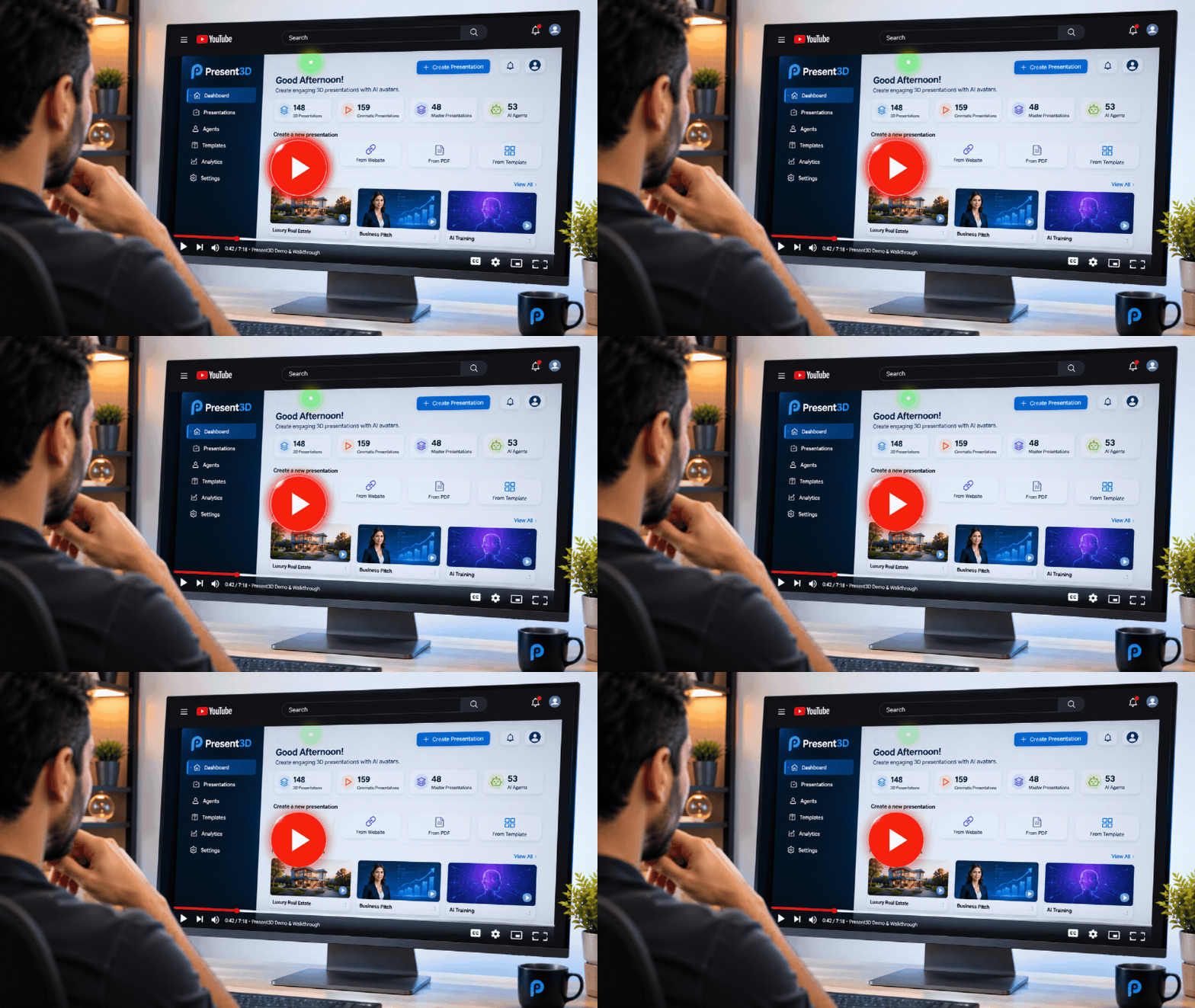
Before deciding, watch the official demo and walkthrough below. Pay attention to the presentation creation process, the dashboard, the AI presenter, the available presentation styles and the interactive features.
Present 3D Pricing: How Much Does It Cost?
The supplied launch funnel lists the Present 3D Commercial front-end offer at $37 as a one-time payment. The offer is advertised with a commercial license and a lifetime account, rather than a conventional monthly subscription.
There are also optional upgrades for users who want expanded usage, additional business features, automation, agency capabilities or hands-on setup assistance.
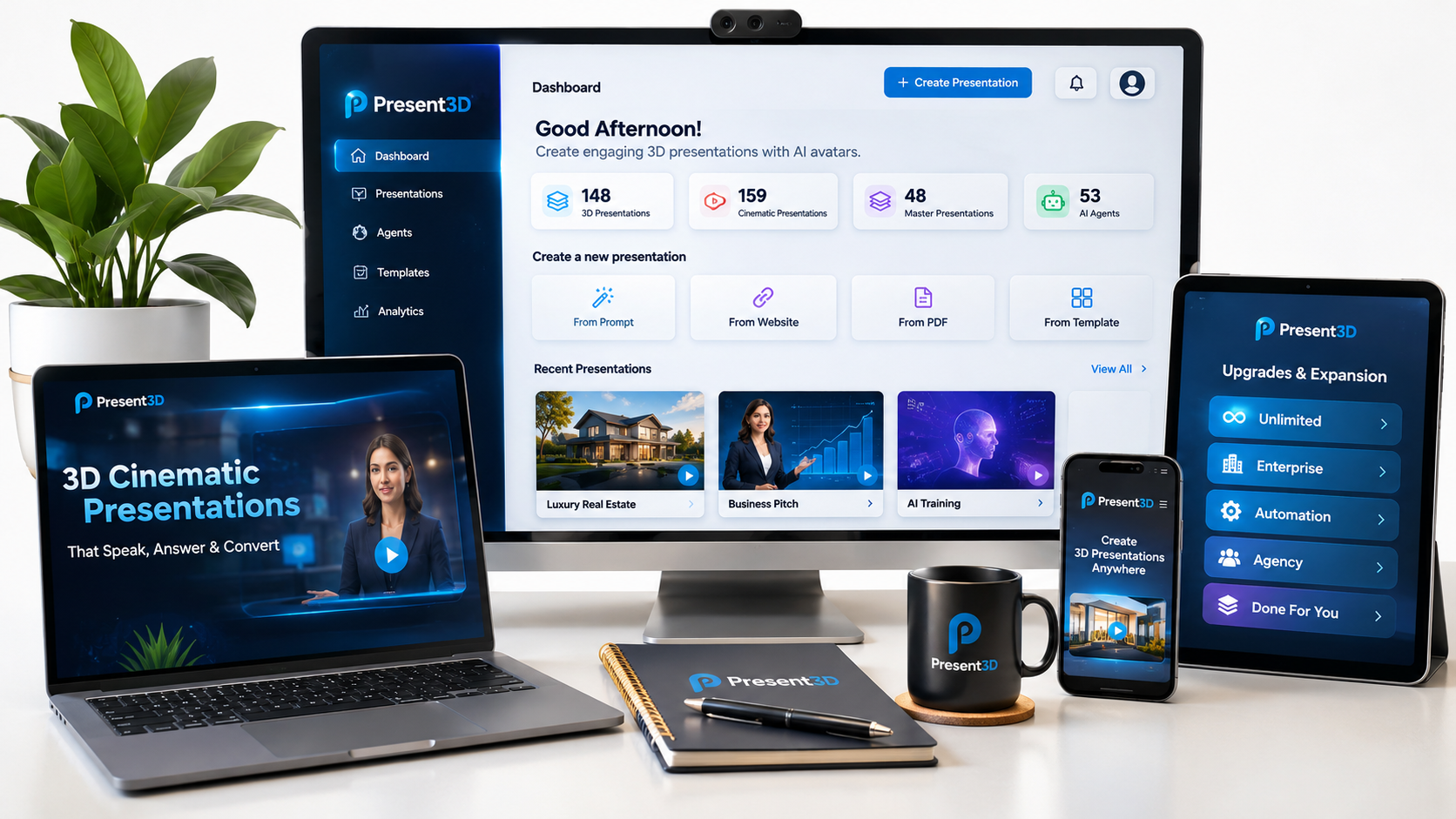
$37 one-time
Present 3D Commercial, with the advertised commercial license and core presentation creation features.
What does the front-end purchase include?
- AI-powered interactive 3D presentation creation.
- Creation from prompts, website URLs and PDF uploads.
- AI-written slides and AI-generated images.
- Access to the advertised AI avatar and voice features.
- Drag-and-drop presentation editing.
- AI chat and interactive viewer engagement.
- Lead capture and feedback forms.
- Built-in CRM and basic engagement analytics.
- QR code sharing and cloud hosting.
- Commercial license as advertised.
- Step-by-step video training and customer support.
The front end is the starting point. The upgrades below are optional additions for users who want to expand their usage or build a more substantial business workflow.
Present 3D OTOs: What Are the Upgrade Options?
Present 3D offers several optional upgrades. You do not need to purchase every upgrade to understand or use the core product. The right choice depends on whether you are creating presentations for yourself, handling client work, managing leads or building an agency.
| Upgrade | Listed one-time price | Main purpose |
|---|---|---|
| OTO 1 – Unlimited | $77 | Expanded presentation creation, workspaces, avatars, voices and usage allowances. |
| OTO 2 – Enterprise | $97 | Advanced presentation management, integrations, engagement tools and enterprise features. |
| OTO 3 – Automation | $97 | Lead pipeline, scoring, follow-ups, CRM automation and workflow integrations. |
| OTO 4 – Agency Unlimited | $97 | White-label agency tools, client accounts and team management. |
| OTO 5 – Done For You | $147 | Expert assistance with creating, branding, training and launching an AI presentation agent. |
OTO 1: Present 3D Unlimited – $77
The Unlimited upgrade is designed for users who expect to create presentations regularly or manage multiple projects.
Its listed features include:
- Unlimited workspaces and AI presentation creation.
- Expanded access to the 2,000+ avatar library.
- Custom avatar creation and voice cloning.
- AI slide and image generation.
- Presentation duplication and QR code generation.
- Unlimited presentation views and traffic as advertised.
- Up to 10,000 leads per month in the JV feature list.
- 100 Super Presentations for combining multiple presentations.
- 50+ languages, priority processing and high-priority support.
Best for: Frequent creators, freelancers and users who expect to manage multiple presentation projects.
OTO 2: Present 3D Enterprise – $97
Enterprise is aimed at users who need more advanced presentation management and engagement capabilities.
Its listed features include:
- Unlimited master presentations and multi-chapter presentation structures.
- Expanded avatar, voice and voice-cloning access.
- Custom AI agent goals and personalized greetings.
- Advanced slide controls and multi-workspace management.
- Conversation memory and engagement rules.
- Autoresponder and CRM integrations with 20+ email tools.
- Advanced analytics and reporting.
- Appointment booking and automated webinar registration.
- Surveys, reviews, feedback and promotional tools.
Best for: Businesses, trainers and advanced users who want to build more sophisticated presentation experiences.
OTO 3: Present 3D Automation – $97
The Automation upgrade focuses on lead management and follow-up. It expands the CRM workflow with tools designed to organize prospects and automate parts of the engagement process.
Its listed features include:
- Automated lead pipeline.
- AI lead scoring based on engagement and interactions.
- Live chat and avatar conversation synchronization.
- Automated follow-up and re-engagement messages.
- Conversation history and customer timelines.
- Multi-channel inbox and smart segmentation.
- Team collaboration and lead assignment.
- Behavior-based automation.
- API and automation integrations through Pabbly, including access to a stated 2,000+ app ecosystem.
Best for: Marketers and businesses that want to connect presentation engagement with a more organized lead-management process.
OTO 4: Present 3D Agency Unlimited – $97
This is the upgrade to examine if your goal is to offer AI presentation services under your own agency brand.
Its listed features include:
- Unlimited white-label license.
- Unlimited client accounts.
- Team access and role management.
- White-label dashboard branding.
- Three-click client setup.
- Ready-made proposals, contracts and outreach resources.
- Fiverr and Upwork templates and delivery reports.
- Priority agency support.
Best for: Freelancers, agencies and service providers who want to build a branded client-service offering around interactive AI presentations.
OTO 5: Present 3D Done For You – $147
If you would rather have help with the initial setup, the Done For You upgrade is designed to reduce the amount of configuration you need to handle yourself.
Its listed features include:
- Hands-free presentation agent setup.
- Dedicated AI strategist assistance.
- Custom AI avatar creation and voice options.
- Brand content training using your website and business materials.
- Branding integration across slides and interactions.
- Website-to-presentation conversion.
- Lead forms and CRM setup.
- Super Presentation creation.
- Cloud project storage and deployment assistance.
Best for: Business owners and marketers who value expert setup assistance over configuring every element themselves.
Present 3D Bundle and MegaBundle
Present 3D Bundle
The supplied JV materials list a bundle containing the front end plus Unlimited, Enterprise, Automation and Agency.
Listed JV document price: $497.
Other launch checkout references show a different bundle amount. Confirm the live bundle total and included upgrades at checkout.
Present 3D MegaBundle
The supplied JV materials list the MegaBundle at $127, with additional 3D and cinematic presentations, VIP training, premium support and a dedicated account manager.
Check its eligibility and required ownership conditions before choosing it.
Which Present 3D upgrade should you choose?
| Your goal | Upgrade to examine |
|---|---|
| Create more presentations and manage multiple projects | Unlimited |
| Build advanced presentation experiences | Enterprise |
| Improve lead management and follow-up | Automation |
| Sell presentation services under your brand | Agency Unlimited |
| Get expert setup assistance | Done For You |
My recommendation is simple: begin with the core offer if you want to explore the platform and create your first presentation. Choose upgrades according to the actual workflow you intend to build. If you already know you want to operate an agency, prioritize the agency features rather than buying upgrades that do not serve your business model.
Present 3D Bonuses: What Extra Resources Are Included?
The Present 3D VIP bonus package is designed to help users move beyond simply creating presentations. It focuses on finding clients, preparing offers, presenting services professionally and building a repeatable business workflow.
Client-Getter Blueprint
A day-by-day action plan for identifying potential clients, approaching them and delivering a first Present 3D project.
1,000+ AI Keyword and Prompt Vault
A collection of ready-to-use prompts and keywords for creating presentations for sales, pitches, training and product launches.
Cold Outreach Scripts and Templates
30 outreach messages for email, WhatsApp, LinkedIn and Instagram that you can adapt for your prospecting campaigns.
Pricing and Proposal Kit
Pricing packages, proposal templates and upsell menus to help structure and present your service offers.
50 Hot Niches Profit Playbook
A list of industries, their potential presentation needs, suggested pitch angles and pricing ideas.
Done-For-You Agency Pitch Deck
An editable presentation you can customize with your business name and branding when pitching services to clients.
Website-to-3D Money Method
Training on turning a business website into a sample talking 3D presentation that can be used to demonstrate the service.
Client Onboarding Pack
Contracts, invoices and questionnaires to help organize client projects and collect the information needed to get started.
Freelance Marketplace Domination Kit
Gig titles, descriptions, thumbnails and proposal templates for presenting your services on freelance marketplaces.
LinkedIn Lead-Magnet Machine
A profile makeover, 30 days of post ideas and a content system designed to attract business owners.
Multilingual Profit Guide
Guidance on using multilingual presentation capabilities to serve clients in different markets.
Demo Vault
20 presentation samples and demo scripts across popular niches to help you show prospects what the service can look like.
Recurring Income Playbook
Ideas for ongoing client services such as presentation updates, additional languages and CRM management.
Coach and Consultant Funnel Kit
Scripts and offer resources for presenting interactive presentation services to coaches, trainers and consultants.
VIP Mastermind and Monthly Q&A
Community access, feedback opportunities and live Q&A sessions for Present 3D users.
For someone who wants to turn presentation creation into a service, these resources are especially relevant. They cover several stages of the process: choosing a market, approaching prospects, pitching the service, preparing proposals and maintaining client relationships.
Who Are the Creators of Present 3D?
Present 3D is associated with Dr. Amit Pareek and Atul Pareek, the Pareek brothers featured in the product’s launch materials.

The supplied creator imagery shows the brothers together at business and team events, along with award and recognition displays associated with their JVZoo activity. The launch materials identify Atul Pareek as the contact for affiliate and product-related enquiries.
For buyers, the practical point is that Present 3D comes with product training and a stated customer-success support channel. The supplied support details include a support desk and a dedicated support email.
- Support desk: support.oppyo.com
- Support email: support@oppyo.com
- Advertised support availability: 24×5 customer-success assistance
Present 3D Testimonials and User Feedback
When evaluating a new software product, it makes sense to look beyond the feature list. You want to understand the actual presentation experience, the dashboard, the available tools and how the product is positioned for real business use.
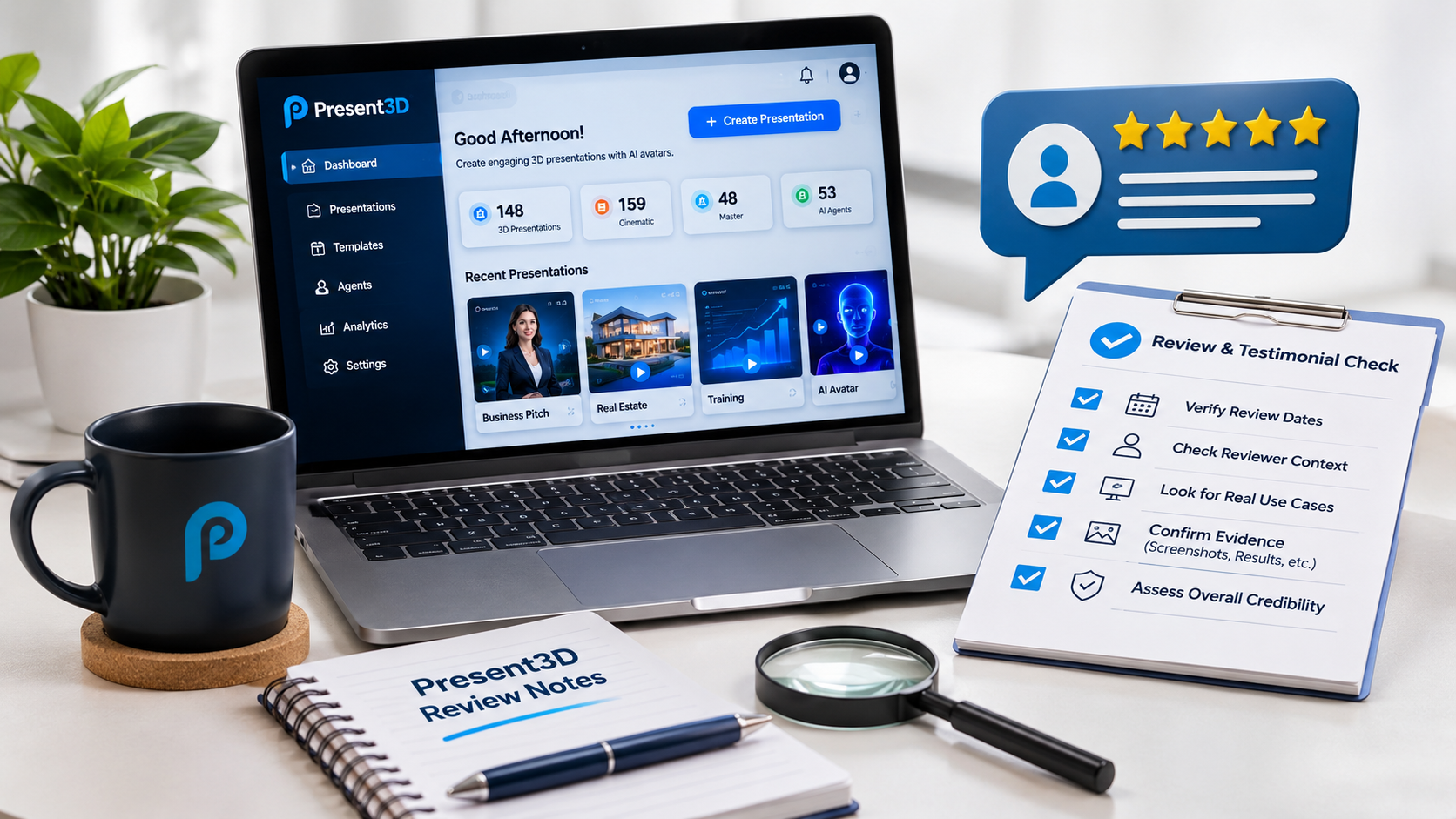
The image above is included as a visual reference for the product and its review section. Rather than inventing customer quotations or assigning review scores, the best way to evaluate Present 3D is to watch the demonstration and inspect the actual features you intend to use.
In particular, pay attention to:
- How the presentation dashboard is organized.
- How the AI-generated presentation looks after creation.
- How the avatar and voice presentation work.
- How viewers interact with the AI chat experience.
- How lead forms and sharing options are configured.
This gives you a much more useful basis for deciding whether the platform fits your workflow than relying on generic praise or unsupported star ratings.
Present 3D Pros and Cons
What I Like
- Multiple ways to start a presentation: prompt, URL or PDF.
- AI-written slides and generated visuals.
- Large advertised avatar and voice libraries.
- Voice-cloning capabilities.
- Interactive AI chat and viewer questions.
- Lead capture and feedback forms.
- Built-in CRM and basic engagement analytics.
- QR code sharing and cloud hosting.
- Commercial license advertised with the front end.
- Optional agency and automation upgrades.
- Video training and customer support.
Things to Consider
- There are several optional upgrades, so review the checkout carefully.
- Advanced usage and expanded limits may require an upgrade.
- AI-generated content should be reviewed and customized before publishing.
- Voice and avatar choices should be tested for your audience and language.
- Agency services still require client acquisition, communication and delivery work.
- Check the exact plan limits and included credits before scaling usage.
The advantages are strongest when you have a clear use for interactive presentations. If you only need a conventional slide deck for an occasional internal meeting, a traditional presentation tool may be sufficient. But if you want a presentation that can narrate, answer questions and collect leads, Present 3D offers a much broader workflow.
Present 3D Review Verdict: Should You Buy It?
Yes – Present 3D is worth serious consideration if you want to create interactive AI-powered presentations or add a new presentation service to your business.
The reason is the combination of capabilities. You are not looking at a tool that only generates slide text or places images into a template. Present 3D brings presentation creation, cinematic visuals, moving AI avatars, voice options, interactive Q&A, lead capture and CRM features into one platform.
That makes it useful in two different ways:
Use it for your own business
Create product demos, service explainers, training presentations, onboarding experiences and sales material that viewers can explore and interact with.
Build a presentation service
Use the commercial and optional agency features to create presentation projects for coaches, consultants, local businesses and other clients.
The advertised $37 front-end launch offer gives you an accessible starting point, while the optional upgrades let you expand into higher-volume creation, advanced engagement, automation or agency operations as your needs grow.
The VIP bonus package also adds practical business-building resources, particularly for anyone who wants to approach clients and sell presentation projects rather than simply use the software personally.
My Final Recommendation
If you have been looking for a way to make your presentations more engaging, give your content a talking AI presenter and create a more interactive experience for prospects, Present 3D is a strong product to explore.
Start with the core offer, review the demonstration, and choose the upgrades that match your actual plans. If you want to offer presentation services to clients, pay particular attention to the commercial and agency options.
Don’t settle for another presentation that only displays information. Give your audience something they can watch, hear and interact with.
Present 3D Review: Frequently Asked Questions
What is Present 3D used for?
Present 3D is used to create AI-powered 3D interactive presentations from prompts, website URLs and existing PDF content. It supports AI presenters, voice options, interactive chat, lead capture and presentation sharing.
How much does Present 3D cost?
The supplied launch JV funnel lists the Present 3D Commercial front-end offer at $37 as a one-time payment. Optional upgrades are listed separately, including Unlimited at $77, Enterprise at $97, Automation at $97, Agency Unlimited at $97 and Done For You at $147. Confirm the live checkout price before ordering.
Does Present 3D have a monthly subscription?
The advertised front-end launch offer is presented as a one-time payment with no monthly fee. Check the selected plan and checkout terms for the exact usage allowances and any separately priced services.
Does Present 3D include a commercial license?
Yes. The front-end offer is advertised with a commercial license, allowing users to create and deliver presentations for commercial projects. The Agency Unlimited upgrade adds further white-label and client-management capabilities.
Can I create a presentation from a website URL?
Yes. Present 3D supports website URL input as one of its presentation creation methods. It also supports prompts and existing PDF content.
Can Present 3D create talking AI avatar presentations?
Yes. The platform advertises a library of more than 2,000 moving AI avatars and more than 1,500 AI voices, along with voice-cloning capabilities.
Can viewers ask questions inside a Present 3D presentation?
Yes. Present 3D includes AI chat functionality that can provide text and voice responses to viewer questions. The vendor materials also describe live chat and human handover options.
Does Present 3D include lead capture?
Yes. The advertised front end includes lead capture forms and a built-in CRM for storing leads. The Automation upgrade adds more advanced lead-management and follow-up features.
Is Present 3D suitable for agencies?
Yes. The commercial license is relevant to client projects, while the Agency Unlimited upgrade is designed for users who want white-label branding, client accounts, team access and agency resources.
What is Present 3D Unlimited?
Present 3D Unlimited is an optional $77 upgrade in the supplied JV funnel. It is designed to expand workspaces, presentation creation, avatar and voice access, QR codes, views and other usage allowances.
What is the Present 3D Done For You upgrade?
The $147 Done For You upgrade is designed for buyers who want assistance creating, branding, training and launching an AI presentation agent. Its listed features include avatar customization, voice options, content training, CRM setup and deployment assistance.
Does Present 3D offer a money-back guarantee?
The product sales page advertises a 30-day money-back guarantee. It instructs buyers to raise a support ticket within the 30-day period if they want to request a refund.
What does lifetime access mean for Present 3D?
The sales page describes lifetime access as the supported lifetime of the product. It estimates that the product’s support lifetime may be approximately five years, rather than promising perpetual service.
Can I use Present 3D on mobile devices?
Yes. The platform is advertised as cloud-based and accessible on desktop, tablet and mobile devices.
Is Present 3D beginner-friendly?
Present 3D is marketed as a no-code platform with AI-assisted creation, a drag-and-drop editor and step-by-step video training. Beginners can start with a prompt, URL or PDF and customize the generated presentation.
Where can I watch the Present 3D demo?
You can watch the official demo and walkthrough embedded in this review. It gives you an opportunity to inspect the dashboard, presentation workflow and interactive features before deciding.
Ready to Explore Present 3D?
See the presentation platform, review the available options and choose the setup that fits your business goals.