
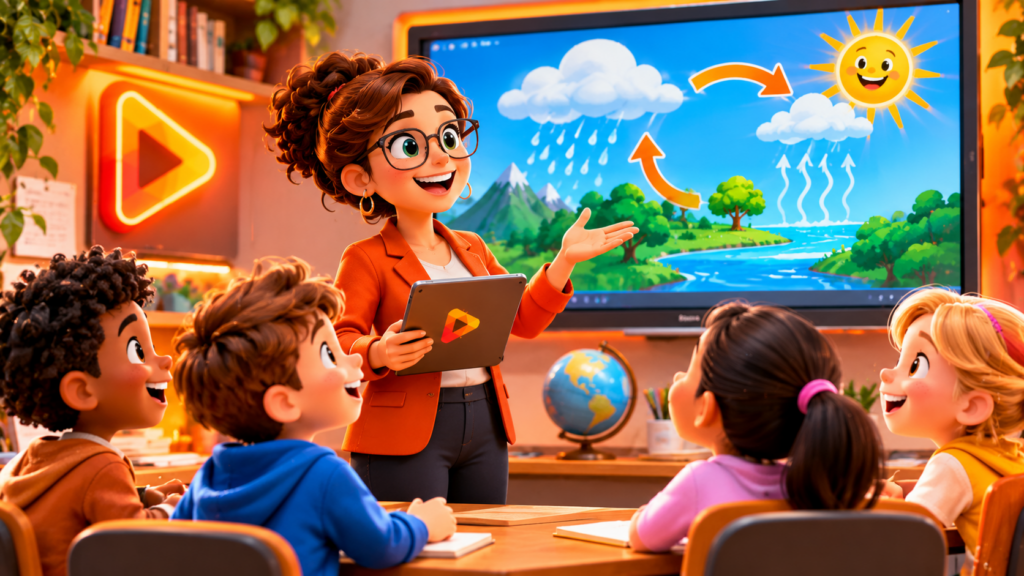
You can make educational cartoon videos that help children learn by choosing one clear learning objective, turning the lesson into a simple story, creating friendly cartoon characters, and explaining the concept through engaging animated scenes. The most effective educational cartoons combine simple language, memorable visuals, repetition, and age-appropriate examples. An AI-assisted platform such as RocketToons AI can help creators explore a workflow for developing cartoon characters, scripts, scenes, voices, and animated learning content.
Think about how much easier it can be for a child to understand a difficult idea when it is explained through a story. Instead of simply memorizing facts about the solar system, children could follow a curious cartoon astronaut visiting different planets. Instead of reading about healthy habits, they could watch a friendly cartoon character discover why brushing teeth matters.
That is the potential of educational cartoon videos: they turn information into stories children can follow, understand, and remember.
Why Use Cartoon Videos to Teach Children?
Cartoons combine visual storytelling, dialogue, movement, and sound to present information in an accessible format. They can make lessons more interesting, especially when abstract ideas are explained through familiar characters and everyday situations.
Educational cartoon videos can be used to teach:
- Early learning: Numbers, letters, colors, shapes, and basic vocabulary.
- Science: Animals, plants, weather, the human body, and simple scientific concepts.
- Language skills: New words, pronunciation, sentence formation, and everyday conversations.
- Life skills: Personal hygiene, sharing, safety, responsibility, and good habits.
- Social development: Friendship, kindness, teamwork, patience, and emotional awareness.
- General knowledge: History, geography, nature, and interesting facts about the world.
The objective should not simply be to entertain children. Every video should have a specific educational purpose and give young viewers something useful to understand or practice.
How to Make Educational Cartoon Videos for Children in 7 Steps
Step 1: Choose One Learning Objective
Start by deciding exactly what you want children to learn. Avoid combining too many unrelated lessons in one short video.
For example, instead of creating a general science cartoon, focus on a single question: Why do plants need sunlight?
Other simple educational video ideas include:
- Learning to count from one to ten.
- Understanding the difference between living and non-living things.
- Discovering how the water cycle works.
- Learning the names of common animals.
- Understanding why washing hands is important.
- Recognizing basic emotions and how to express them.
A clearly defined learning objective makes it easier to write the script, design the characters, and decide what each scene should communicate.
Step 2: Understand the Age Group You Are Teaching
Children at different developmental stages respond to different levels of language, storytelling, and visual complexity.
A video designed for preschool children should generally use simple words, familiar objects, clear narration, and straightforward examples. Older children may be ready for more detailed explanations, longer stories, and additional information.
Before writing your script, consider:
- What age group will watch the video?
- What knowledge can you reasonably assume they already have?
- Which words or concepts need explanation?
- How much information can the lesson comfortably cover?
- What examples will make the subject relatable?
Age-appropriate content helps ensure that the lesson is understandable rather than overwhelming.
Step 3: Turn the Lesson Into an Interesting Story
Children often find it easier to follow a lesson when it has characters, a situation, and a simple challenge to solve.
Imagine teaching children about recycling. Instead of presenting a list of recycling rules, introduce a cartoon character who discovers different types of waste and learns where each item belongs.
A useful educational cartoon structure is:
- Introduction: Introduce a character and an interesting question.
- Discovery: Let the character explore the subject.
- Explanation: Present the learning concept using simple examples.
- Practice: Ask a question or demonstrate what the child has learned.
- Recap: Repeat the most important lesson before ending the video.
This approach gives children a reason to follow the story while reinforcing the educational message.
Step 4: Create Friendly and Memorable Cartoon Characters
Characters can become familiar guides who help children explore different subjects. A friendly animal, curious child, cheerful teacher, or imaginative robot could become the main character of an educational series.
Choose a design that suits the subject and intended age group. Use recognizable colors, expressive faces, and simple visual features. Give the character a consistent personality so children know what to expect when they see it again.
If you plan to produce multiple lessons, consider using the same main characters across episodes. This can help establish a recognizable identity for your educational video series.
Step 5: Write Simple Dialogue and Choose Suitable Voices
Educational dialogue should be easy to understand. Avoid complicated sentences, unnecessary technical terms, and explanations that move too quickly.
For example:
Less effective: “Photosynthesis is the biochemical process through which plants convert light energy into chemical energy.”
More child-friendly: “Plants use sunlight, water, and air to make their own food. Isn’t that amazing?”
The scientific explanation can become more detailed as the intended age group increases.
Choose voices that are clear, friendly, and appropriate for the characters. Leave enough space between important statements so children have time to understand the information.
Step 6: Create Animated Scenes That Reinforce the Lesson
Visuals should help explain the subject rather than distract from it.
If the lesson is about the water cycle, show water evaporating, clouds forming, and rain falling. If the topic is counting, display objects one by one as the character counts them aloud.
Use scene changes, character expressions, and simple visual demonstrations to reinforce the spoken explanation. Avoid filling the screen with too many objects or unrelated animations.
Where possible, include short questions that encourage children to think. For example: “Can you count the three red apples?” This gives the viewer an opportunity to participate rather than simply watch.
Step 7: Review the Educational Accuracy Before Publishing
This is one of the most important steps. A colorful animation is not automatically a good educational resource.
Check that the facts are accurate, the examples are appropriate, and the language is understandable. Review pronunciation, spelling, subtitles, and visual details. If the video teaches science, mathematics, health, or safety, verify the information carefully before publishing.
It is also sensible to have an educator, subject expert, or knowledgeable reviewer check important lessons. For content aimed at children, consider privacy, age suitability, advertising, and platform-specific child-safety requirements.
How RocketToons AI Can Help Create Educational Cartoon Videos
RocketToons AI is an AI-powered cartoon video creation platform designed to bring together script assistance, character creation, animated scenes, voices, and video production.
Its advertised features include AI-assisted script writing, multiple cartoon visual styles, character customization, AI voice options, scene-level adjustments, and storyboard previews. These capabilities may be useful when developing educational cartoons for different subjects and audiences.
For example, you could develop a short lesson about the solar system, create a cartoon astronaut as the presenter, organize the explanation into individual scenes, and add dialogue and suitable visual elements. You could then preview the storyboard and refine the scenes before exporting the finished video.
However, AI-generated educational material should always be reviewed for accuracy and age suitability. The platform can assist with production, but the educational planning and final quality control remain your responsibility.
If you want to explore how the platform works, including its advertised features and buying considerations, read our complete RocketToons AI review.
Tips for Making Educational Cartoons More Effective
- Teach one concept at a time: Avoid overwhelming children with too much information.
- Use familiar examples: Connect new ideas to everyday experiences.
- Repeat important lessons: Reinforce key information through dialogue and visual demonstrations.
- Encourage participation: Include simple questions and opportunities to think or count along.
- Keep characters consistent: Reuse familiar characters across related lessons.
- Balance entertainment and learning: Make the story enjoyable without losing the educational objective.
- Check every factual claim: Accuracy matters more than visual excitement.
FAQs About Creating Educational Cartoon Videos for Children
What topics work best for educational cartoon videos?
Early learning, science, mathematics, language skills, nature, personal hygiene, social skills, and everyday safety are useful subjects. Choose topics according to the age group and learning objectives.
How long should an educational cartoon video be?
There is no universal ideal length. Keep the lesson focused and use only enough time to explain the concept clearly. Younger audiences may benefit from shorter, simpler lessons.
Can I create educational cartoons without animation experience?
Yes. AI-assisted cartoon video tools can simplify parts of scripting, character creation, and scene production. You will still need to plan the lesson and review the finished animation.
Can the same cartoon characters teach different subjects?
Yes. A recurring character can act as a familiar guide across a series of educational videos. Maintain consistent character descriptions and visual references wherever the software supports them.
Can educational AI cartoon videos be monetized on YouTube?
Potentially, yes. AI-generated videos are not automatically excluded from monetization, but creators must meet YouTube’s applicable monetization and content policies. Content intended for children must also be correctly designated and comply with the relevant child-safety and advertising requirements. Original educational value and meaningful creative input are important.
Final Thoughts: Make Learning an Adventure
Children do not have to experience learning as a collection of facts to memorize. A well-planned cartoon can turn a difficult concept into a story, introduce a new subject through a friendly character, and encourage children to ask questions.
Start with one learning objective. Build a simple story around it. Choose characters children can relate to, use clear dialogue, and create scenes that demonstrate the lesson. Most importantly, make educational accuracy and age suitability part of your production process from the beginning.
RocketToons AI is worth exploring if you want to investigate an AI-assisted workflow for creating cartoon characters, educational scripts, animated scenes, and narrated videos. To learn more about the platform and examine its advertised features and buying considerations, visit our RocketToons AI review.