
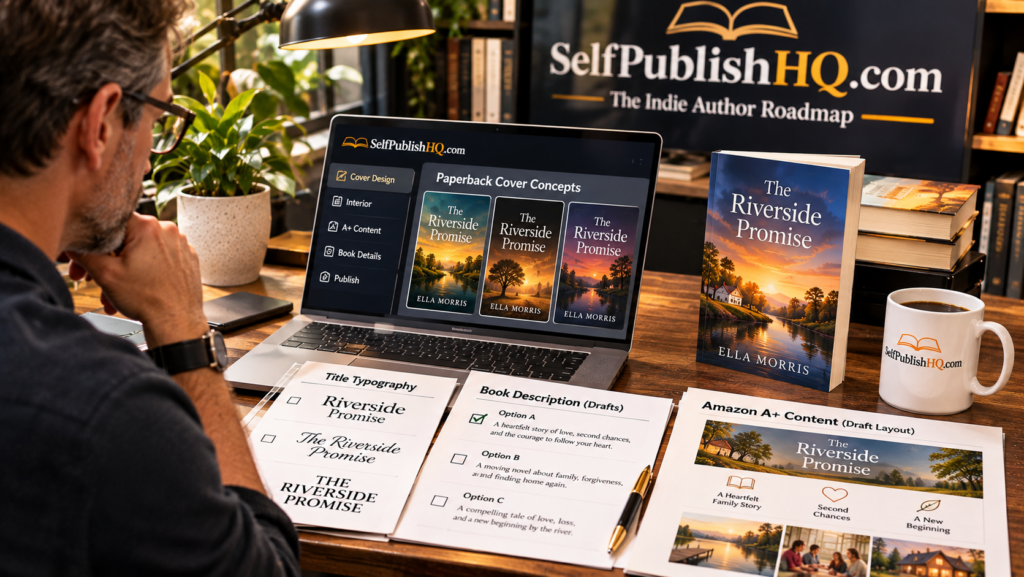
To package your Amazon KDP book professionally, you need two things that work together: an eye-catching cover that communicates the book’s genre and a compelling description that gives the right readers a reason to buy it. Your cover earns attention, while your description turns that attention into interest. Both should communicate a consistent message about the book you are offering. If you need a structured starting point, SelfPublishHQ’s author resources include practical guidance for creating book covers, titles, blurbs and supporting promotional content.
Why Book Covers and Descriptions Matter on Amazon KDP
Readers often make an initial judgement about a book before reading a single page. Its cover, title and description help them decide whether the book looks relevant to their interests.
A professional presentation does not guarantee sales, but a confusing cover or poorly written description can make it harder for readers to understand what the book offers.
Your packaging should answer three basic questions:
- What kind of book is this?
- Who is most likely to enjoy reading it?
- What makes this particular book worth exploring?
Step 1: Design a Cover That Communicates Your Genre
Your cover should give readers an immediate visual indication of the book’s category. A romance novel, a psychological thriller and a practical business guide should not look interchangeable.
Before designing anything, research comparable books in your genre or category. Observe their visual conventions, typography, colour choices, imagery and overall layout. This helps you understand what readers may recognise as appropriate for the type of book you are publishing.
Focus on these elements:
- Genre fit: Use imagery and design choices that reflect the book’s subject and intended audience.
- Readable typography: Make the title and author name easy to read, including when the cover appears as a small Amazon thumbnail.
- Clear visual hierarchy: Ensure the title is prominent and supporting elements do not compete for attention.
- Appropriate imagery: Choose visuals that reinforce the book’s central theme without misleading readers.
- Professional execution: Check image quality, alignment, spacing and consistency.
For print editions, remember that the full cover must meet the selected trim size, page count, spine and bleed requirements. An eBook cover and a paperback cover have different technical specifications.
Step 2: Choose a Clear, Memorable Book Title
A strong title helps readers understand the subject, tone or central appeal of your book. It should be memorable, appropriate for the genre and easy to read on the cover.
For fiction, consider whether the title creates curiosity or communicates the story’s atmosphere. For non-fiction, clarity is especially important: readers should have a reasonable idea of the subject or benefit from the title and subtitle.
Avoid making the title unnecessarily complicated or promising something the manuscript does not deliver. Your title, cover and description should all represent the same book.
Step 3: Write a Book Description That Creates Interest
Your Amazon book description is not a complete summary of the manuscript. Its job is to introduce the book, communicate its appeal and encourage the right reader to learn more.
For fiction, a useful structure is:
- Opening hook: Introduce an intriguing situation, character dilemma or central conflict.
- Story setup: Give readers enough context to understand the premise.
- Stakes: Explain what the protagonist stands to lose or what challenge must be overcome.
- Reader appeal: Signal the genre, tone or themes without revealing major spoilers.
For non-fiction, explain the problem the book addresses, who it is intended for, what readers will learn and how the content is organised.
Keep paragraphs readable and remove unnecessary filler. Avoid exaggerated claims, misleading promises and spoilers that reveal important story developments.
Step 4: Make Your Cover and Description Work Together
One common packaging mistake is treating the cover and description as separate projects. They should reinforce each other.
If your cover suggests a dark psychological thriller but your description reads like a light-hearted romance, readers may be confused. Likewise, a non-fiction cover that promises a practical guide should be supported by a description that clearly explains its contents.
Before uploading, check that the title, subtitle, cover imagery, description and manuscript all communicate a consistent identity.
Step 5: Prepare Your Amazon Book Page
Once your cover and description are ready, complete the other elements of your KDP book listing carefully.
- Use relevant categories that accurately describe the book.
- Select appropriate keywords based on the book’s actual content and audience.
- Check the author name and contributor details.
- Review formatting and any available A+ Content options.
- Preview the final listing information before submitting the book.
Remember that categories and keywords should help readers discover the right book, not misrepresent what you have written.
How SelfPublishHQ Helps With Professional Book Packaging
SelfPublishHQ includes a Cover and Title Formula Guide and a Blurb and A+ Content Swipe File as part of its PACKAGE stage. These resources are designed to help authors approach the visual presentation and sales copy of their books more systematically.
The Pen Name and Author Platform Kit also supports the wider process of establishing an author identity. Together, these materials help connect the book’s presentation with its positioning and promotional needs. The complete SelfPublishHQ review and seven-stage roadmap overview explains how these resources fit into the broader publishing workflow.
Frequently Asked Questions
What makes a good Amazon KDP book cover?
A good cover communicates the genre or subject, uses readable typography, has a clear visual hierarchy and looks professional at thumbnail size.
How long should an Amazon KDP book description be?
It should be long enough to communicate the book’s appeal and important details without overwhelming readers. Focus on clarity and relevance rather than filling every available character.
Should my book cover and description use the same keywords?
They should communicate a consistent subject and genre, but they serve different purposes. The cover is primarily visual, while the description explains the book’s appeal in words.
Can I use AI to create my book cover?
AI tools can help create cover artwork, but you must review image quality, originality, usage rights and KDP’s applicable AI disclosure requirements before publishing.
Final Thoughts: Package Your Book for the Right Readers
A professional Amazon KDP presentation combines a genre-appropriate cover, a clear title and a persuasive description. Make sure these elements accurately represent your manuscript and appeal to the readers you want to reach. If you want practical guidance for this stage of self-publishing, explore the full SelfPublishHQ review and its resources for covers, titles, blurbs and author positioning.